How To Actually Edit With Claude (From 5-Year Pro Editor)
I gave two Claude chats the same footage. One came back as the sloppy edit everyone gets. The other is what Claude sends back once it knows how a pro editor decides.
01Same footage
The two edits
One chat guessing. One chat that knows the patterns.
If Claude editing is as good as people say, a decent cut shouldn't take hours of back-and-forth. I gave two chats the same footage and a simple prompt. The first edit would make you give up on AI editing. The other is the cut Claude sent back after I taught it the patterns.
I'm Artem. I've edited over 100 long-form videos for clients over the past five years. When AI editing blew up, I had to know if it could take my job. After hundreds of hours in Claude, I found it can do every part of an edit, and it has no idea what makes a video good. Close that gap, and you can skip paying an editor or spending tens of hours doing it yourself.
This is how I turn Claude into an editor for an Instagram Reel or a YouTube video, in my style, while I sleep. Setup is a few clicks. You don't have to know what a keyframe is, how Claude Code works, or how to open a terminal.
A few years ago I was full-time with one client, and a week for an edit was considered fast. Now I record in the evening and wake up to a video that's basically ready to post. If you've tried that and woke up disappointed, it's easy to decide AI has no taste. Most of what people call taste is a set of tiny decisions a pro makes on every video. What frame to cut on. Where a visual starts, and what it shows. When the song changes. Hundreds more. Done right, they add up to a video people want to watch.
02If this, then that
The patterns
Claude can follow a decision once it can see the decision.
Out of the box, Claude doesn't know these decisions exist. It guesses, and you get the same sloppy edit as everyone else. The good news is the decisions are patterns.
If there's a listicle in the script, show every element on screen. If a phrase is important, leave a longer silence after it. If the creator moves on to the next topic, the music shifts.
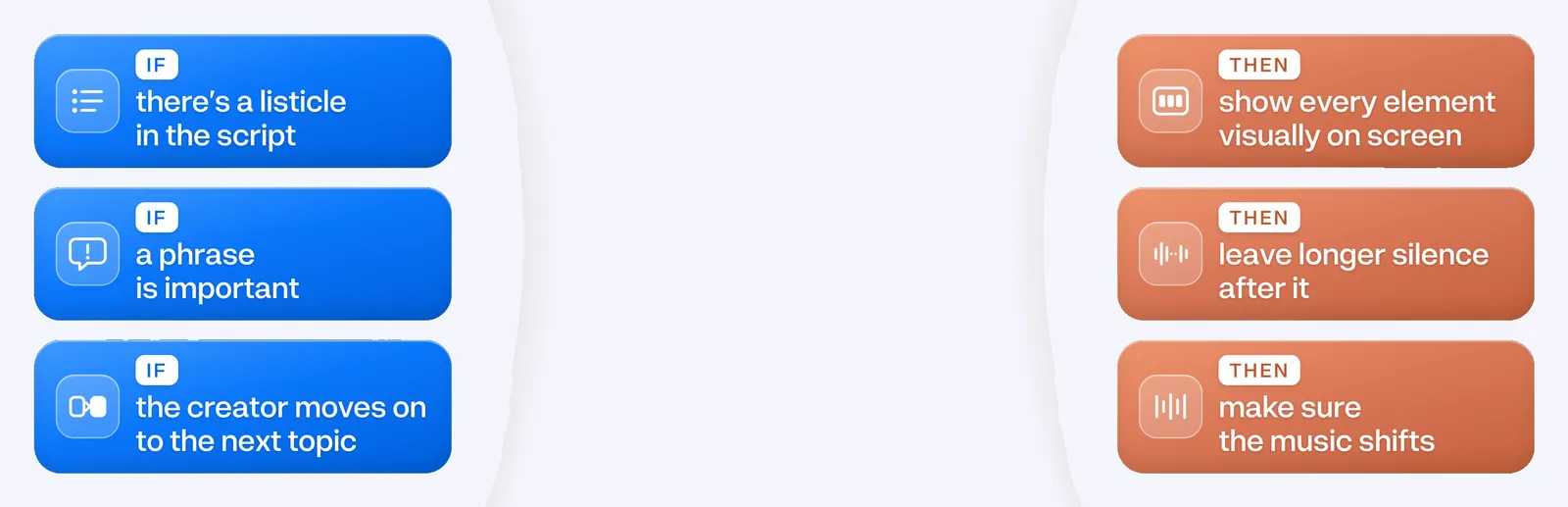
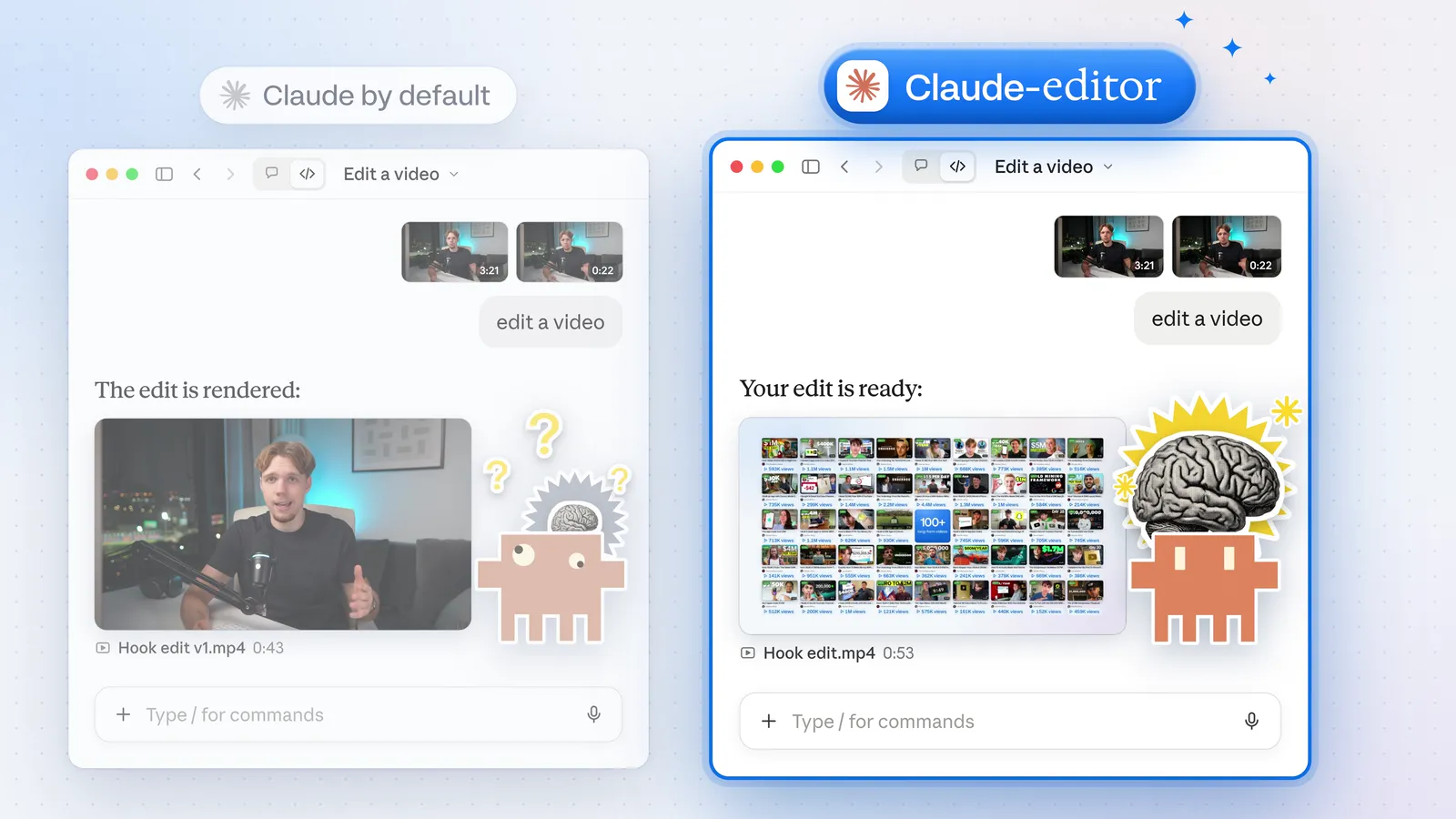
Once Claude can spot those, it can edit a 2-hour travel vlog or a 30-second Instagram Reel. That's the difference between the two chats. One is Claude by default. The other is Claude after I taught it the patterns. If a sloppy edit ever came back, the footage and the prompt were fine. Claude was still in the default mode.
03Takes, visuals, music
What the default misses
Three places the first chat handed the work back.
The takes
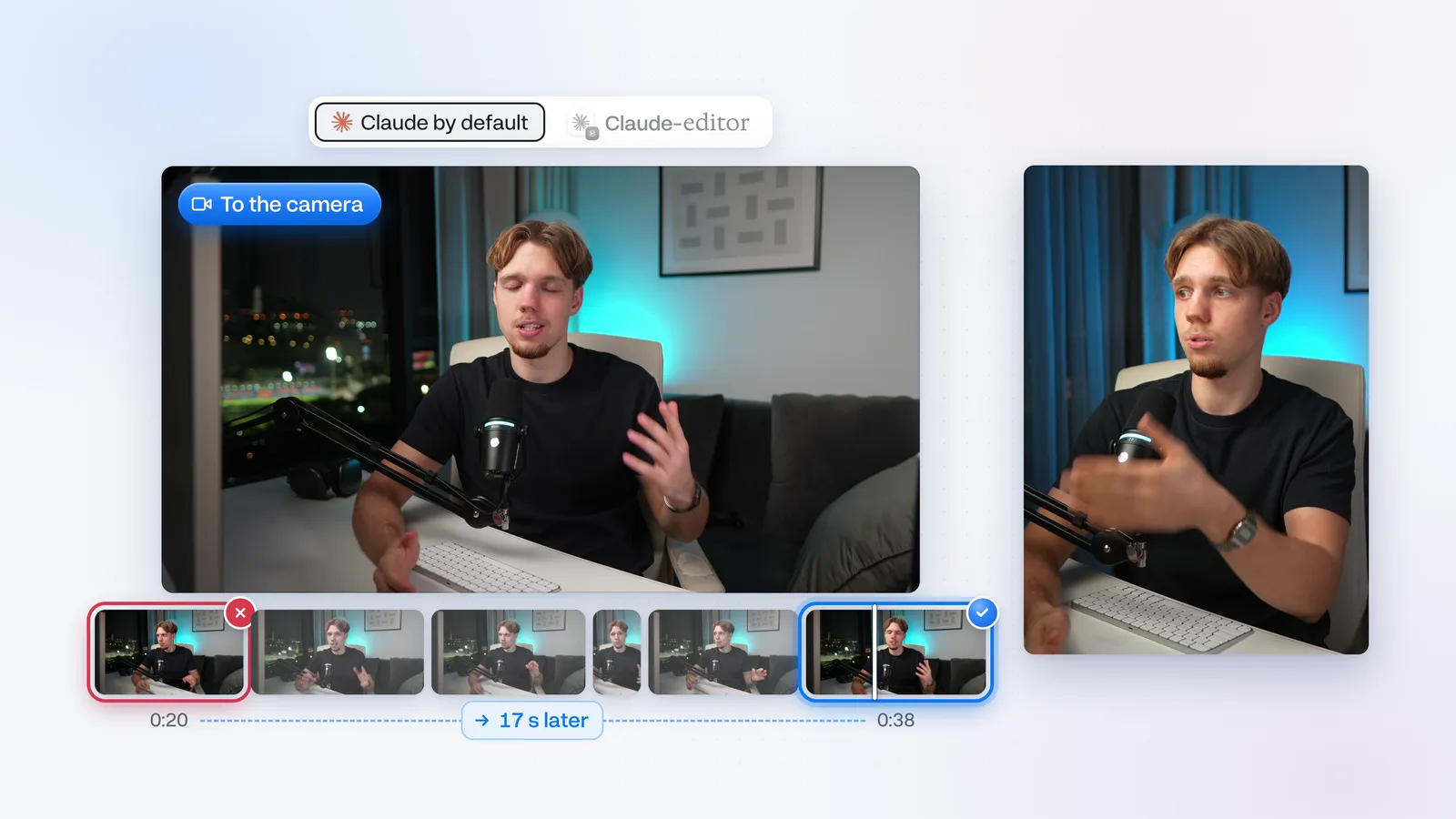
When you record off a script, you say the same line two or three times until it feels right. Default Claude butchered this. For half my lines it used the takes where I was reading off my screen, before I was saying the line to the camera. The good takes were a few seconds later. It missed even that pattern. With the patterns, it kept the takes that were meant to be in the video. I didn't have to tell it.
What's on screen
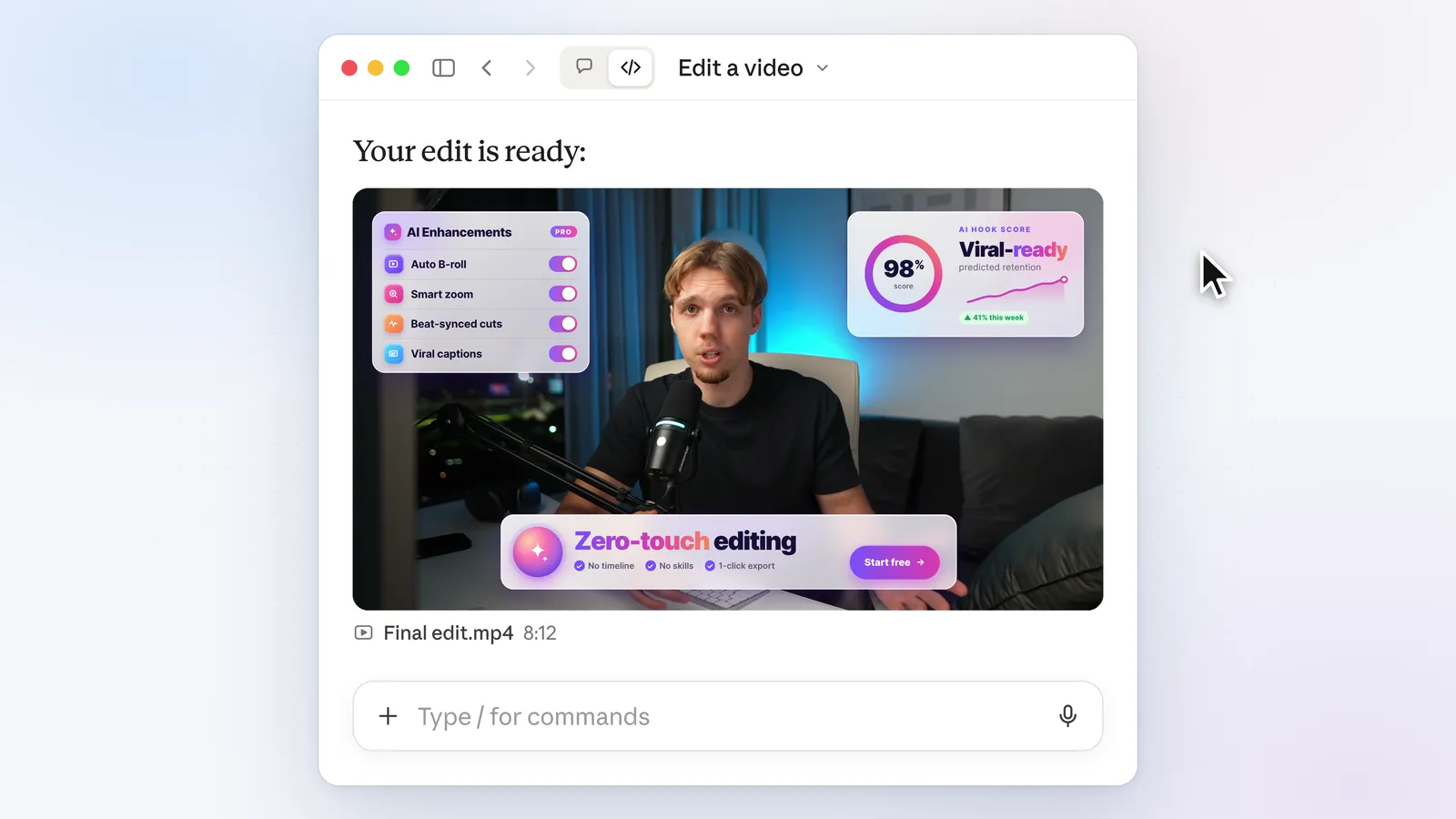
Default Claude edits like a web designer hired off Fiverr. The graphic is the same sloppy look you've seen in pretty much every AI edit.
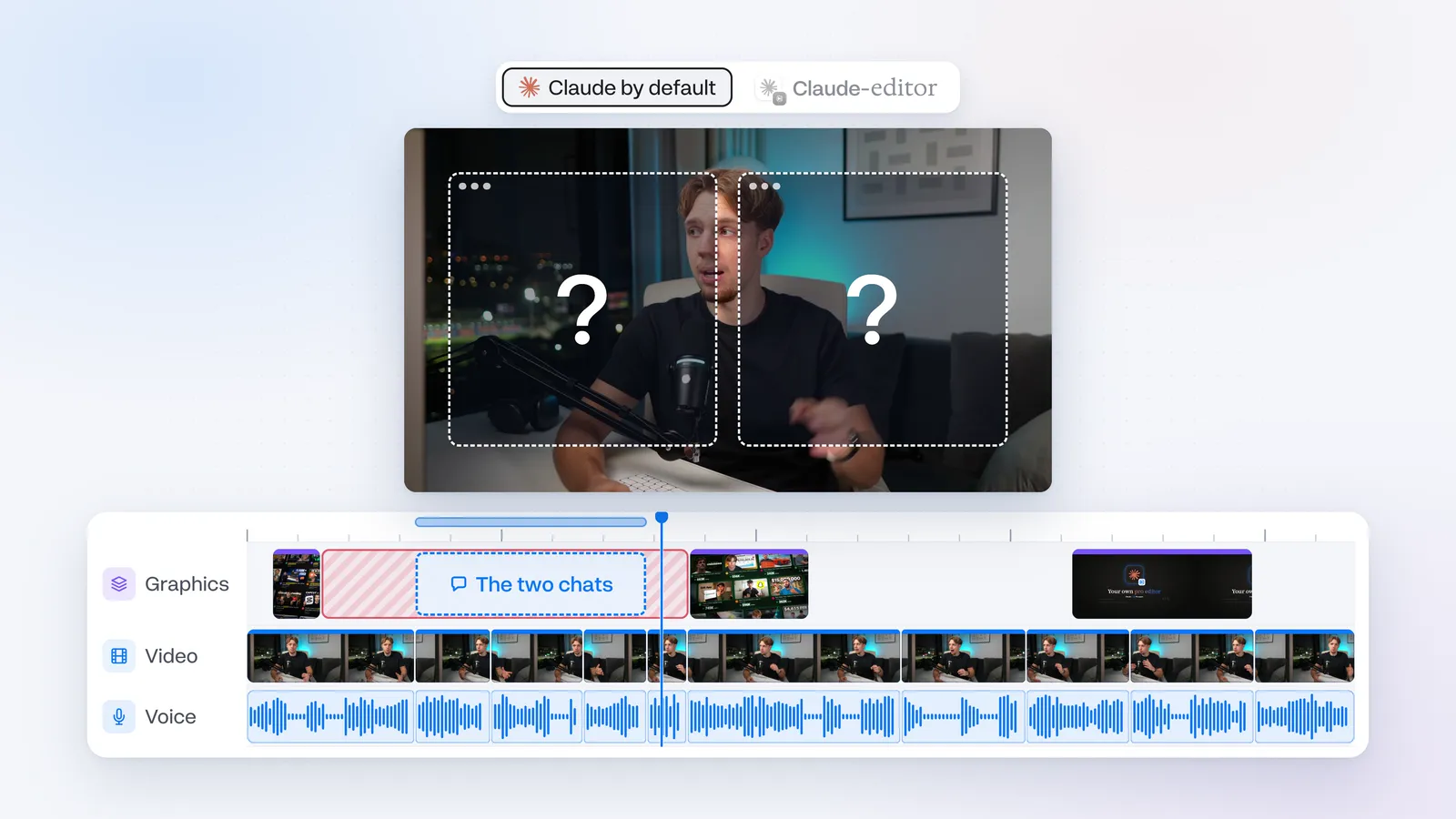
The bigger problem is where the visuals go. In the intro, when I contrast the two edits, the default has nothing on screen. Just me, talking. That part of the intro doesn't make sense unless you can see the two Claude chats. If the intro doesn't make sense, the viewer clicks off.
Nothing on screen
Both chats
The pattern it missed: when a creator references something abstract, the editor has to show it. The other edit figured out the story, that I gave two Claude chats the same job, and the moment I bring them up, both chats are on screen.
The music
Visuals are half of the storytelling. Music is the other half. Default Claude said it would add music and sound effects only if I sent the files myself. That sends you off to find the track. With the patterns, it generated a song for this intro, matching the mood and the pace, then added sound effects quiet enough to stay under the voice.
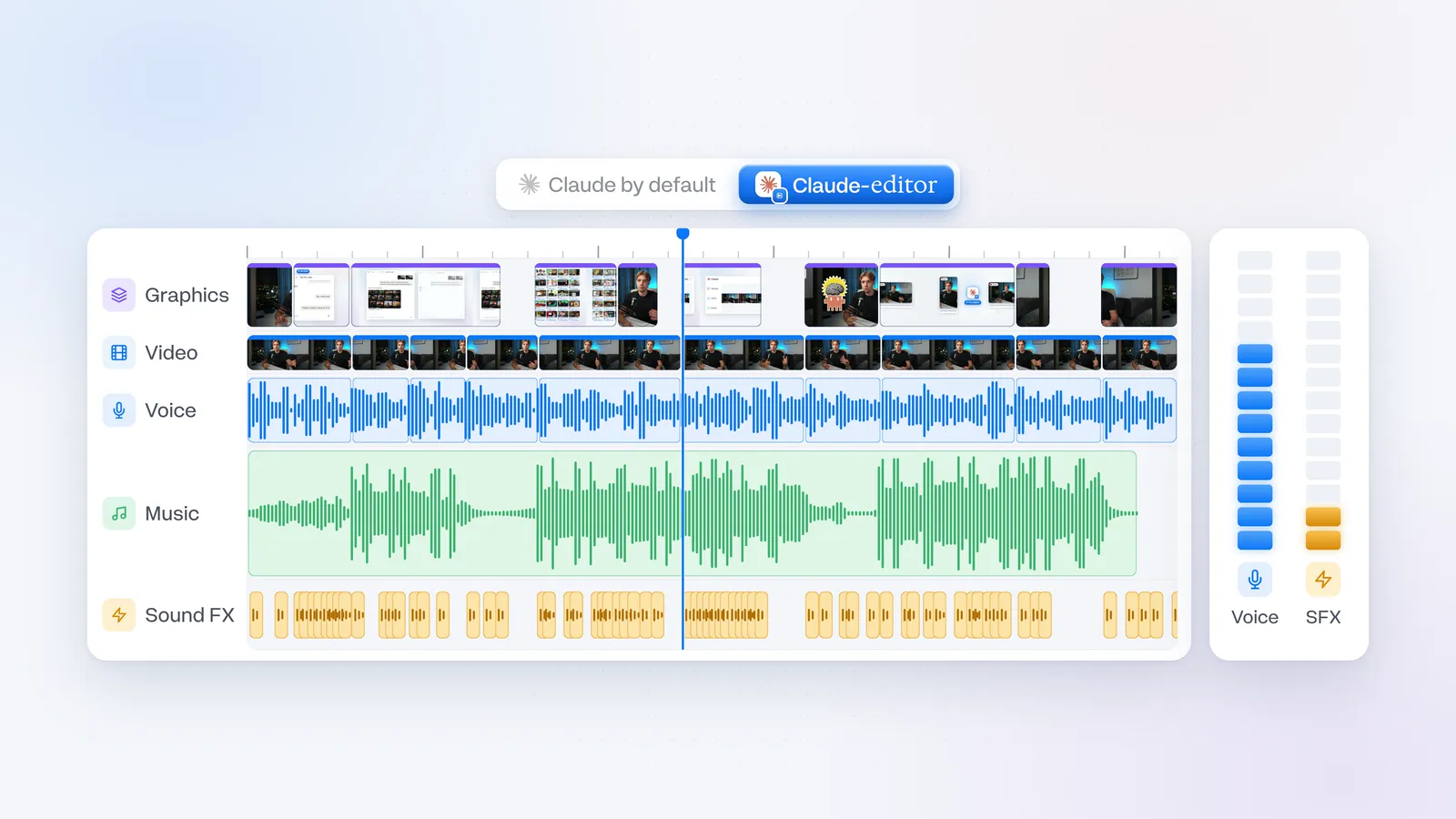
Without the patterns, Claude guesses or hands the work back. If that's all you've seen from it, I get why you'd rather edit the video yourself.
04Two tools
What it costs
Claude Pro, then Everygen. The annual Starter plan if editing is all you need.
The usual instructions are a terminal, a pile of commands, a plugin from GitHub, and access to every file on your computer. We're creators. The point of this is to skip that.
You need two things.
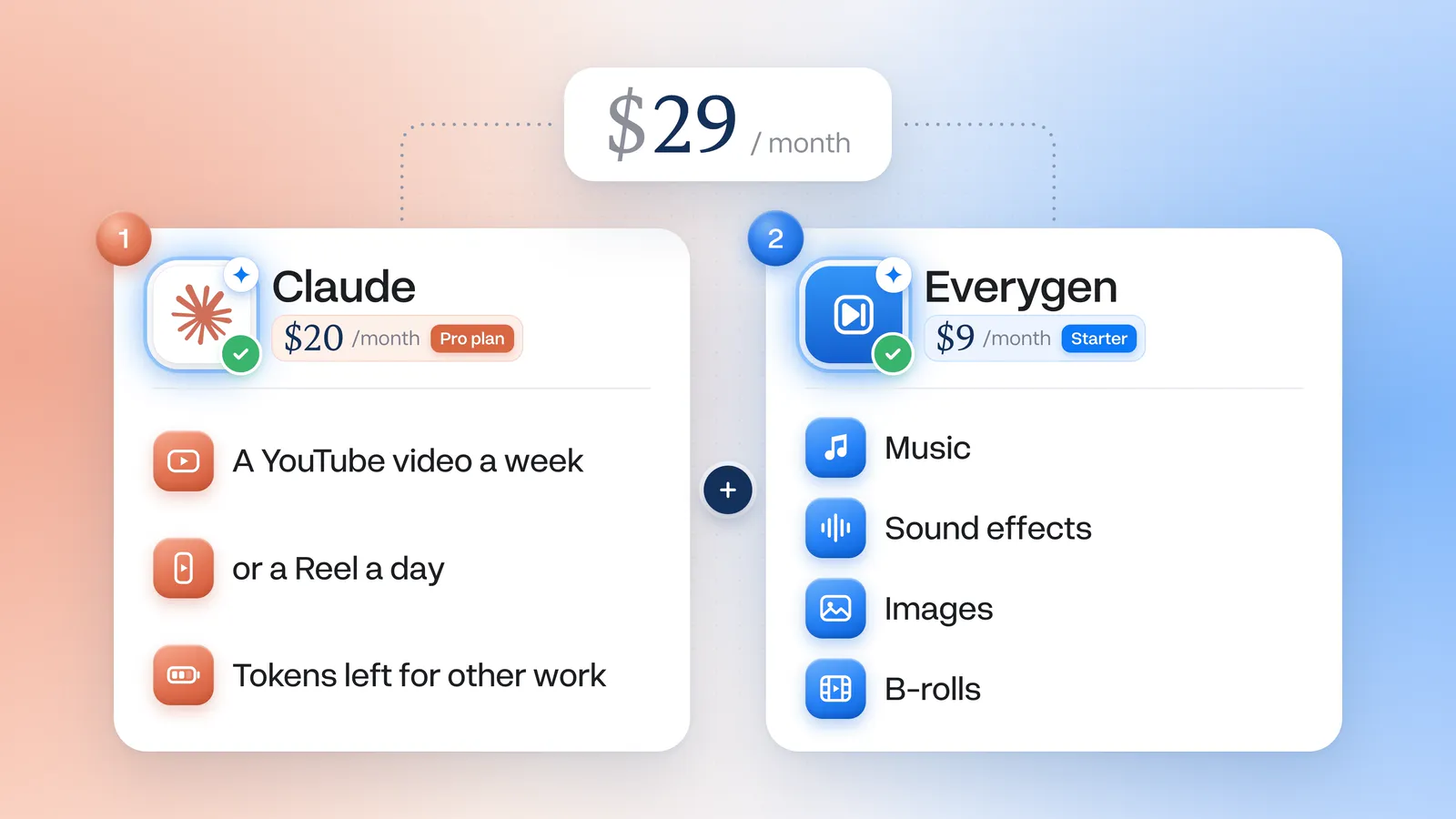
The first is Claude. If you're already on the $20 a month Pro plan, you're set. That's enough to edit a YouTube video a week, or a Reel a day, and still have tokens left for your other work. I've tested every Claude model for editing. Opus comes with the Pro plan, and it has the balance of quality, speed, and cost I'd start with.
The second is Everygen. It took five years of client edits to learn the patterns behind a good video. You don't have to learn a single one, or know how to edit, for Claude to make good videos. I worked with our developer team to build that editing knowledge into Everygen, plus the music, sound effects, images, and b-roll Claude can't get on its own. When we upgrade Everygen, your Claude gets the upgrade. This is the only tool you need besides Claude.
The music Everygen makes is royalty-free and yours to keep, so you can drop Epidemic Sound, or whatever music library you're paying for now.
Connecting Everygen costs nothing. Making music or images uses credits. If editing is all you need, I recommend the annual Starter plan. It's $9 a month for 200 credits, which comfortably covers music for 8 YouTube videos.
Claude Pro plus Everygen is $29 a month. For that, you get weekly YouTube videos or daily Reels edited while you sleep. An entry-level editor would charge around $600 a month just for the YouTube videos. The other path is tens of hours a month in the editing software.
05A few clicks
Set it up
The desktop app, the connector, then one folder you never delete.
Download the Claude desktop app for free from the official Claude.com website.
Connect Everygen
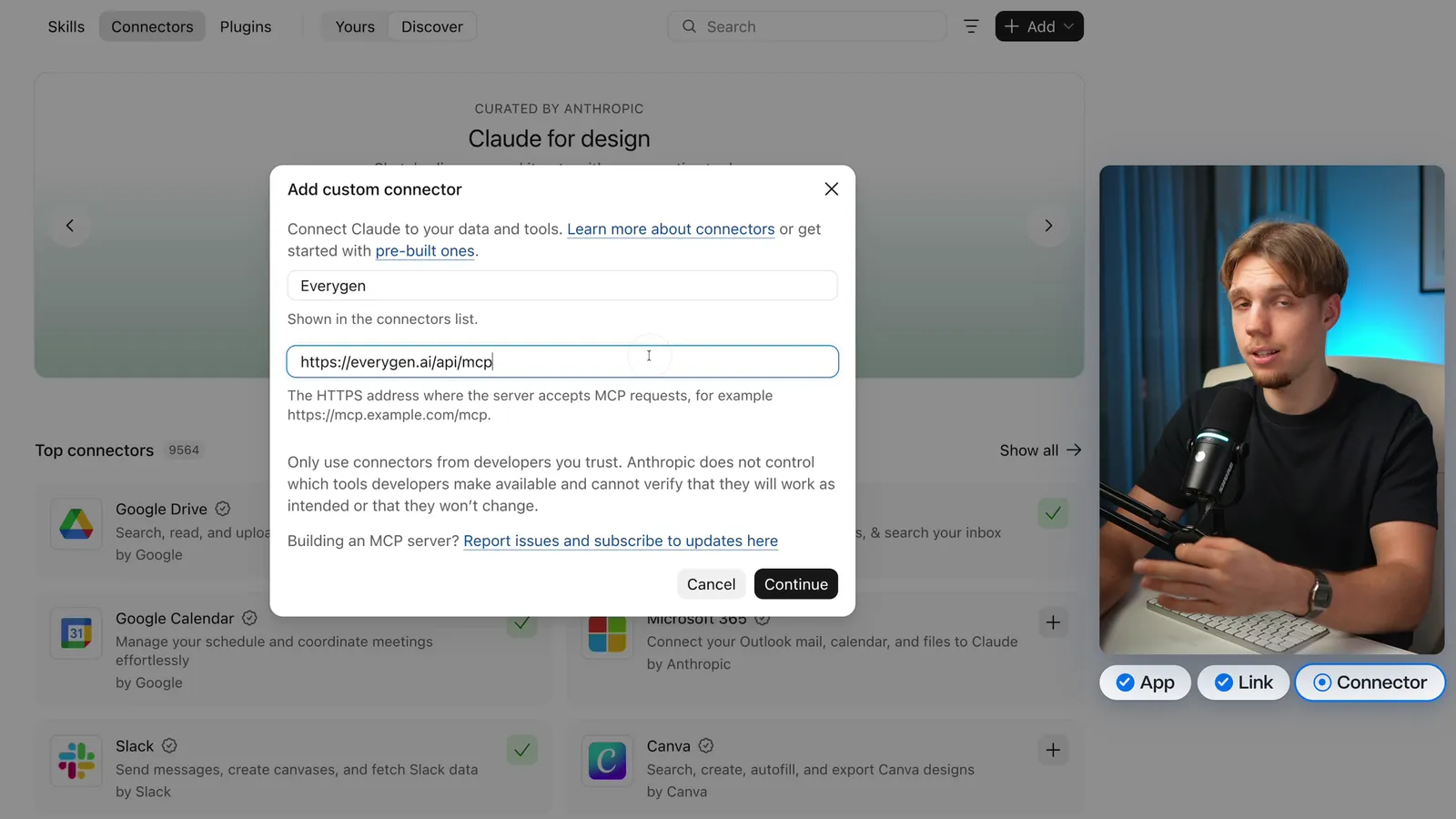
On the Everygen connect page, copy the connector URL. Open the Claude app, go to Customize, then Connectors, and click Add custom connector. Name it Everygen and paste the link. The editor is on.
The video-editor folder
It starts with one folder on your computer. That folder is how Claude gets better at your style. When you give feedback in the chat, it saves the note in the folder on its own. The mistakes get fewer with every project, until it just gets you. That's the difference between a one-off edit and a system that handles every video.
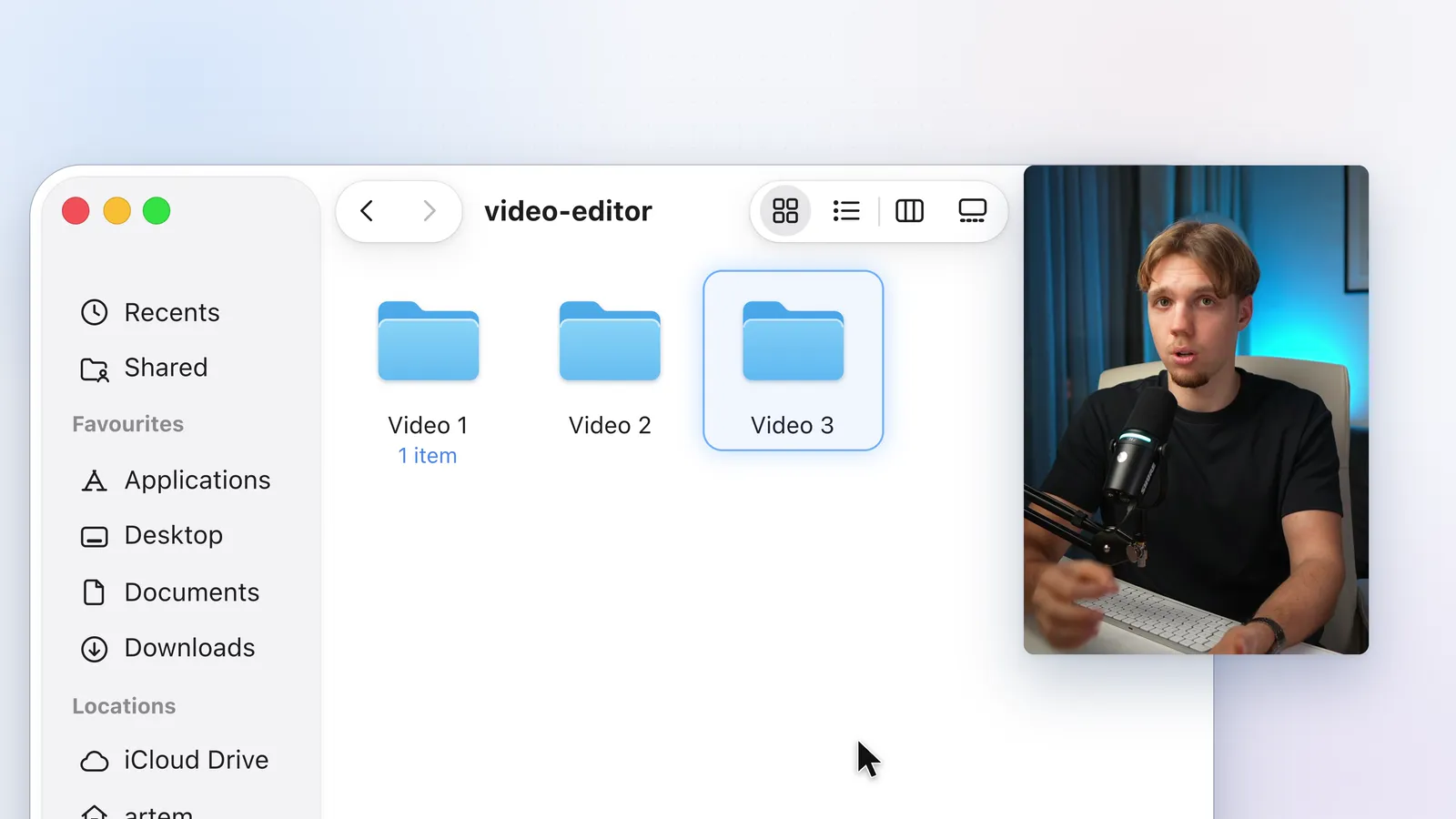
On Mac or Windows, go to your Desktop, right-click, make a new folder, and call it video-editor. Never delete it. It's the only place on your computer Claude can open. If you already have a logo, fonts, or brand colors, drop them in so every video uses them. If you don't, skip it. Claude will look up your website and your social profiles and figure out a look.
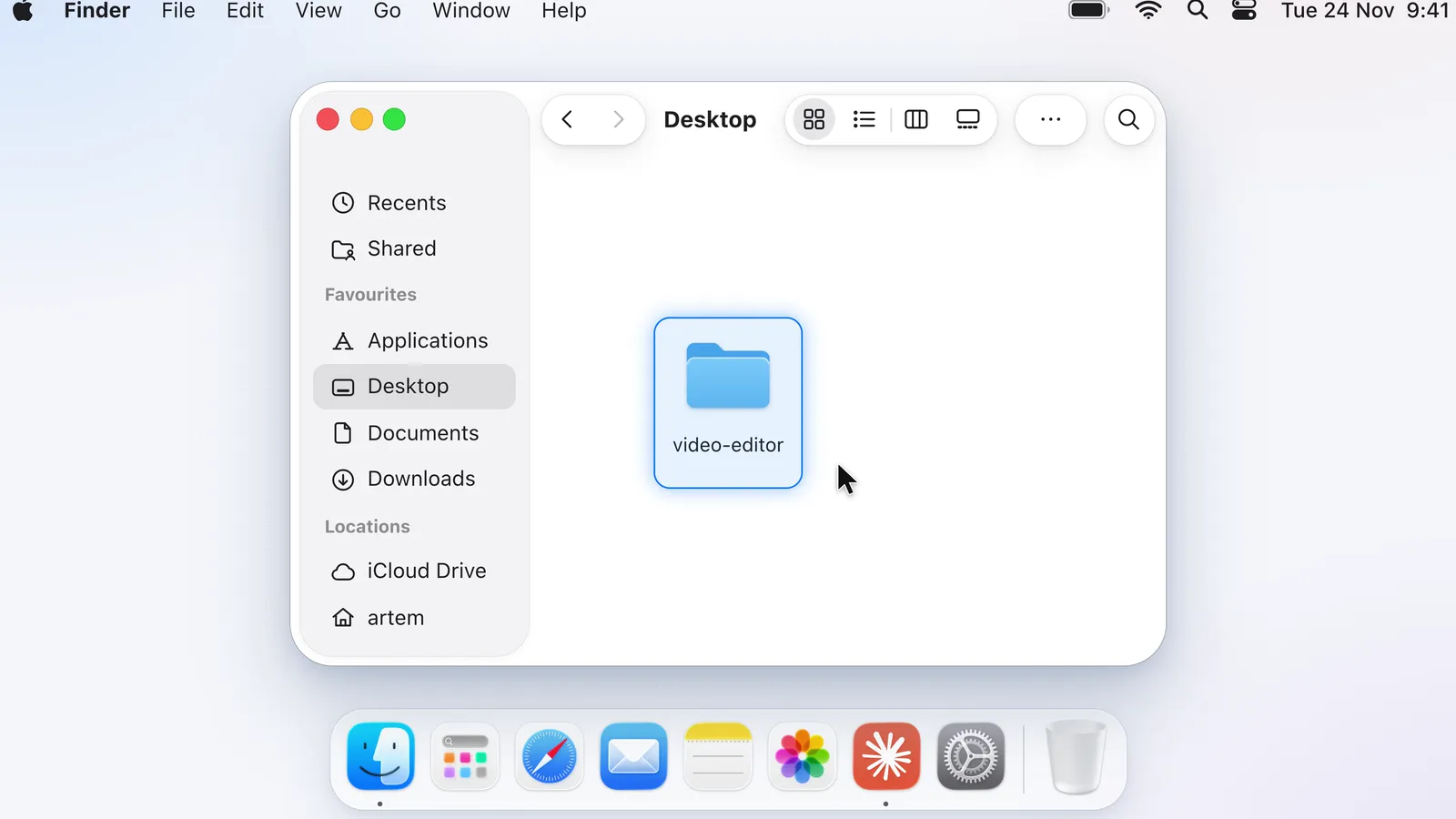
Each time you finish recording, open video-editor and drop the footage into a new folder for that video: Video 1, Video 2, Video 3. It can be several files, an hour of footage full of retakes, a few Reels filmed in one horizontal take, or audio recorded on its own. The path is Desktop, video-editor, Video 1. The footage goes in there. Claude figures out the rest.
06While you sleep
The overnight edit
Ask it to edit Video 1. The cut lands in that folder.
There are a lot of files, so this part uses Claude Code. You use it like the regular Claude chat. There is no code to write. Claude Code can open the files in video-editor, so the footage stays on your computer instead of going into a chat or up to Google Drive.
In the Claude desktop app, click the button at the top to switch to Claude Code. Click Choose folder and pick video-editor. For every edit after this one, start from that same video-editor folder. That's how it keeps what it learned. Opening Video 1 or Video 2 on its own starts fresh.
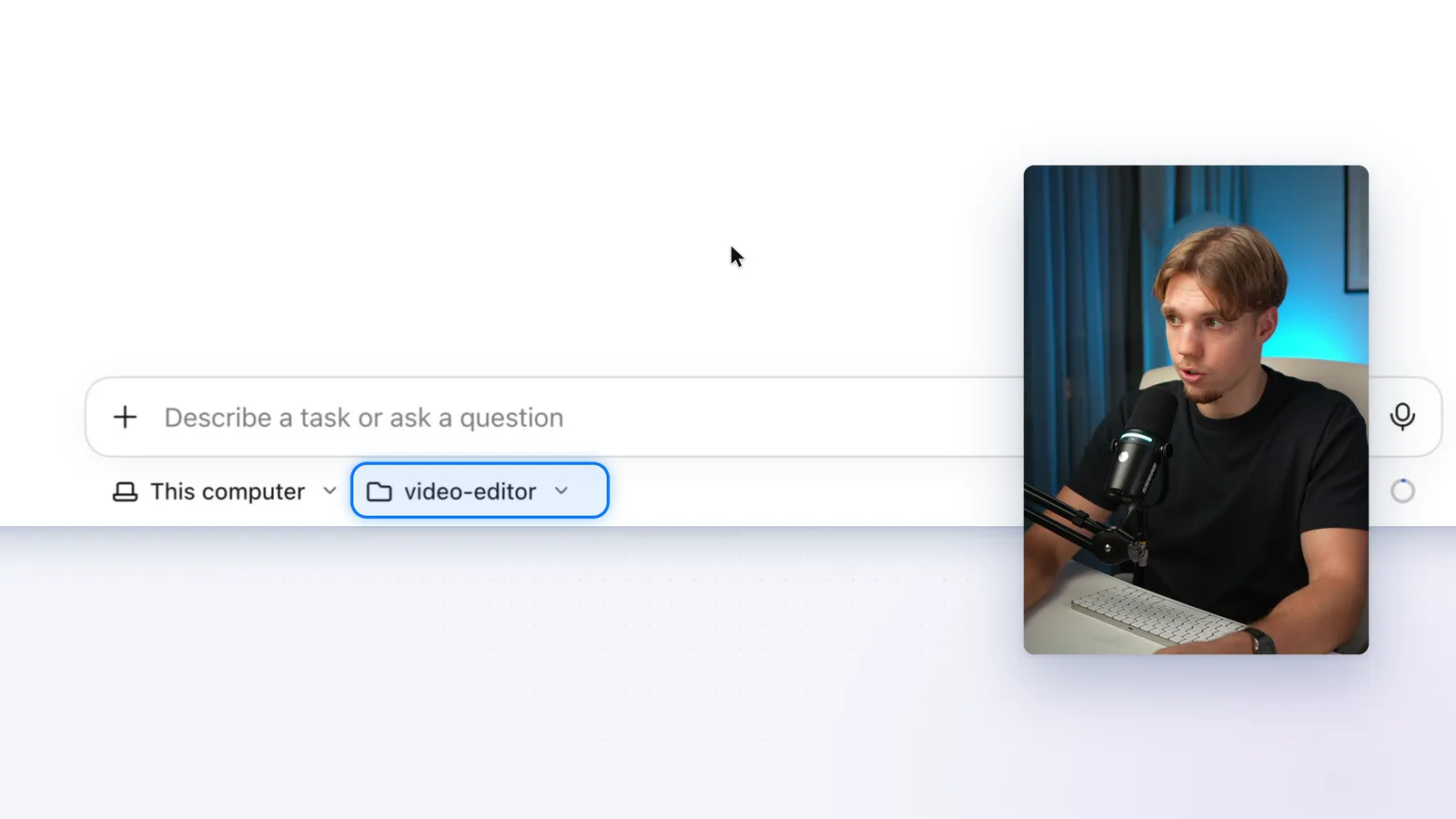
Ask it to edit Video 1. If you have a script, paste it in too. It tells you how long the edit will take, then works through the whole thing on its own. A fully edited YouTube video, with music, sound effects, and animated visuals, usually takes one to two hours. It runs in the background. You can step away, or keep using the computer, including another Claude chat.
I start the edit in the evening and wake up to a video edited in my style, basically ready to post. It's in the Video 1 folder, next to the raw footage. If anything's off, tell Claude to fix it in plain English in the same chat.
The first time Claude sent back an edit like this, I was excited. It kept the take, put the right thing on screen, and changed the music when the topic changed. Claude does the heavy lifting. Everygen walks it through those decisions, so a creator can get videos edited well without paying thousands of dollars or spending years learning the software.
If you want the same setup taken through one project, I take 50 minutes of raw footage all the way to a finished edit, and I show how I review what Claude sends back. That walkthrough is Edit your first video with Claude.
See the Starter plan
If editing is all you need, start on the annual Starter plan.