Edit Your First Video With Claude in 15 Minutes (No Editing Skills)

Five steps, and you have a pro editing team inside Claude. It gets better at your style with every project, and it is there 24 hours a day for YouTube and Instagram.
Connect Everygen first
I've been editing educational long-form for five years: over a hundred videos, and over 30 million views combined. I use Claude for every edit, including this one. Most AI editing tutorials are by people who have never edited for a client. You don't need to know what a keyframe is, or how to use Claude Code.
Connect Everygen before the first project. The button opens the page where you copy the connector URL.
Connect Everygen to Claude01The right hire?
The three ways to get your videos edited
A person, your own timeline, or Claude.
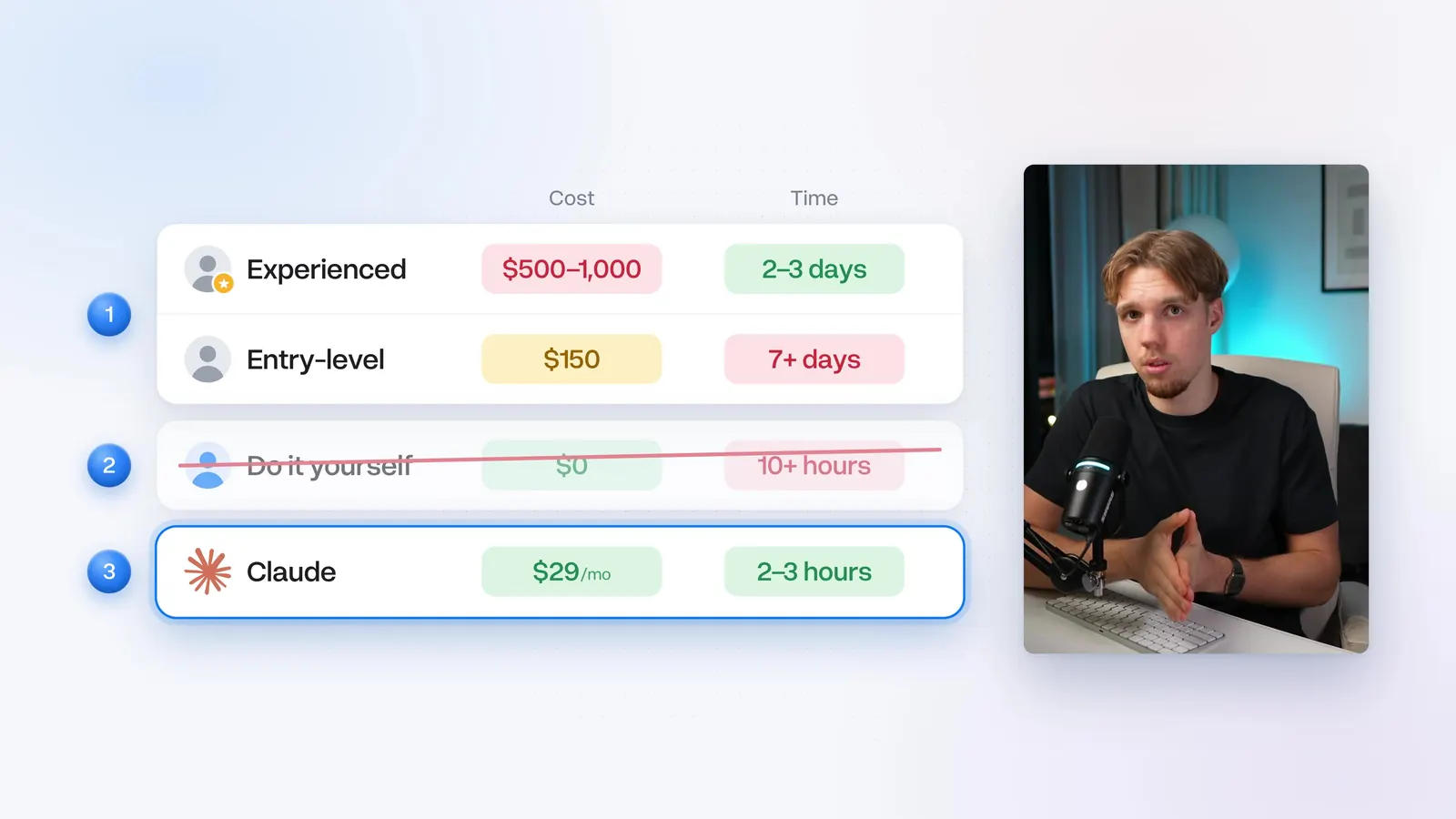
A good editor charges $500 to $1,000 for a 10-minute YouTube video. I've charged up to $3,000. The lowest you'll realistically pay for someone entry-level is about $150 a video. The first cut takes days, and you get no updates. They miss instructions you thought were obvious. You send notes, then wait another 24-48 hours. Next video, you explain the same things and get a new invoice.
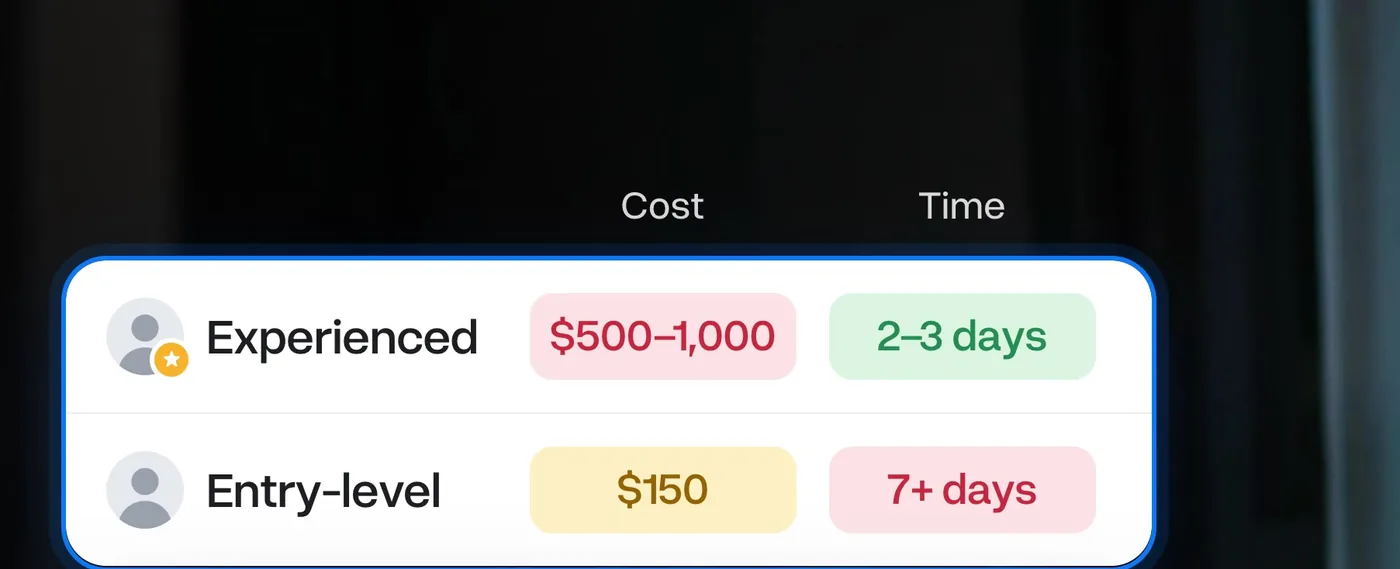
Once a week, that entry-level rate is about $600 a month, plus the time you spend managing them. Good talent runs $2,000 to $4,000 a month.
Doing it yourself means hours in the software. The post you wanted on Tuesday is still in the timeline on Saturday.
The third way is Claude. With no instructions it edits like a headless chicken: landing-page graphics, sound effects louder than your voice, and pacing that's off. That's AI slop. With instructions, you drop the footage in a folder, tell Claude to edit, and come back to a finished edit. Brain-dump your notes. A revision comes back in less than an hour, instead of 2 days.
If you don't script, cut the footage up yourself first. The cost of this setup is less than a single video from an entry-level editor. I break the numbers down at the end.
02Equip your team
The pro editor's toolkit
Claude runs the team. The tools do the cutting.
Claude is the project manager. It can't hear the footage, and it can't make motion graphics on its own. The team has five hats: cutting takes, finding proof, animating, stitching, and sound design.
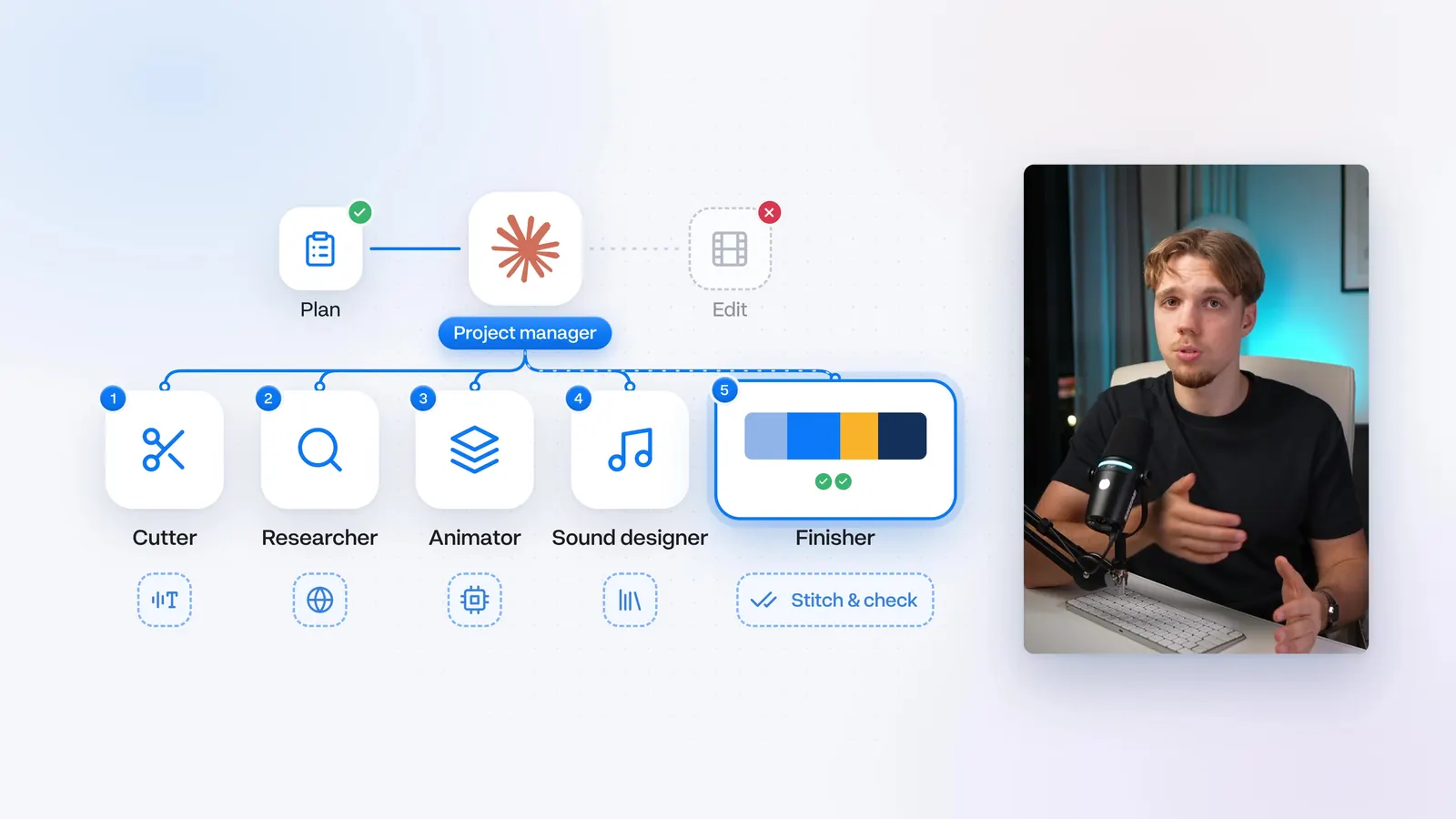
The first four need tools: speech-to-text, a browser, something to render animations, and something to stitch the cut. Claude Code can set those up, and then it rebuilds them every time. You get a glitchy graphic, or a word cut that shouldn't be.
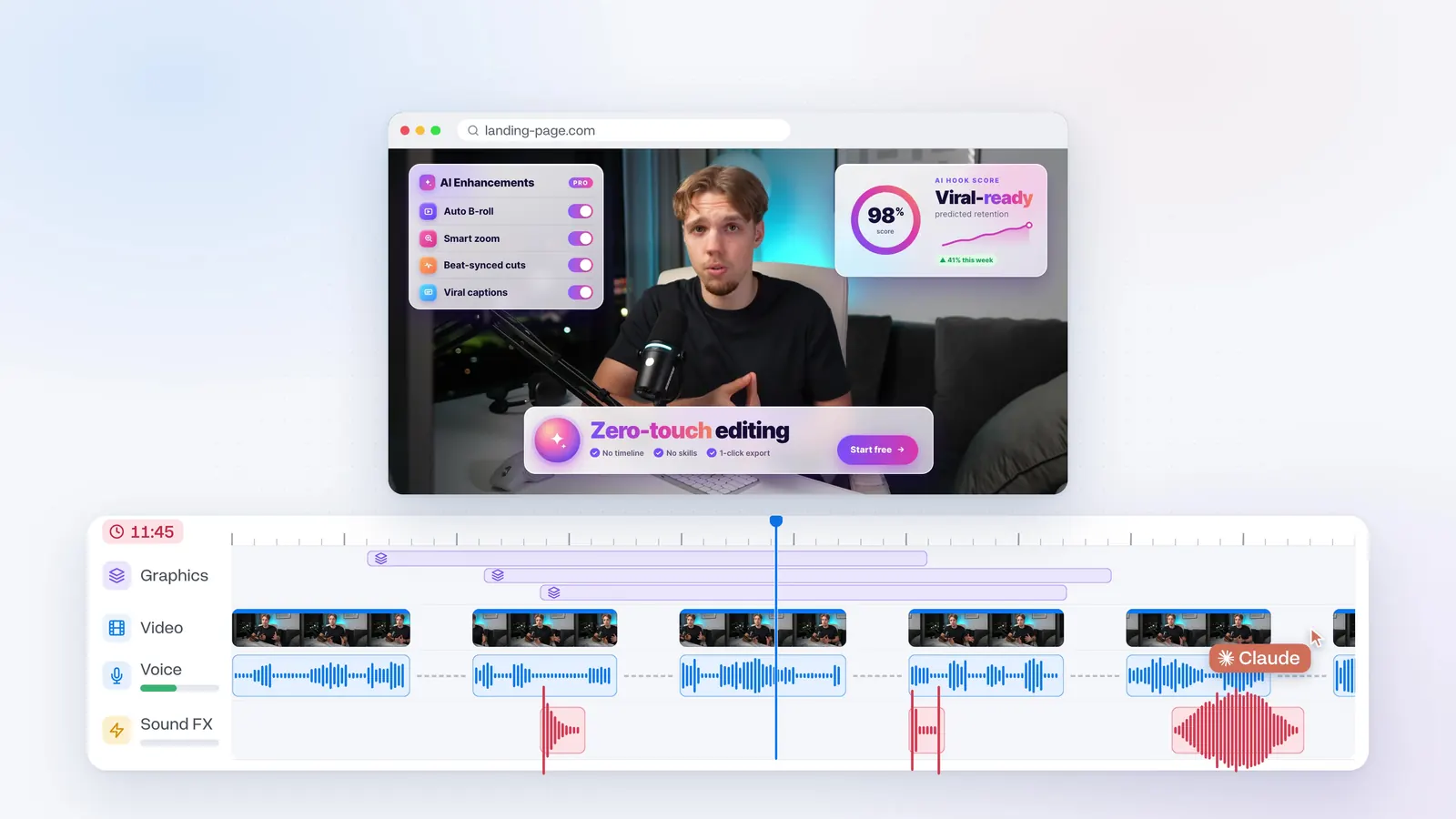
Those tools are built into Everygen. You connect once, the edits stay consistent, and the fixes roll out on their own. On the connect page, copy the connector URL. In Claude that's Customize, then Connectors, then Add custom connector. Name it Everygen and paste the URL.
Epidemic Sound starts at $10 a month if you pay annually, and Claude won't know how to use it. The worst video is one long sentence at the same pace. Everygen music sits under the voice, moves the energy, and steps back on the biggest points. Music and sound effects come with it. Connecting is free. Generating sounds takes credits.
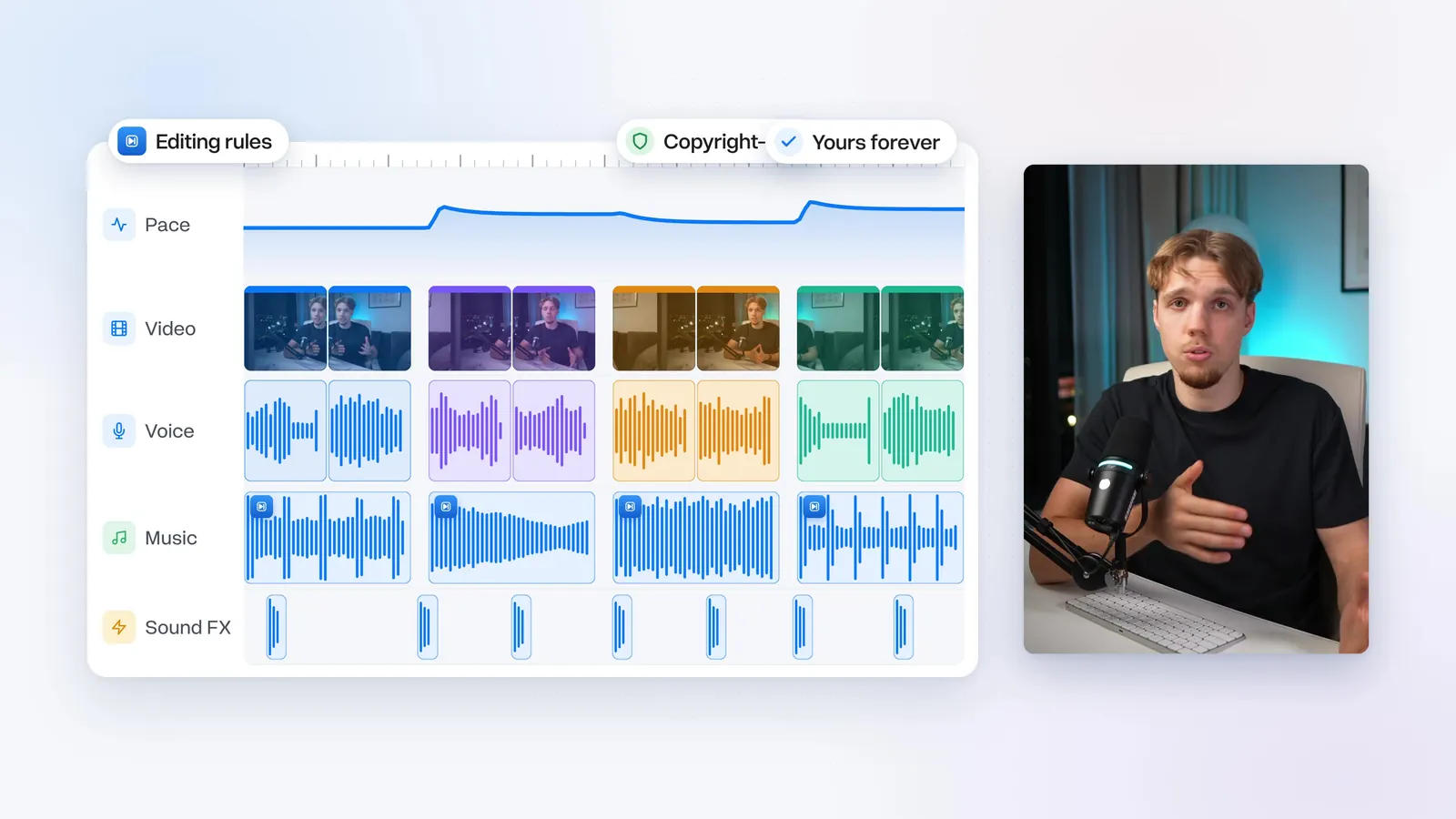
After this, the team still starts from zero on your style.
03Team memory
Give your team a memory
One folder, so you never explain it twice.
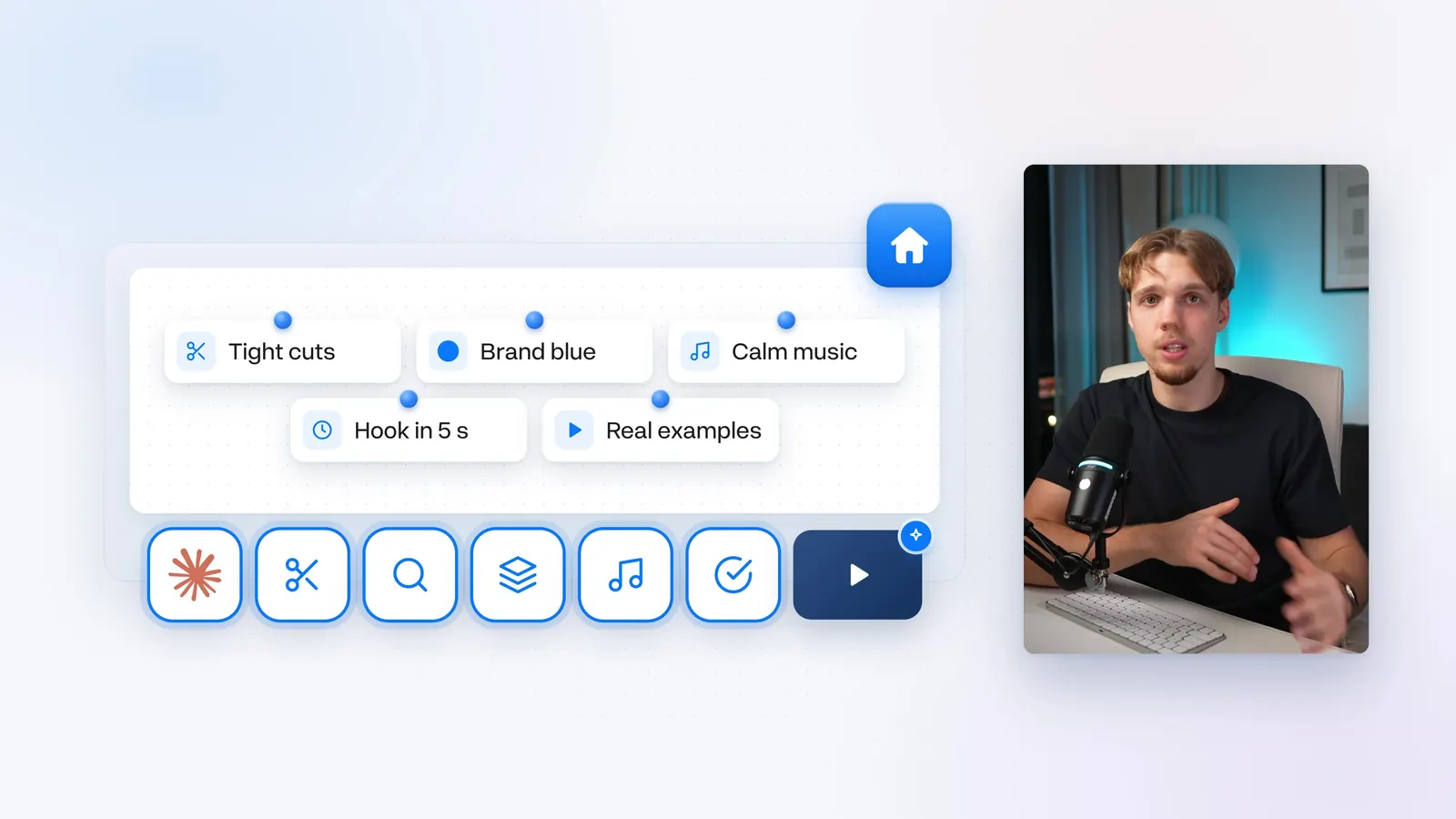
The worst part of a human editor was repeating the notes. Claude chats start from zero too. I kept a doc of fonts and colors. The taste lived in my head. By the third video, a good editor stops needing the notes.
The team needs an office, and the office is one folder. I recommend your home folder. Name it video-editor. Don't delete it. A brand kit is optional. I'm leaving mine out this time, so Claude looks up the channel and the website.
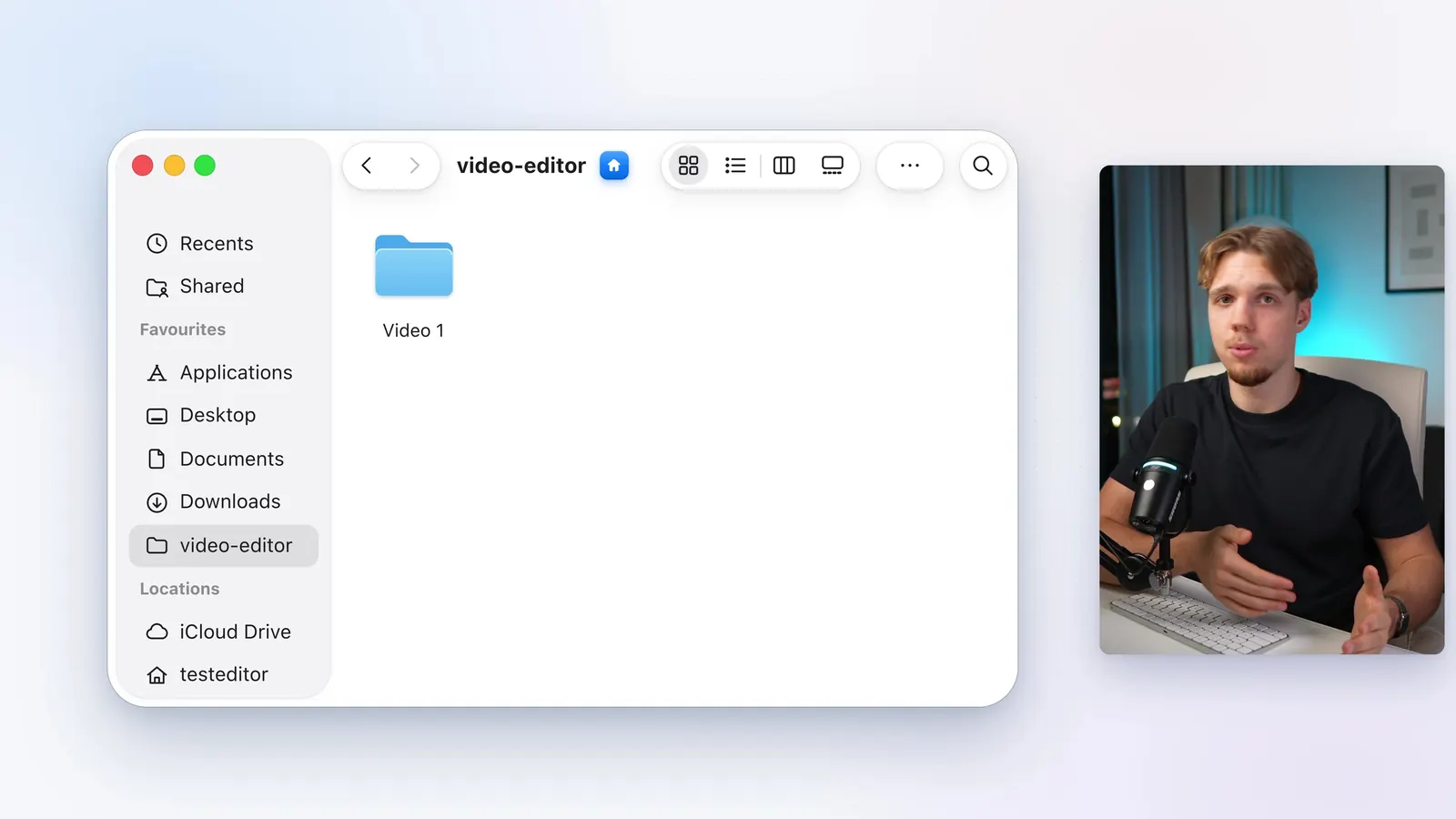
Open Claude desktop, switch to Claude Code, and open video-editor. After a message, it shows on the left. The second edit is the Plus button next to the folder name. Always work inside video-editor, not inside the individual video folders.
The office stays empty until the first project and the review. The review is what writes your style onto the wall.
04First project
Give them their first project
One folder of footage, and one request.
Inside video-editor, make a folder called Video 1. My footage is the raw recording for a hyper-realistic UGC ads video: 50 minutes, full of retakes, plus the clips I made in Everygen. If you have specific images, videos, or screen recordings, put them in. If you don't, don't get stuck. Ask Claude later. The TikToks I talk about, Claude finds online.
On Max or Ultra, pick Fable 5.2. It isn't any slower than Opus, and the first draft comes back closer to done. If you run out of Fable usage, switch to Opus 5.5. On Pro, use Opus 5.5. Don't feel you need to upgrade. Over time the style guide matters more than the model. I'm on Ultra, so I pick Fable 5.2.
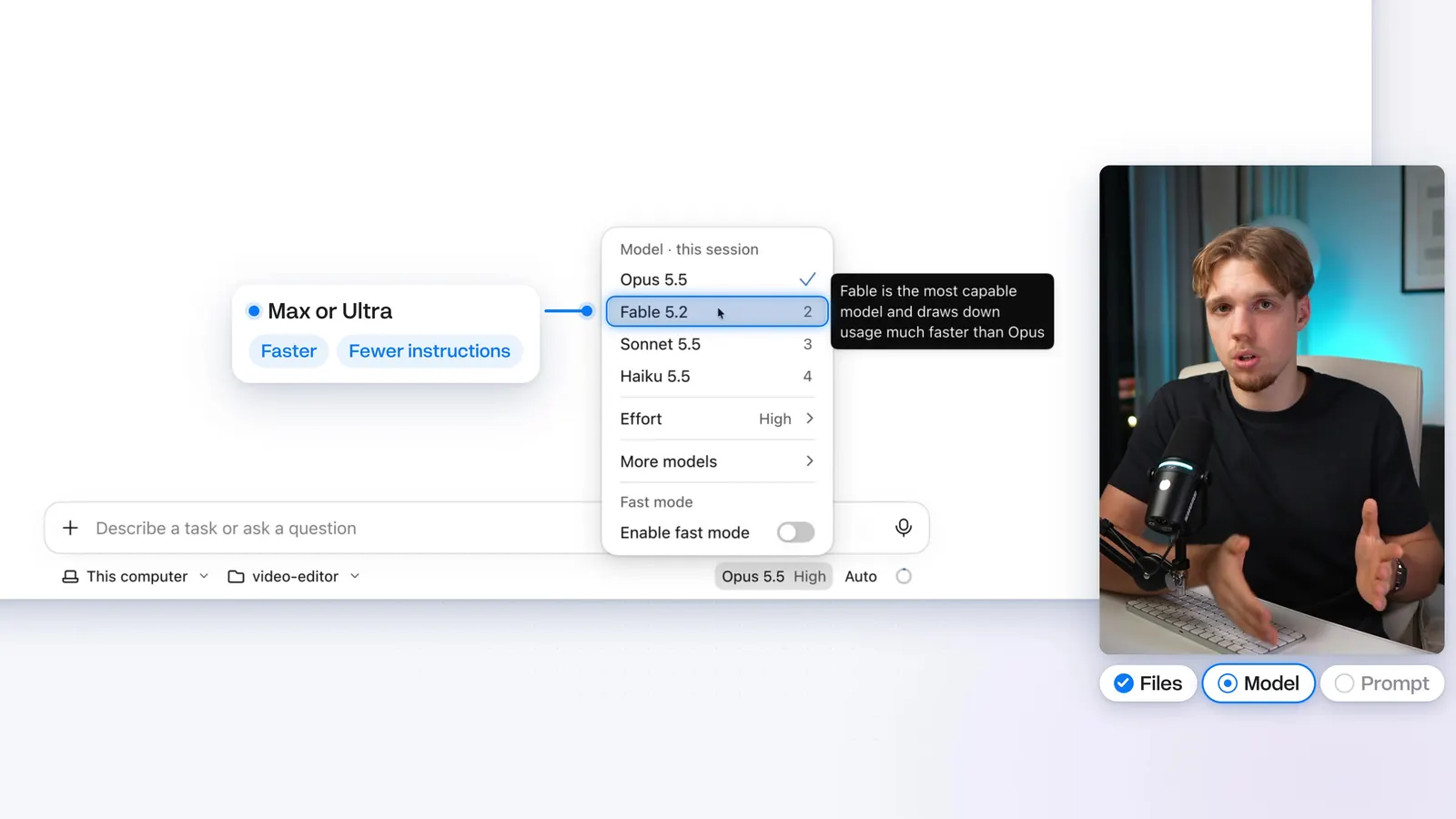
Ask it to edit Video 1. If you have the script, paste it. I'm leaving mine out, to see if Claude can cut with Everygen's cutting rules.
edit the video in Video 1
The one-line request for the first project.
The first time, it spends an extra 5 to 10 minutes setting up the tools. There's nothing to click. Then it says what it will do and how long. For a 10-minute video, that's usually an hour to an hour and a half. Leave the computer on. The finished edit sits next to the footage.
It found the TikToks and put each one where I mention it. My favorite part is one graphic of the whole Claude and Gemini Omni system. Claude keeps coming back to it, and a new piece fills in each time. The first draft won't be perfect.
05Review their work
Review their work
One round of notes. Give the reason, not only the fix.

I review with Wispr Flow: pause the cut and talk. Typing works, and it's slower. A screenshot is fine when that's easier to show than to describe.
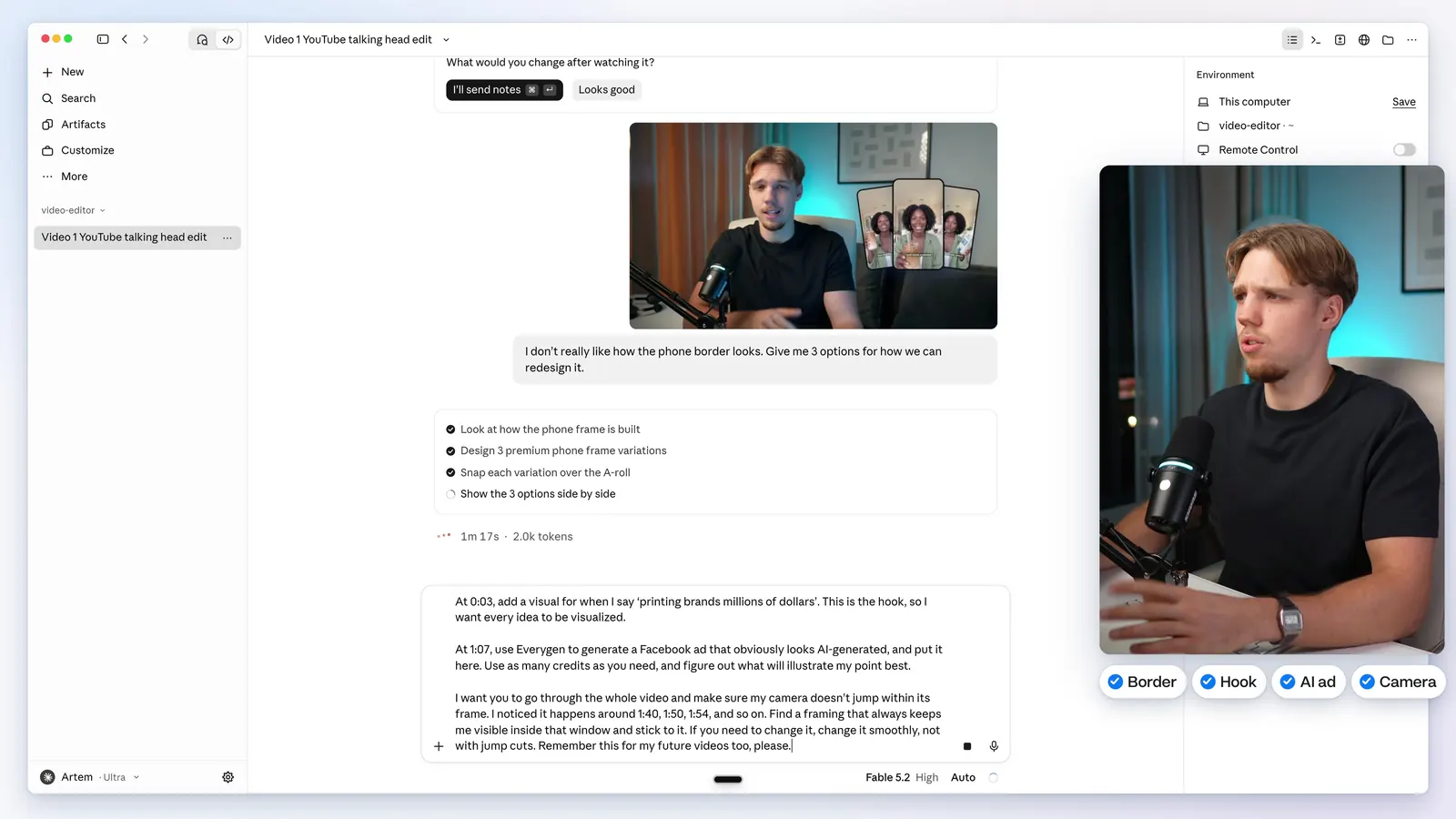
I don't really like how the phone border looks. Give me 3 options for how we can redesign it.
Sent in the review.
At 0:03, add a visual for when I say 'printing brands millions of dollars'. This is the hook, so I want every idea to be visualized. At 1:07, use Everygen to generate a Facebook ad that obviously looks AI-generated, and put it here. Use as many credits as you need, and figure out what will illustrate my point best. I want you to go through the whole video and make sure my camera doesn't jump within its frame. I noticed it happens around 1:40, 1:50, 1:54, and so on. Find a framing that always keeps me visible inside that window and stick to it. If you need to change it, change it smoothly, not with jump cuts. Remember this for my future videos too, please.
Sent in the same review.
Give the reason, not only the fix. "Change the logo at 2:13" fixes one video. "Logos should always be crisp, from the official source" fixes every video after it. Lasting notes go into the style guide. One-offs don't. When it isn't sure, Claude asks "Should I remember that for your next videos?" and then says, in one line, what it saved.
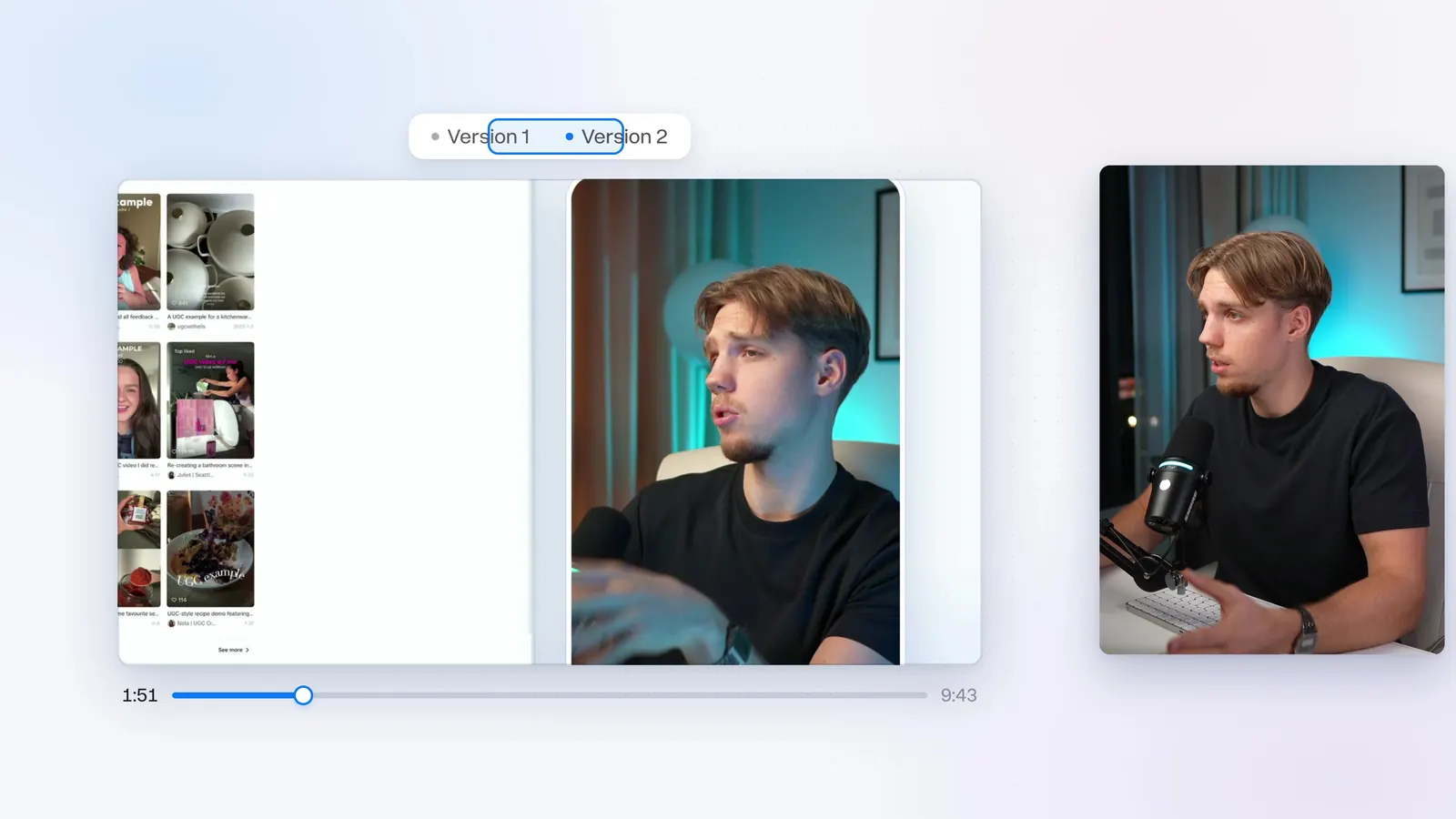
Thirty minutes later, version 2 was back. Once the team is set up, one round of notes is all it takes. Those notes sit in the style guide, so the next video is better and faster.
What the team costs
The $20 Pro plan is all you need on Claude, and you might already be paying for it. On Max or Ultra, let Fable lead the team.
Connecting Everygen is free. Generating music, and images or videos when a project needs them, costs credits. I recommend the annual Starter plan: 200 credits ($9 a month), which comfortably covers 8 videos of music a month.
The calculations are based on Everygen's Creator plan.
You won't need Epidemic Sound. We keep the tools updated, and there's nothing to reconnect. That's $9 a month on top of a Claude subscription, or $29 if you don't have one. The team is there 24 hours a day, and it gets better at your style with every video.
I tested Fable 5.2 against Opus 5.5 on the same footage, if you want the model comparison next.
Start on the annual Starter plan
Connecting Everygen is free. The annual Starter plan is 200 credits ($9 a month).