AI voice changer
Upload a video or audio recording and Everygen Voice Changer speaks it again in another voice, keeping your timing, pauses and emotion. It takes MP3, WAV, OGG or M4A or MP4, MOV or AVI up to 25 MB, in English.
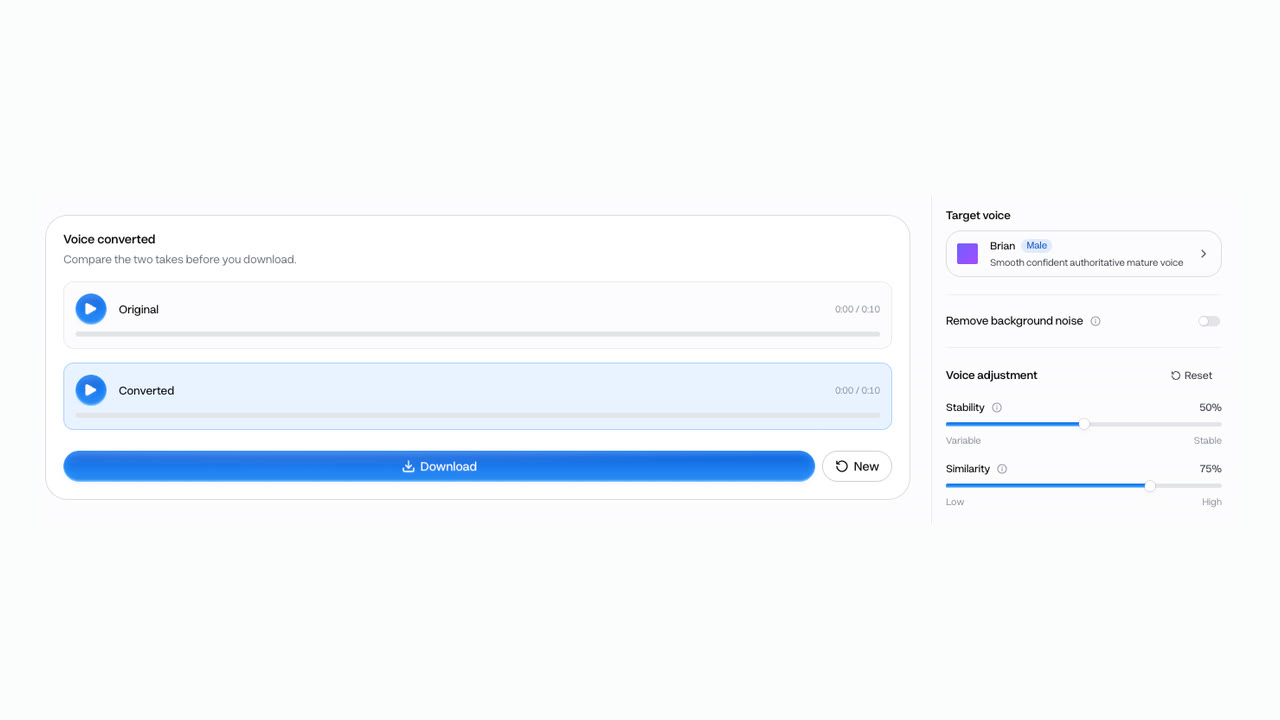
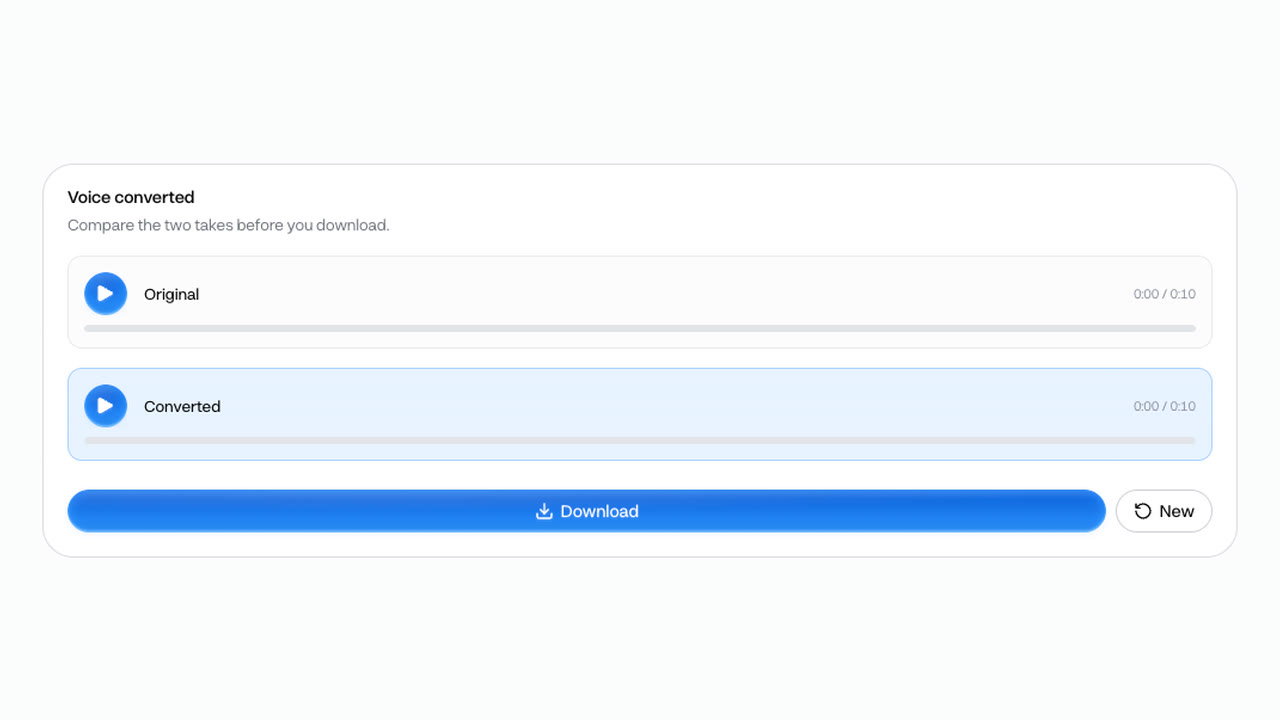
Voice converted
Compare the two takes before you download.
A real run. Open Voice Changer



Trusted by creators with billions of views
Original and converted made in Everygen
- Original voiceOriginal take, 6.1 secondsShelleyConverted take, 6.2 secondsBarista clip to ShelleyA video's audio
- BrianOriginal take, 10.7 secondsArabellaConverted take, 10.8 secondsBrian to ArabellaOctopus fact
- JessaOriginal take, 11.9 secondsMarkConverted take, 11.9 secondsJessa to MarkWorkout hook
- AntoniOriginal take, 10.1 secondsBrittanyConverted take, 10.2 secondsAntoni to BrittanyMoney explainer
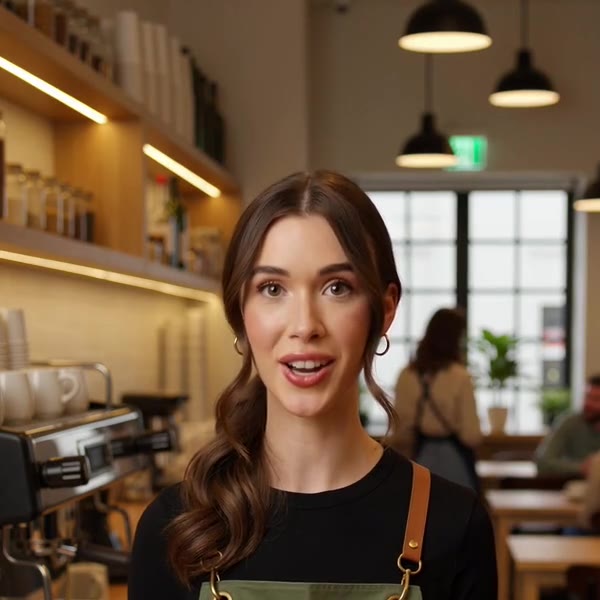
Each pair is one English take and the same take in another voice. The barista take is the audio of an Everygen video, and Voice Changer returned it as an MP3; the other originals are AI Voiceover takes. Every conversion ran with noise removal off and the voice’s own default settings.
Voice Changer at a glance
- A new voice for your own videosSame words, same timing, another voice.
- Audio inMP3, WAV, OGG or M4A.
- Video inMP4, MOV or AVI; its audio is pulled out.
- 25 MBThe largest file the upload takes.
- English onlyUse it on English recordings.
- 17 voicesOr clone or design your own.
- MP3 outAudio only, with no watermark.
Voice Changer works in English only, and a video comes back as an MP3. Upload a video and its audio is pulled out first; put the new take back on the video in your editor. Read the limits
How it works in three parts
- 01
Your recording goes in
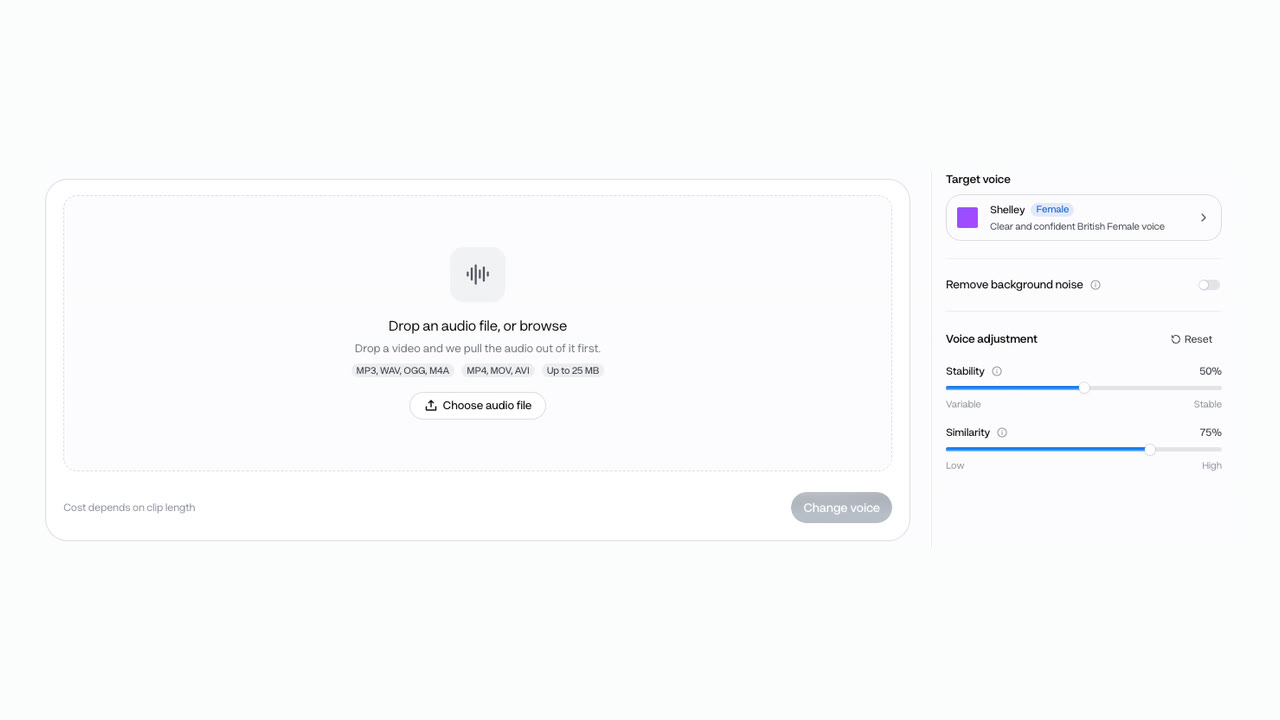
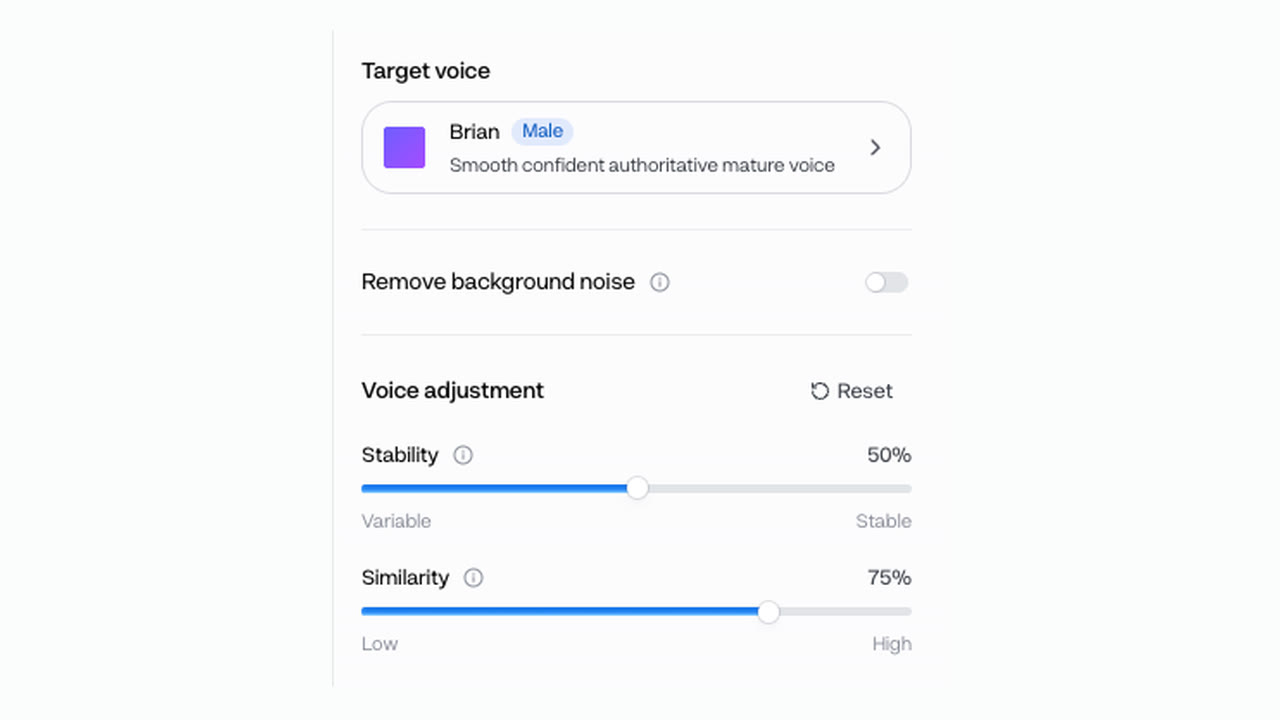
Upload MP3, WAV, OGG or M4A audio, or an MP4, MOV or AVI video, up to 25 MB. From a video, only the audio is used. Turn on Remove background noise and the noise is stripped from your recording before the voice changes.
Audio or video25 MBNoise removal - BrianOriginal take, 10.7 secondsOriginalArabellaConverted take, 10.8 secondsConverted02
Spoken again in another voice
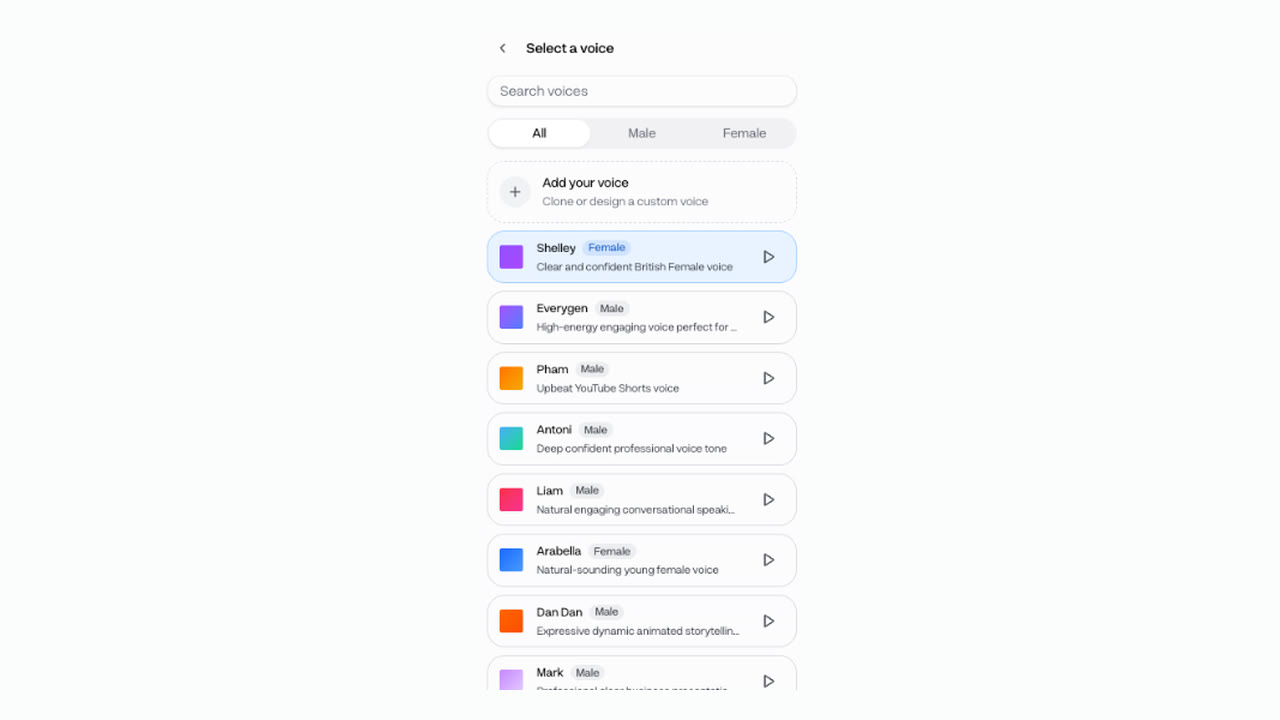
Pick one of 17 voices, or one you cloned or designed. The new voice follows your delivery: the timing, the pauses and the emotion of the original. Stability sets how much range it has, and Similarity how close it stays to the target voice.
17 voicesYour own voiceEnglish - 03
Get the new take as an MP3
The tool shows the original and the converted take side by side, so you can compare them before you download. The result is an MP3, even when you uploaded a video, with no watermark. Put it back under the video in any editor.
MP3No watermarkCompare first
Change a voice in 4 steps
- Step 1Upload audio or videoUp to 25 MB, in English.
- Step 2Pick a voice17 voices, or add your own.
- Step 3Clean it up if neededTurn on Remove background noise.
- Step 4Change and downloadCompare both takes, then save the MP3.
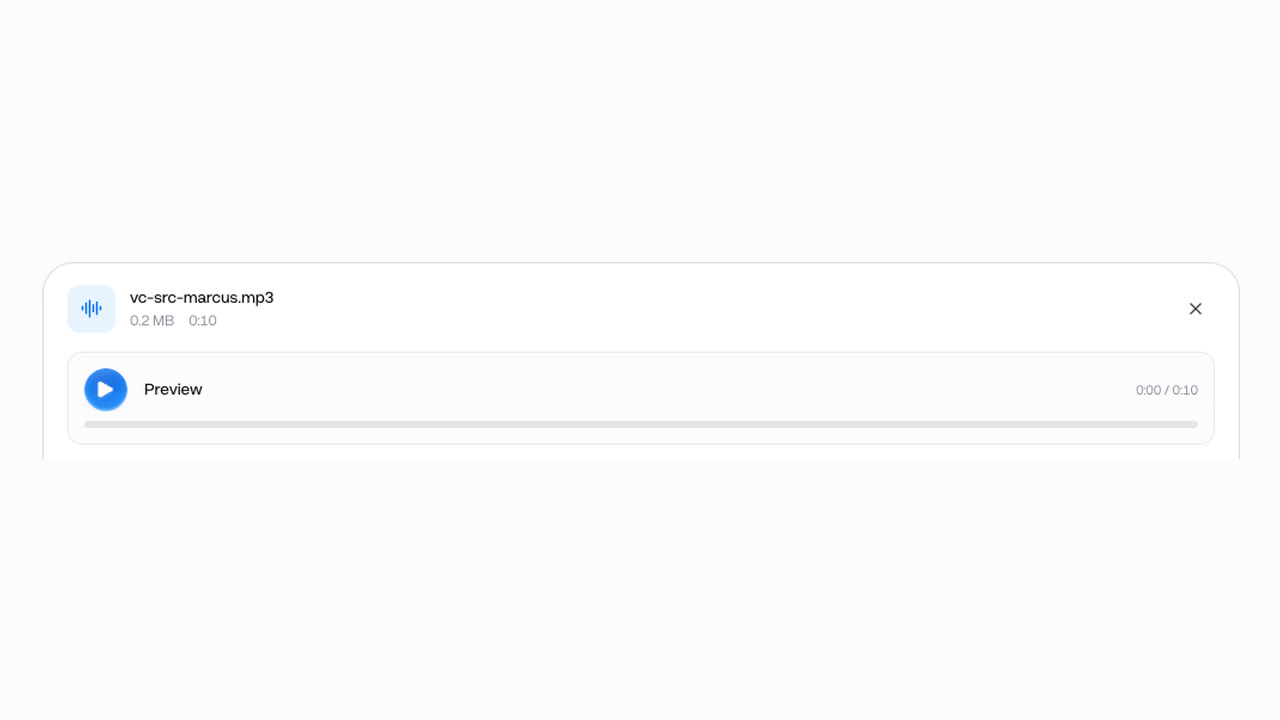
Files go up to 25 MB, so upload just the audio of a long video. You are charged only after the conversion succeeds.
Two voices from the same take
- GrandpaConverted take, 10.7 secondsGrandpa · 1 creditBrian's octopus take, as Grandpa.
- ZaraConverted take, 10.7 secondsZara · 1 creditThe same take, as Zara.
Every voice costs the same: you pay by the minute of audio. It is 2 credits a minute and at least 1 credit a conversion, so each of these 10.7-second takes was 1 credit.
- Starter$0.09 a minute of audio, about 100 minutes a month
- Pro$0.08 a minute of audio, about 250 minutes a month
Dollar figures are plan credits at the yearly price per month. The generator shows the exact credit price before you start.
Tips for a clean new voice
- Use English recordingsThe voice model is an English one.
- Strip noise firstTurn on Remove background noise.
- Upload the audio onlyExport the audio track to stay under 25 MB.
- Lower Similarity on hitchesIf you hear noise or glitches, try lower.
- Put the MP3 back onLine it up with the video in your editor.
- Clone only with consentYour own voice, or one you may use.
The new voice keeps your delivery, so the take you upload sets the pace. You keep the rights to what you make in Everygen, with consent for any voice you clone.
Change the voice, not the take
- Re-recordRecord it again yourselfSame voice, and a new take to match.
- Voice actorHire a voice actorA new read, booked and briefed each time.
- Brian, pitched upIllustration: a pitch filter, not Voice ChangerFilterPitch it up or downStill your voice, only higher or lower.
- ArabellaConverted take, 10.8 secondsVoice ChangerChange a voiceChange the voiceYour timing, spoken by another voice.
To change the voice in a video and keep your delivery, upload it to Voice Changer and pick a voice. The words, pauses and emotion stay your own take’s, with no new recording. The pitched take is an illustration: Brian’s take run through a plain pitch filter, for contrast.
What people use it for on their own recordings
- MarkConverted take, 11.9 secondsNarrationChange a voiceNarrate without your own voiceRead it yourself, post it in another voice.
- ZaraConverted take, 10.7 secondsAdsTest an ad in two voicesOne read, a male and a female version.
- GrandpaConverted take, 10.7 secondsCharactersGive a character its voiceAct the line, then pick the voice.
Change the voice, then caption the video with Auto Captions. Save your own clip from YouTube or TikTok with Video Downloader first.