Kling motion control: how to copy movement onto your character (2026)
Kling motion control takes the moves from one video and puts them on a character from one photo. On Everygen it runs in Clone, under Character, on Kling 3.0 for 21 credits at 720p, about $0.80 on Pro, with no Kling account.
Every screenshot, input and clip below is from a real Everygen session on November 4, 2026, with the credits it cost. We show the clips and leave the judging to you.
The inputs and what came back
One dance clip and one photo, sent once on Kling 3.0 and once on Kling 3.0 Pro.
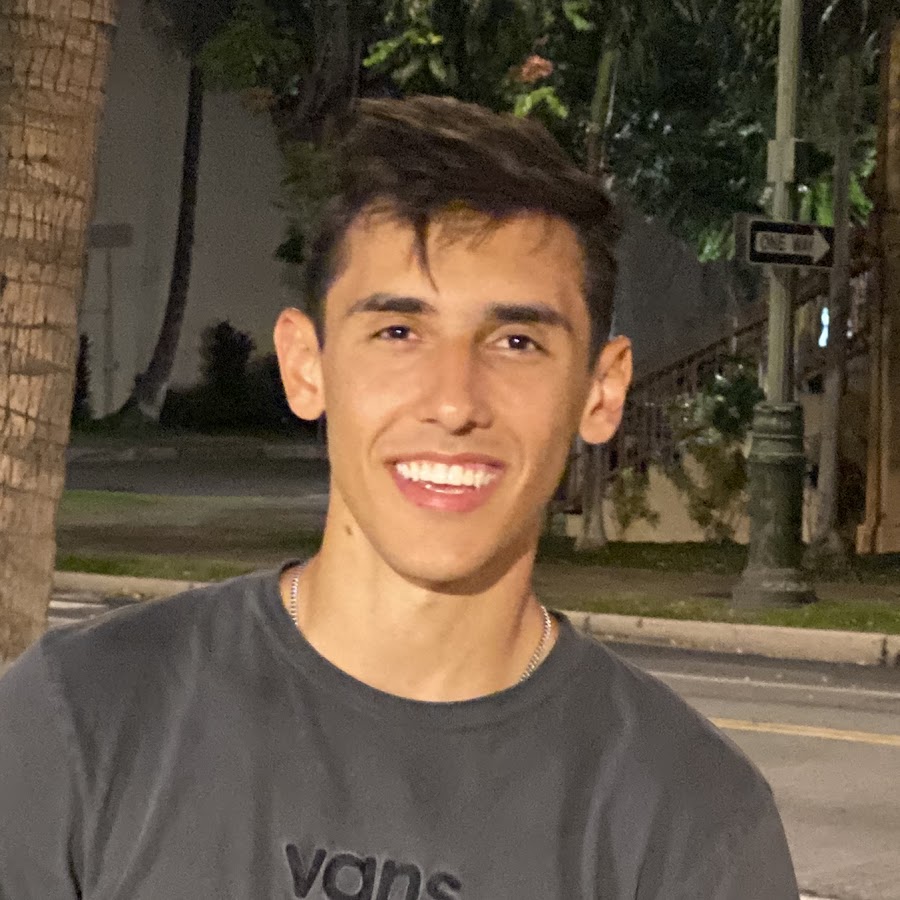
The motion clipSeedance 2 Mini, 9:16, 720p, 10 s, 13 credits.
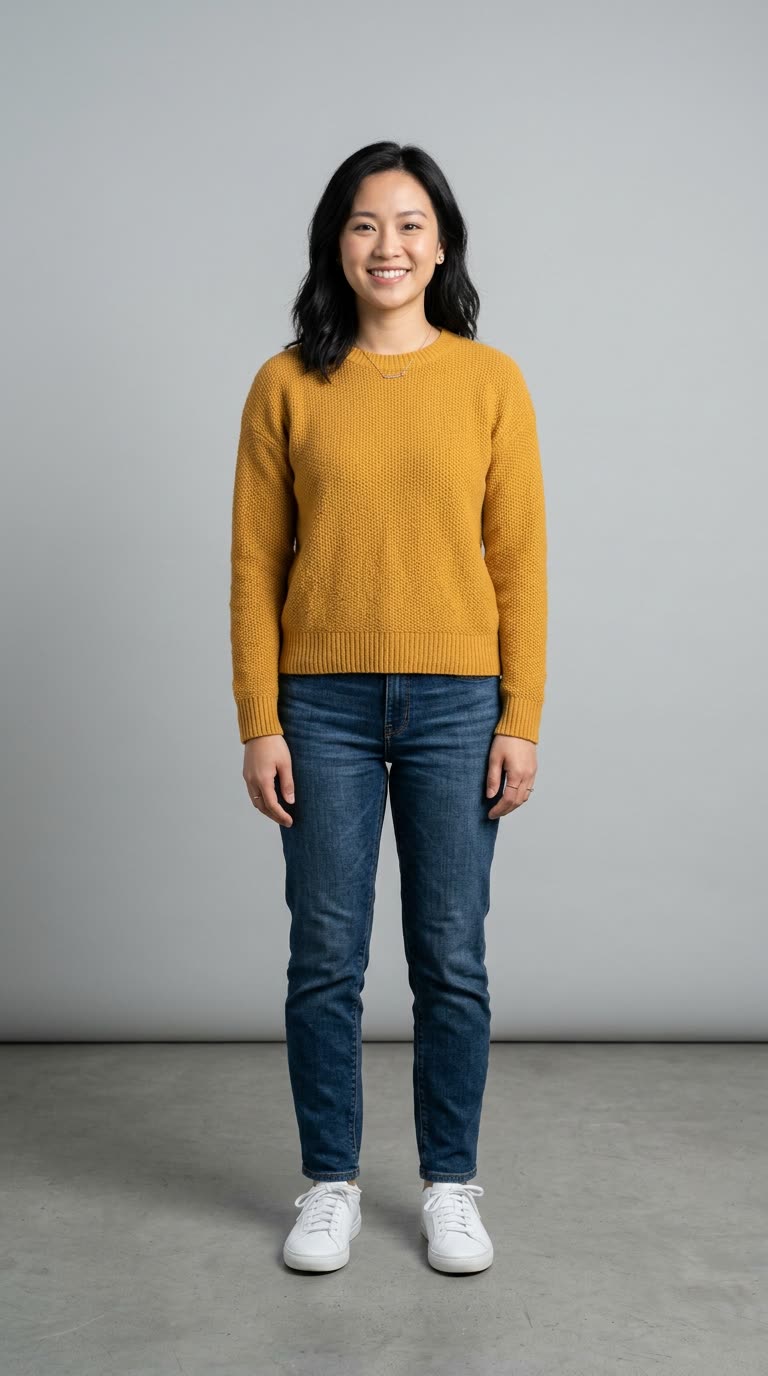
The character photoNano Banana 2, 9:16, 1K, 2 credits.
Kling 3.0, 720p10 s, 720x1280, with the reference clip's sound. 21 credits, about $0.80 on Pro or $0.95 on Starter.
Kling 3.0 Pro, 1080p10 s, 1072x1936, with the reference clip's sound. 28 credits, about $1.06 on Pro or $1.26 on Starter.
Both runs: Clone > Character, Original sound, no Match background, no prompt. Both inputs were made in Everygen too; their prompts are below.
A young man in a plain white t-shirt and black trousers dances an energetic hip hop routine facing the camera, arms and legs moving in big clear steps, whole body visible from head to feet at all times, alone in the centre of an empty white studio, locked-off camera at chest height, one continuous shot, no cuts, one person only.
Full-body photo of a woman in her late 20s with shoulder-length black hair, wearing a mustard yellow sweater, dark blue jeans and white sneakers, standing facing the camera with arms relaxed at her sides, whole body visible from head to feet, plain light grey studio background, even soft light, photorealistic.
What motion control does, and which Kling versions have it
You give Kling a video of someone moving and a photo of your character. Kling reads the body movement from the video and makes a new clip of your character doing it. It's how people put themselves, a mascot or a made-up character into a dance, a gesture or a trend without filming it.
On Everygen it runs on Kling 3.0 and Kling 3.0 Pro, picked by the quality chip: 720p is Kling 3.0, 1080p is Kling 3.0 Pro. The full lineup, with every other Kling model and price, is on the Kling model page.
What you need
Two files. The better they match, the less Kling has to guess.
- One character photo. Full body, head to feet, facing the camera, on a plain background. No photo? Clone can use a preset character or create one with AI.
- One motion clip, 3 to 30 seconds. One person, whole body in frame the whole time, no cuts. Clone takes files up to 300 MB and lets you trim to the part you want.
- Kling's size rule for the clip: the short edge at least 340 px and the long edge at most 3,850 px (Kling's motion control guide, read November 5, 2026).
How to use Kling motion control on Everygen, step by step
Six steps from an empty composer to a clip.
Open Clone and pick Character
Open Clone on Character, or open the video tool, switch the mode to Clone and choose Character. You sign in to Everygen only.
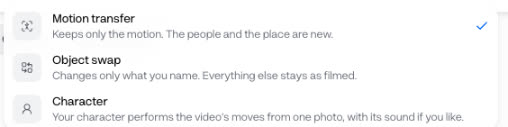
Clone's mode menu. Character is Kling motion control. Add the motion clip
Drop the video into the left slot. A clip you already made in Everygen can go straight in: open its menu and press Use in Clone. The scissors on the clip trim it to 3 to 30 seconds.
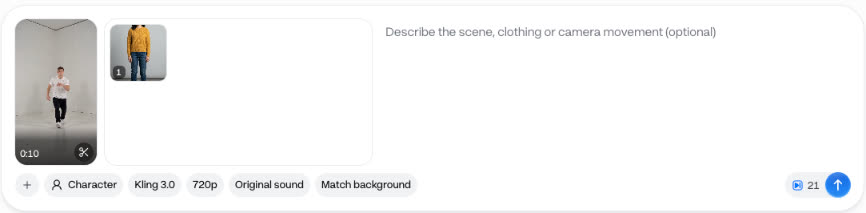
A 10-second clip and one photo loaded: Kling 3.0, 720p, 21 credits on the button. Add one photo of your character
Press + to upload a photo, pick a preset character, or create a character with AI. One photo, one character.
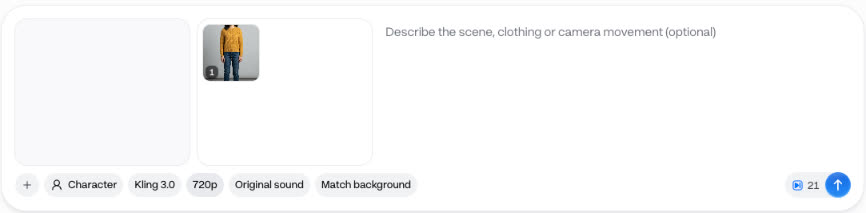
One photo added. The chips under it are the run's settings. Pick Kling 3.0 and a quality
Leave the engine on Kling 3.0. Then pick the quality: 720p for 21 credits, or 1080p, which runs Kling 3.0 Pro, for 28 credits. Our 1080p run came back at 1072x1936.
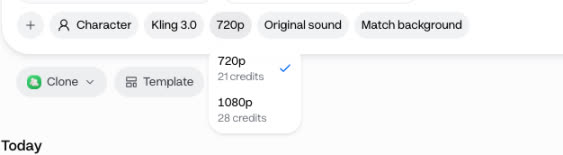
The quality menu: 720p runs Kling 3.0, 1080p runs Kling 3.0 Pro. Choose the sound and background
Original sound carries the clip's audio into the result, so a dance keeps its track; No sound leaves it silent. Match background first puts your character into the clip's scene, for 3 credits, and Undo match puts your photo back. Our runs used Original sound and skipped Match background.
Add a prompt if you want, check the price and send
The prompt box is optional: use it for the scene, clothing or camera movement, or leave it empty as we did. The number beside the send button is the charge, and it comes off when you press send. Each run is priced for 10 seconds of motion.
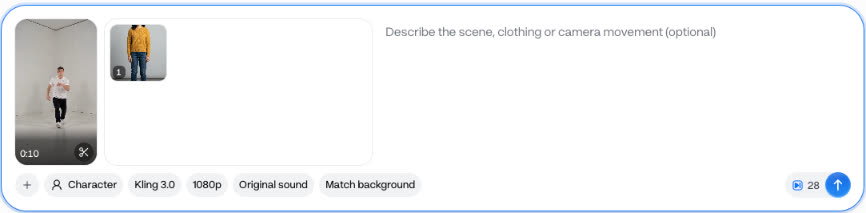
The same setup at 1080p: 28 credits.
What Kling motion control costs
One run on Everygen, priced for 10 seconds, against the same 10 seconds in Kling's own app.
| Where | Quality | Credits | In dollars |
|---|---|---|---|
| Everygen | Kling 3.0, 720p | 21 | $0.95 on Starter, $0.80 on Pro |
| Everygen | Kling 3.0 Pro, 1080p | 28 | $1.26 on Starter, $1.06 on Pro |
| Kling's app | Kling 3.0 Standard | 90 Kling credits | About $1.20 on Kling Standard |
| Kling's app | Kling 3.0 Professional | 120 Kling credits | About $1.60 on Kling Standard |
Everygen
- Quality
- Kling 3.0, 720p
- Credits
- 21
- In dollars
- $0.95 on Starter, $0.80 on Pro
Everygen
- Quality
- Kling 3.0 Pro, 1080p
- Credits
- 28
- In dollars
- $1.26 on Starter, $1.06 on Pro
Kling's app
- Quality
- Kling 3.0 Standard
- Credits
- 90 Kling credits
- In dollars
- About $1.20 on Kling Standard
Kling's app
- Quality
- Kling 3.0 Professional
- Credits
- 120 Kling credits
- In dollars
- About $1.60 on Kling Standard
Dollar figures are plan credits at the yearly price per month. The generator shows the exact credit price before you start. Kling's rates are 9 credits a second on Standard and 12 on Professional (Kling's motion control guide, read November 5, 2026, dated March 5, 2026). Kling's dollars use its Standard plan, $8.80 a month for 660 credits after the first month, which is mesmer.tools' figure (mesmer.tools on Kling's plans, read November 5, 2026).
Our two inputs cost 15 credits to make on top: 13 for the clip and 2 for the photo. Bring your own and that part is free. Every other Kling price is on the Kling model page.
Getting a clean result
Kling's own rules for the inputs. Follow them before you change anything else.
- Match the orientation: a photo facing the camera for a clip facing the camera.
- One person in the clip. With more than one, Kling follows whoever takes up the most of the frame.
- No cuts, shot changes or camera movement in the clip, and keep the whole body and the head in view.
- Skip very fast motion. Kling needs at least 3 seconds of continuous movement it can follow.
- Real human movement works best. Some stylised characters with human body proportions work too.
From Kling's motion control guide, read November 5, 2026.
Character vs the other Clone modes
Clone has three modes. Character is the one that runs Kling motion control.
| Mode | What it does | Use it when |
|---|---|---|
| Character | Your character performs the video's moves from one photo, with its sound if you like. | You have one photo of a character and want it to move like the clip |
| Motion transfer | Keeps only the motion. The people and the place are new. | You want the moves in a whole new scene |
| Object swap | Changes only what you name. Everything else stays as filmed. | You want to swap an outfit, a product or the text on screen |
Character
- What it does
- Your character performs the video's moves from one photo, with its sound if you like.
- Use it when
- You have one photo of a character and want it to move like the clip
Motion transfer
- What it does
- Keeps only the motion. The people and the place are new.
- Use it when
- You want the moves in a whole new scene
Object swap
- What it does
- Changes only what you name. Everything else stays as filmed.
- Use it when
- You want to swap an outfit, a product or the text on screen
Is Kling motion control free?
Kling's own app gives monthly login credits on its free tier, at 720p with a watermark (mesmer.tools on Kling's plans, read November 5, 2026), and a 10-second motion run there takes 90 credits. The cheapest way to run it on Everygen is Starter, where one 720p run is $0.95. Independent sites such as klingmotion.com sell Kling motion control too, and klingmotion.com says it isn't affiliated with Kling; kling.ai is Kling's own.
Copy your first move
One photo, one clip, 21 credits at 720p. Try it on a short clip of one person facing the camera.
Kling motion control questions
Related pages
Models in this guide
Tools in this guide
Prices compared
- Higgsfield pricing comparedHiggsfield's plans, what Seedance, Kling and Nano Banana cost on Higgsfield and Everygen, and what its “unlimited” windows cover.
- OpenArt pricing comparedOpenArt's plans, what a Seedance clip costs on OpenArt and Everygen, who may use the output commercially, and what 40 trial credits buy.
- Creatify pricing comparedCreatify's Standard, Pro, Max and Business plans, what a Seedance clip and a 15-second UGC ad cost on Creatify and Everygen, and why older guides still say $39.