Skip to content

How to use Seedance 2.0 and 2.5: a step-by-step guide in Everygen

Everygen14 min read

To use Seedance, open a video generator that runs it, pick a Seedance version, choose whether you start from text, an image, two frames or references, write a prompt that names the subject, action, setting, camera move and sound, then check the price and send. In Everygen, Seedance 2.5, 2, 2 Fast and 2 Mini all sit in one video generator on one credit balance, and the price shows before you start.

Every screenshot, prompt and clip below is from a real Everygen session on October 23, 2026, with the credits it cost. We show the clips and leave the judging to you.

How to use Seedance in Everygen, step by step

Eight steps from an empty prompt to a downloaded clip. The first one takes a few minutes, most of it waiting for the render.

  1. Open Everygen's video generator and pick Seedance

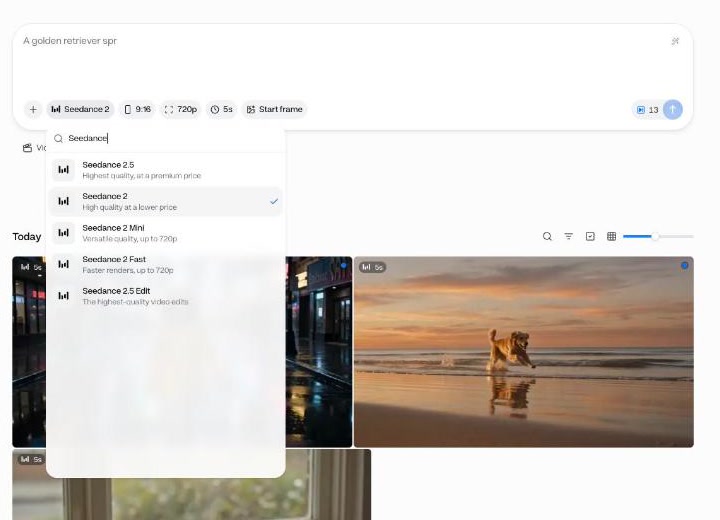
    Open the video generator with Seedance 2.5 already selected, or open it from the sidebar, press the model chip and type “Seedance”. Five entries come up: the four versions plus Seedance 2.5 Edit, which edits a clip you already have. You sign in to Everygen only, no ByteDance, Dreamina or CapCut account.

    Everygen's video generator with the model menu searched for Seedance, listing Seedance 2.5, 2, 2 Mini, 2 Fast and 2.5 Edit
    The model menu, searched for Seedance.
  2. Pick the version for the job

    Draft cheap, finish sharp. When a draft works, switch the version chip and send the same prompt again.

    • Testing a prompt

      Version
      Seedance 2 Mini
      5 s at 720p
      7 credits
    • Quick drafts

      Version
      Seedance 2 Fast
      5 s at 720p
      11 credits
    • The final at 4K

      Version
      Seedance 2
      5 s at 720p
      66 credits at 4K
    • The final at 1080p, up to 30 s, or with lots of references

      Version
      Seedance 2.5
      5 s at 720p
      22 credits at 1080p

    Full specs, every price and a same-prompt test of all four are on the Seedance model page.

  3. Choose what you start from

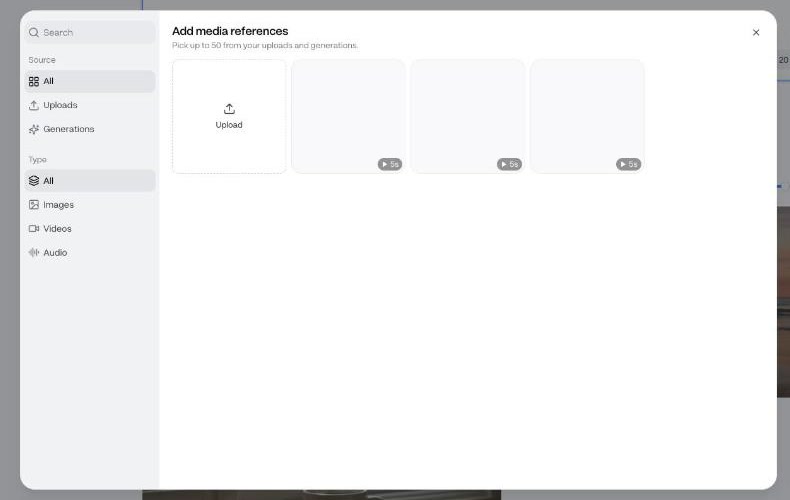
    Nothing attached means text to video. Press Start frame to animate a picture; once it's set, the same chip turns into End frame. Press + to add references from your uploads or earlier work, then type @ in the prompt to point at one. The next section helps you choose.

    The Add media references dialog on Seedance 2.5: pick up to 50 images, videos or audio from uploads and generations
    Add media references on Seedance 2.5: images, videos or audio, up to 50.
  4. Set the ratio, resolution and length

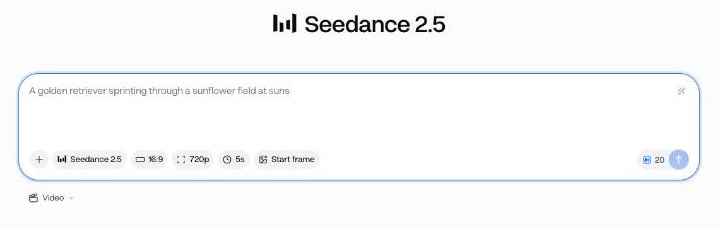
    Three chips under the prompt: ratio, resolution, length. Every version offers Auto, 9:16, 16:9, 3:4, 1:1, 4:3, 21:9. Length moves in 1-second steps from 4 to 15 seconds, or to 30 on Seedance 2.5. There's no sound chip because sound is always on.

    Seedance 2.5 selected with 16:9, 720p and 5s chips and 20 credits on the button
    Seedance 2.5 at 16:9, 720p, 5 seconds: 20 credits on the button.
  5. Write the prompt

    One sentence per job: who or what, what they do, where, which way the camera moves, what it looks like, what it sounds like, what to leave out. The prompt structure below has the template and the rules. Keep the first try short: 5 seconds is plenty to see whether the idea works.

  6. Check the price on the button, then send

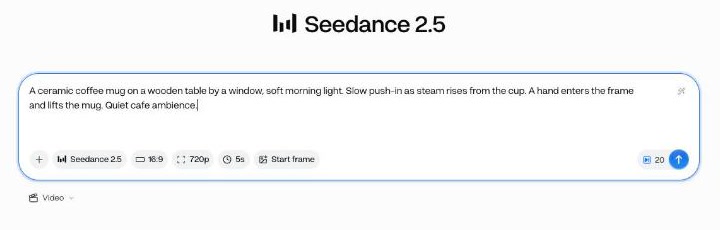
    The number beside the send button is the exact charge, and it updates as you change version, resolution or length. Credits come off your balance when you press send, not when the clip finishes, so there's no surprise afterwards.

    A prompt typed into the Seedance 2.5 composer, with the 20-credit price beside the send button
    The prompt typed, the price beside the send button.
  7. Watch the whole clip, then change one thing

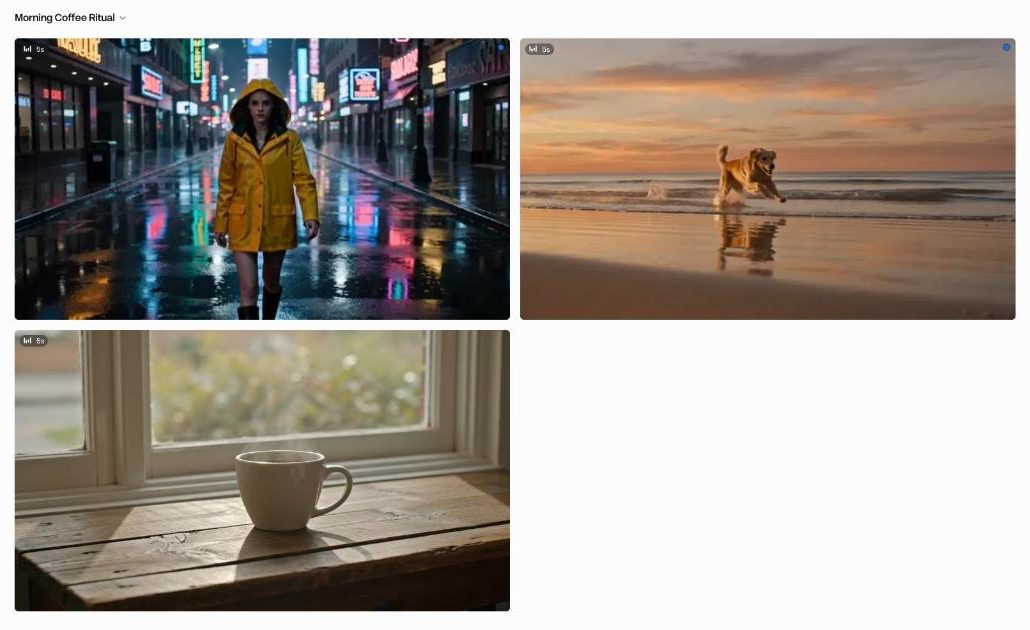
    Everygen opens a project for the clip and renders it there. In our runs a 5 to 10 second 720p clip took about 1.5 to about 3 minutes. Watch to the end with the sound up. Then change one thing, the prompt or a setting, and send again, so you know what made the difference.

    An Everygen project with three finished Seedance clips
    A project once its clips are done. Each first send opens a project; later sends from its prompt box land in the same one.
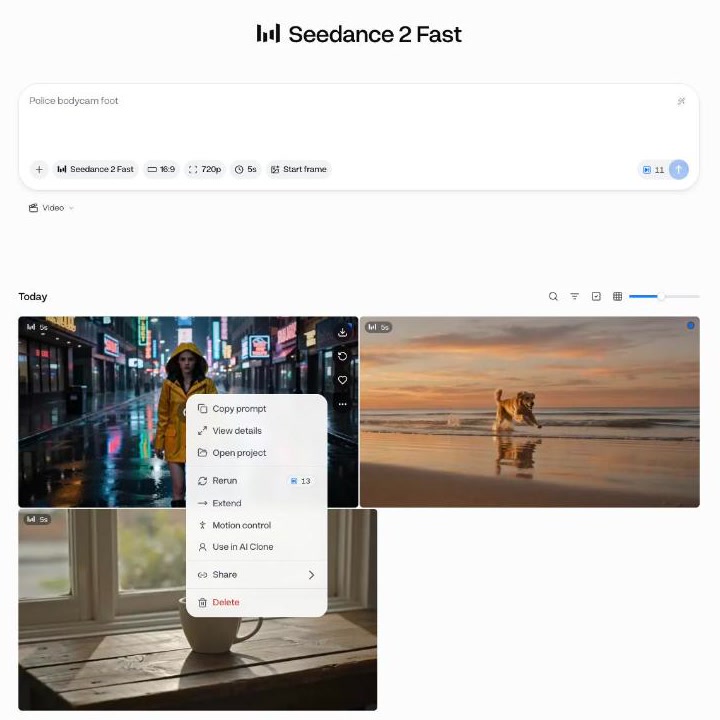
  8. Rerun, extend or download

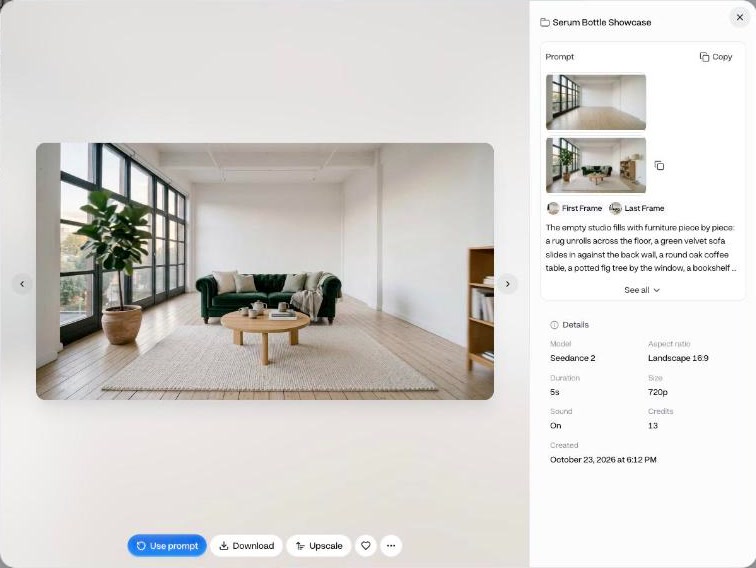
    Click a finished clip to open it. The panel shows the prompt, any frames, and the settings it ran with, down to the credits. Download saves the MP4 straight away, sound included. To finish a draft, rerun the same prompt on a better version or resolution: Use prompt on the clip, or Rerun from its menu. Every clip also lives under All videos in the sidebar.

    A finished clip's menu: copy prompt, view details, open project, rerun with its price, extend, motion control, share, delete
    Each clip's menu: Copy prompt, Rerun with its price, Extend, Share and more.
    A finished clip opened: the prompt with its first and last frame, details (Seedance 2, 16:9, 5s, 720p, Sound On, 13 credits), and Use prompt, Download and Upscale buttons
    A finished clip opened: its prompt and frames, its settings (Sound: On), and Use prompt, Download and Upscale.

Which way to start: text, image, frames or references

Pick the one that matches what you already have.

  • Text only

    Best for
    B-roll, establishing shots, ideas with no fixed look
    Skip it when
    The product or face must match a real one
  • A start frame (image to video)

    Best for
    Products, a character, a brand scene you already have as a picture
    Skip it when
    You want the camera somewhere the picture can't go
  • Start and end frame

    Best for
    Transitions, before and after, reveals, a controlled camera path
    Skip it when
    The two frames don't share a room, angle or light
  • References (up to 50 on 2.5, 15 on the others)

    Best for
    Keeping a character, product, style, motion or voice the same across clips
    Skip it when
    One picture would do: use a start frame
  • Seedance 2.5 Edit

    Best for
    Changing something in a clip you already have
    Skip it when
    The clip is shorter than 4 or longer than 30 seconds

References come in three kinds. On Seedance 2.5 you can mix up to 30 images, 10 videos and 10 audio clips, 50 files in all. On Seedance 2, 2 Fast and 2 Mini it's 9, 3 and 3, 15 in all. Reference video and audio can run up to 30 seconds in total on 2.5 and 15 on the others.

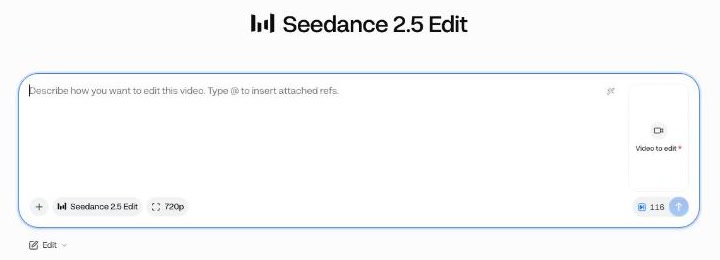
Seedance 2.5 Edit in the Edit mode, asking for a video to edit
Seedance 2.5 Edit lives in the Edit mode: attach the video to edit, then say what to change. Type @ to point at a reference.

How to write a Seedance prompt

One template, eight rules, and the camera words Seedance knows.

Prompt template

[Subject and what they do], [where, time of day, light]. Camera: [one move]. Style: [look or reference]. Sound: [dialogue in quotes, ambience, effects]. Avoid: [no text, no captions, no extra people].

Fill the brackets, delete what you don't need, keep the order.

The rules

  • Say what changes over the clip: “starts wide, pushes in to a close-up”.
  • One camera move per shot. “Cinematic camera” is not a move.
  • For several shots in one clip, label them “Shot 1:”, “Shot 2:”, and give the clip enough seconds for each.
  • Name the subject by two or three fixed features (red hoodie, white sneakers) and repeat them in every shot.
  • Put spoken lines in quotes and keep them short enough to say in the clip's length.
  • Write the sounds out. Seedance always makes sound, so tell it which.
  • End with what you don't want: captions, on-screen text, music, extra people, logos.
  • With a start frame, describe the motion, not the picture. The picture already holds the look.

Camera words to use

Push in, pull back, dolly in, orbit, crane up, tracking shot, handheld follow, whip pan, rack focus, locked off, low angle, aerial push forward. Pick one per shot. The lighthouse prompt uses four, one per labelled shot.

Seedance prompt library: 9 prompts and the clips they made

Each prompt was run once in Everygen on October 23, 2026. Copy it, swap the subject, keep the structure. The eight clips cost 240 credits together, plus 6 for the three still images.

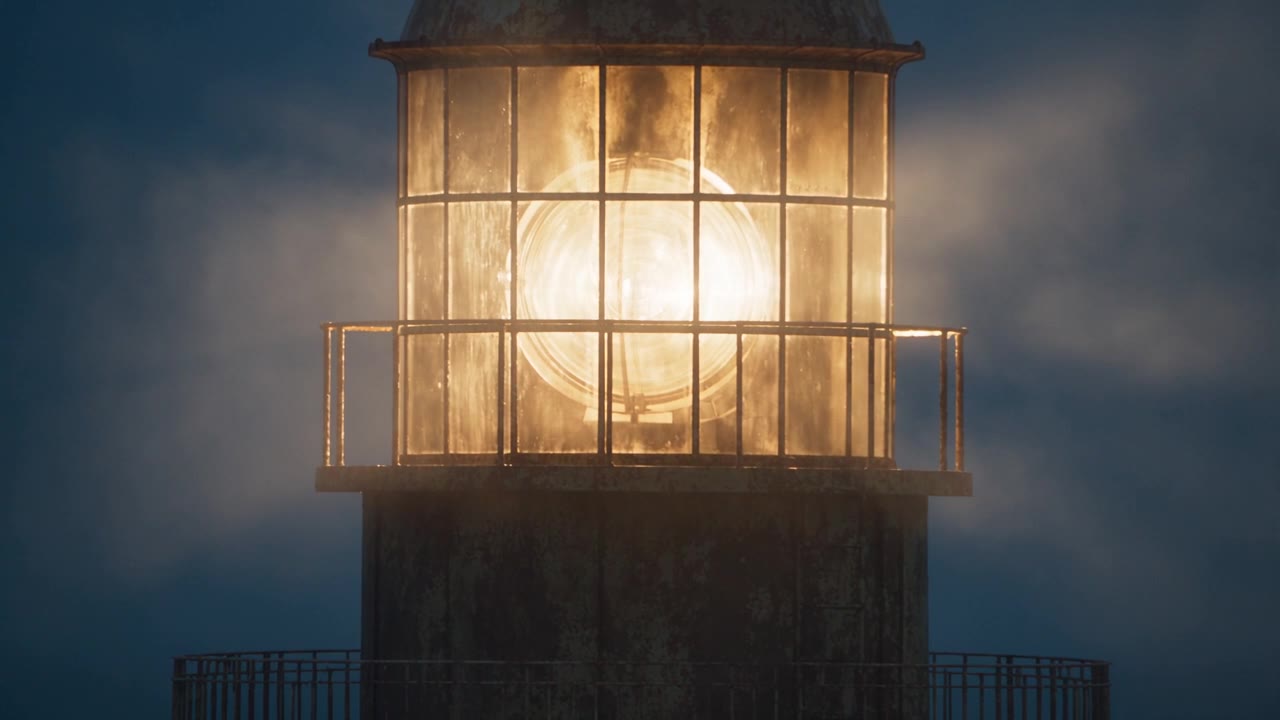
Stone lighthouse on a cliff at dusk, made with Seedance 2.5 on Everygen
0:00 / 0:00

1. Camera moves

Four named moves, one per labelled shot, so the camera has a plan instead of a vibe.

Video prompt16:9, 720p, 10 sSeedance 2.5

A stone lighthouse on a rocky cliff above a rough sea, dusk, the lamp at the top flickers on, warm light against a blue sky. Shot 1: slow push in toward the lamp. Shot 2: orbit halfway around the tower. Shot 3: crane up and over the cliff edge to reveal the coastline. Shot 4: handheld, a figure in a dark coat walks along the cliff path, slight natural shake. Style: cinematic, natural colour, 35mm film grain. Sound: wind, crashing waves, a distant gull.

Seedance 2.5, 16:9, 720p, 10 s. 39 credits, about $1.48 on Pro or $1.76 on Starter.
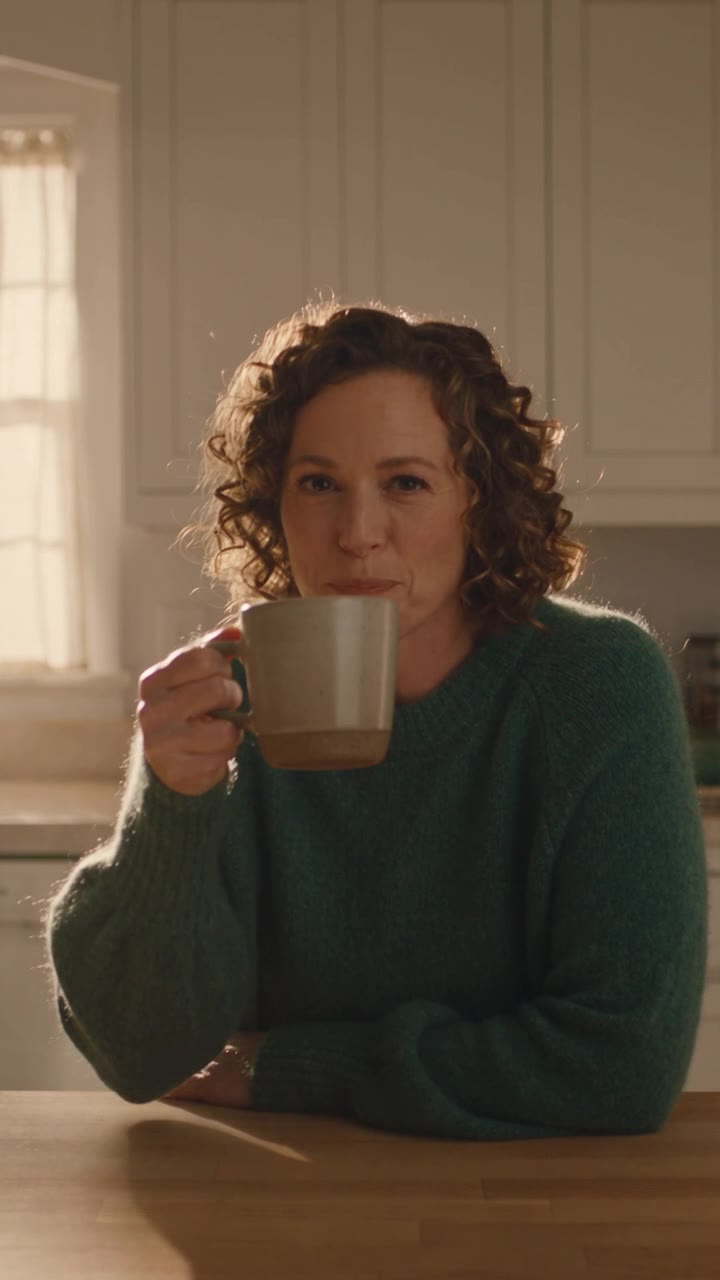
Woman with curly hair at a kitchen table talking to camera, made with Seedance 2.5 on Everygen
0:00 / 0:00

2. A spoken line, UGC style

The exact words in quotes, a short line for an 8-second clip, and an Avoid list that keeps captions and music out.

Video prompt9:16, 720p, 8 sSeedance 2.5

A woman in her late 20s with short curly hair and a green sweater sits at a kitchen table holding a coffee mug, and says to camera: "I stopped paying for three apps. One does it all now." Morning window light, warm and soft. Camera: handheld phone framing at eye level, slight natural shake. Style: casual UGC selfie video, natural colour. Sound: her voice only, quiet kitchen ambience. Avoid: captions, music, on-screen text.

Seedance 2.5, 9:16, 720p, 8 s. 31 credits, about $1.18 on Pro or $1.40 on Starter.

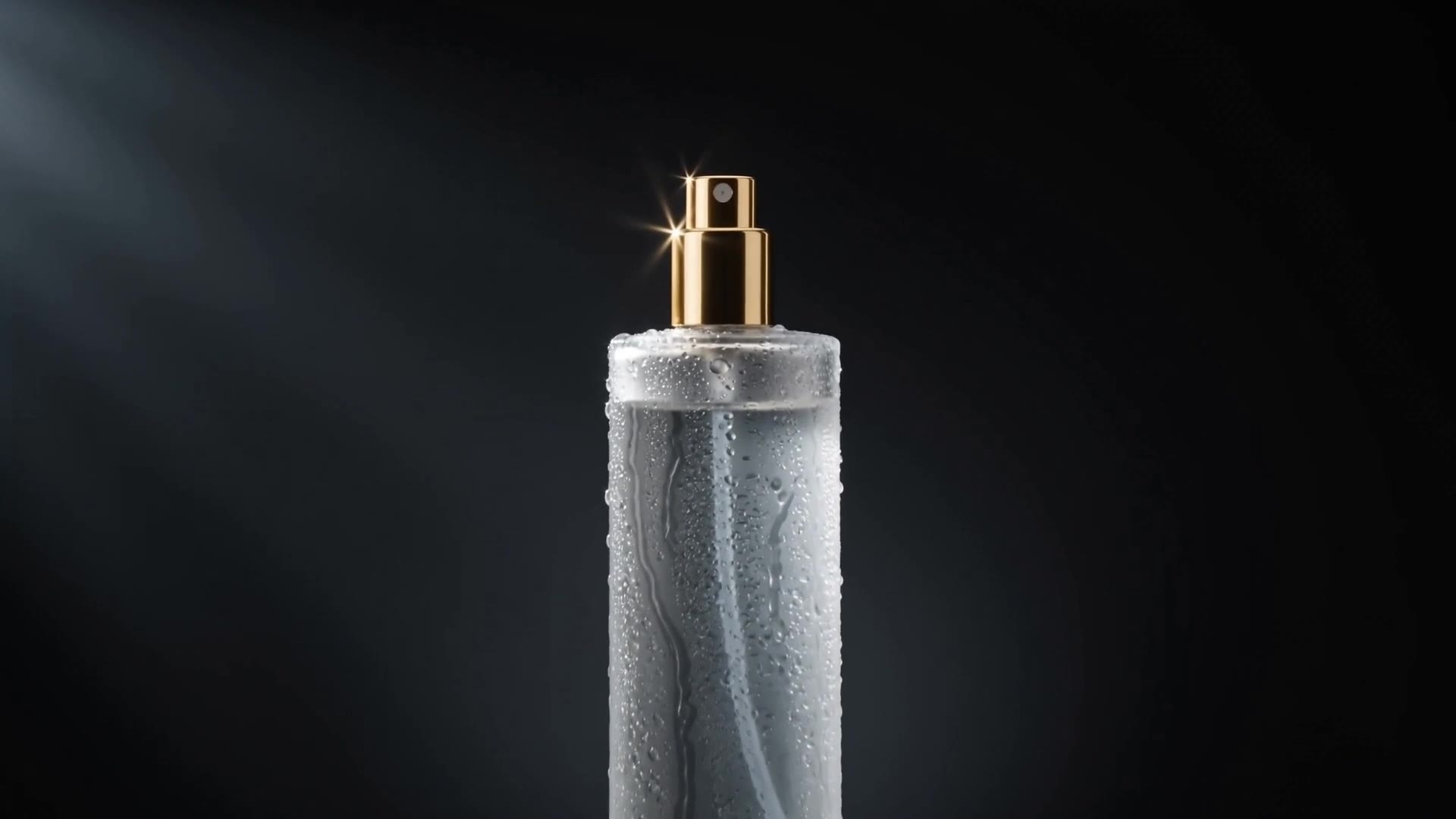
Frosted perfume bottle with a gold cap on wet black stone, made with Seedance 2 on Everygen
0:00 / 0:00

3. Product shot from text alone

One light source, one surface, one move, and a list of things that must stay out of frame.

Video prompt16:9, 1080p, 5 sSeedance 2

A tall frosted glass perfume bottle with a gold cap stands on wet black stone, water beads running down the glass. Dark studio, one hard key light from the left, deep shadows, black background. Camera: slow push in from a medium shot to a close-up of the cap. Style: luxury commercial, crisp detail. Sound: soft water drips, low synth hum. Avoid: hands, extra objects, on-screen text, logos.

Seedance 2, 16:9, 1080p, 5 s. 32 credits, about $1.22 on Pro or $1.44 on Starter.

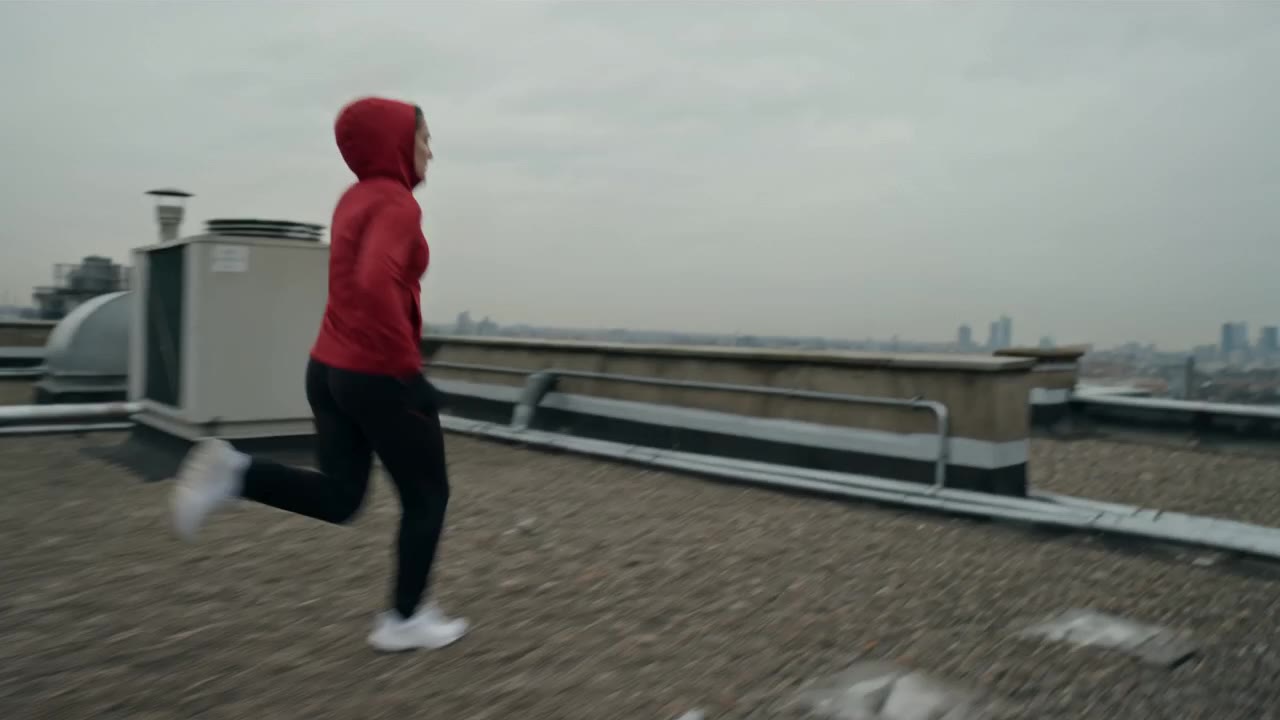
Parkour runner in a red hoodie on a rooftop, made with Seedance 2 on Everygen
0:00 / 0:00

4. A character in motion

Fixed features (red hoodie, white sneakers), a clear action sequence, and a camera that tracks with it.

Video prompt16:9, 720p, 6 sSeedance 2

A parkour runner in a red hoodie and white sneakers sprints across a rooftop, vaults a low wall and lands in a roll. Overcast city skyline, flat grey light. Camera: tracking shot alongside the runner at shoulder height, slowing as she lands. Style: sports commercial, natural colour. Sound: footsteps on gravel, cloth rustle, heavy breathing, distant traffic.

Seedance 2, 16:9, 720p, 6 s. 16 credits, about $0.61 on Pro or $0.72 on Starter.

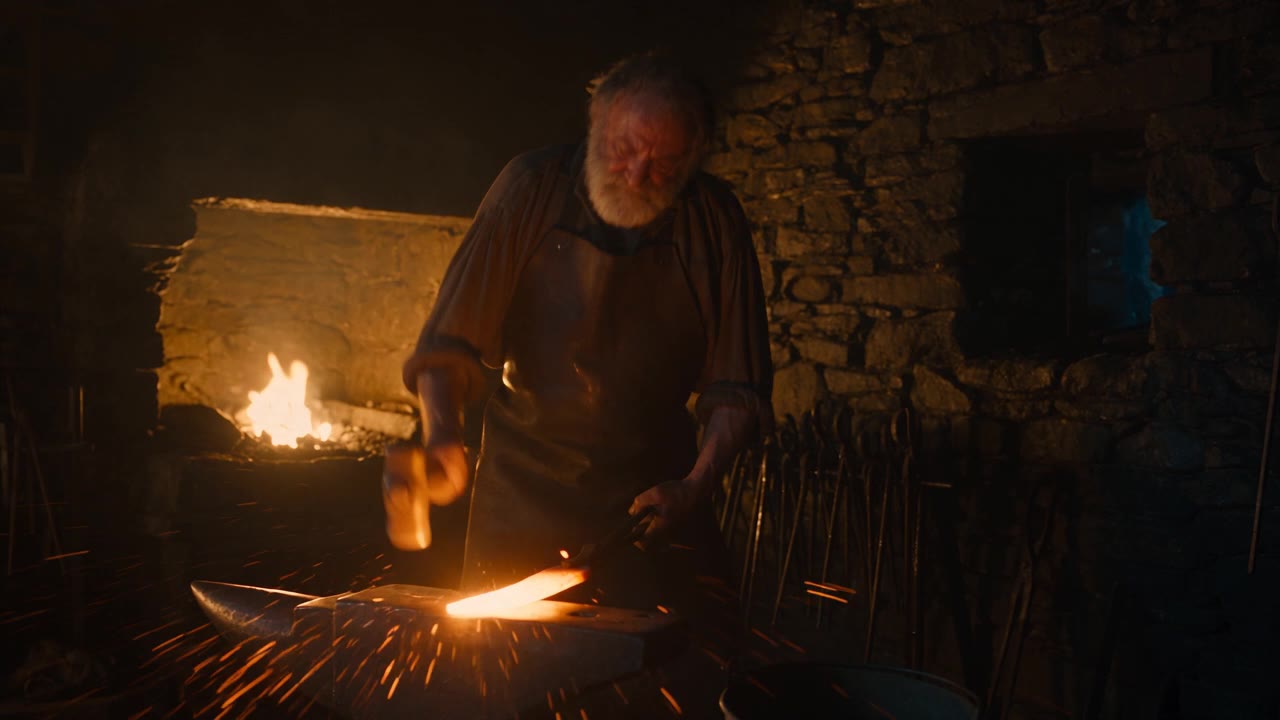
Blacksmith hammering a glowing blade in a forge, made with Seedance 2.5 on Everygen
0:00 / 0:00

5. Sound design

Every sound written out, in the order it happens, plus no music so the effects have the stage.

Video prompt16:9, 720p, 8 sSeedance 2.5

An old blacksmith in a leather apron hammers a glowing orange blade on an anvil, sparks flying. Dim stone forge at night, firelight from the furnace, smoke in the air. Camera: locked-off medium shot, then a slow push in on the anvil. Style: cinematic, warm tones. Sound: ringing hammer strikes in a steady rhythm, a loud hiss as he plunges the blade into water, crackling fire, wind outside. Avoid: music, on-screen text.

Seedance 2.5, 16:9, 720p, 8 s. 31 credits, about $1.18 on Pro or $1.40 on Starter.

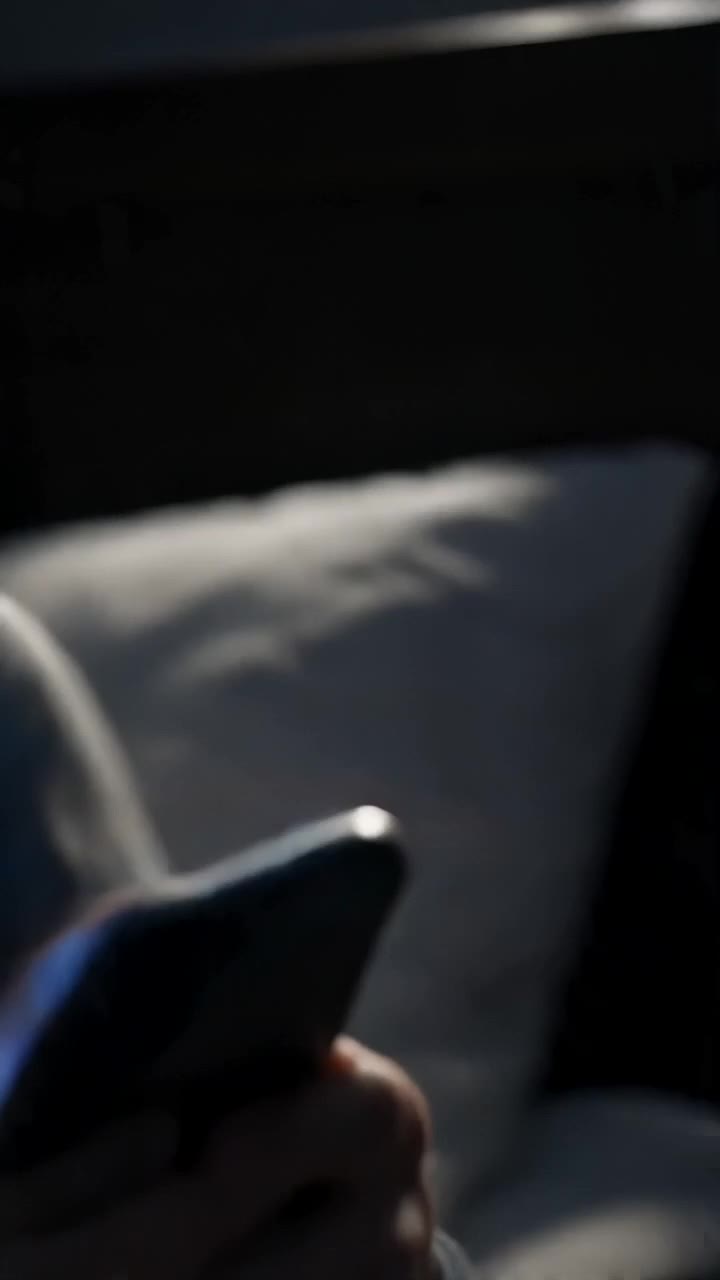
Phone lighting up on a nightstand in a dark bedroom, made with Seedance 2 Mini on Everygen
0:00 / 0:00

6. A vertical hook for Shorts, Reels and TikTok

A 9:16 clip that opens on the action, on the cheapest version, because hooks take a lot of tries.

Video prompt9:16, 720p, 5 sSeedance 2 Mini

Extreme close-up of a phone lighting up on a nightstand in a dark bedroom, a hand grabs it fast. Blue screen glow is the only light. Camera: whip pan up from the phone to a surprised young man's face lit by the screen. Style: vertical social ad, high contrast. Sound: sharp notification ping, then silence. Avoid: readable text on screen, captions.

Seedance 2 Mini, 9:16, 720p, 5 s. 7 credits, about $0.27 on Pro or $0.32 on Starter.

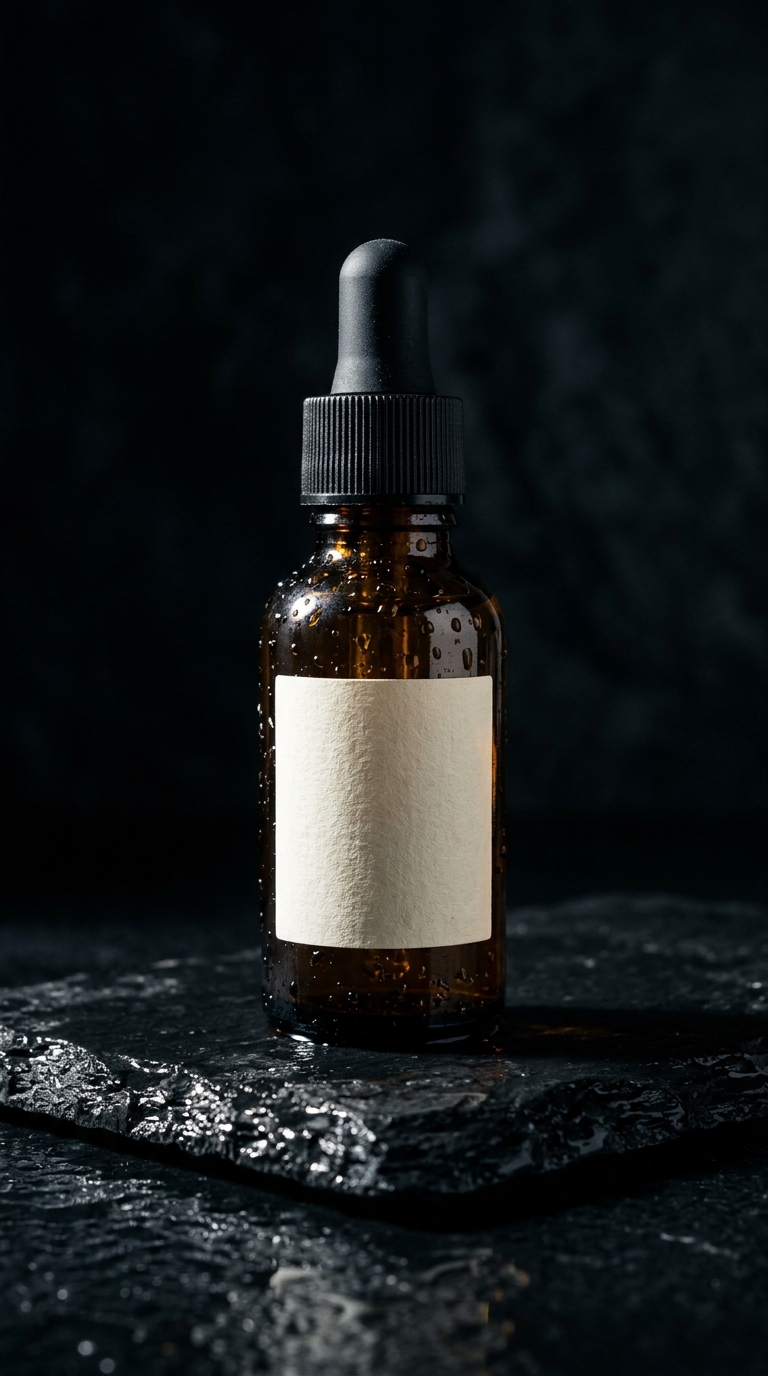
Amber dropper bottle of serum on wet black stone, made with Nano Banana 2 on EverygenStart frame
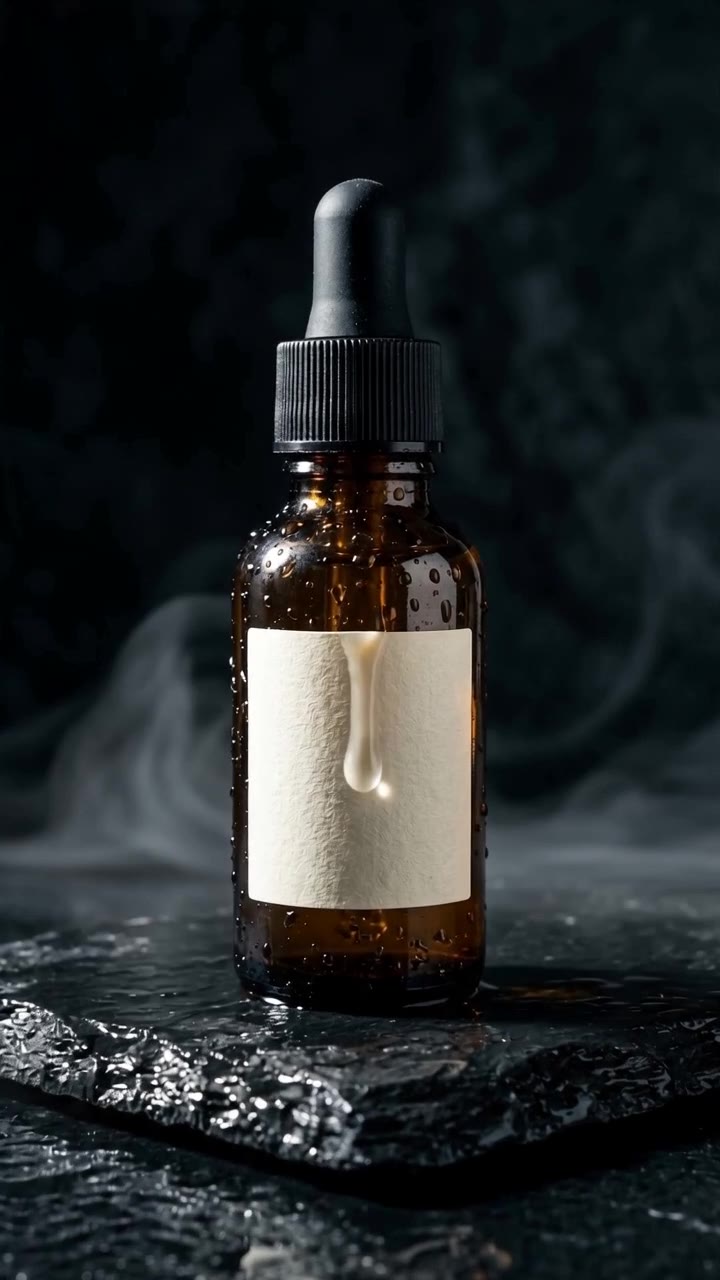
Amber serum bottle on wet black stone, animated from a still with Seedance 2 on Everygen
0:00 / 0:00
The clip

7. Image to video

The prompt describes motion only and tells Seedance not to change the product, because the picture already holds the look.

Image prompt (Nano Banana 2)

Product photo of a small amber glass dropper bottle of face serum with a matte black cap and a plain cream label with no text, standing on a slab of wet black stone, water droplets on the glass, one hard key light from the left, deep shadows, dark background, vertical composition, photorealistic.

Start frame: Nano Banana 2, 2 credits.

Video prompt9:16, 720p, 5 sSeedance 2

The serum bottle from the image stands still on the wet black stone as a single drop of water runs down the glass and a thin mist drifts across the stone. Same dark studio, one hard key light from the left, deep shadows. Camera: slow push in from a medium shot to a close-up of the label. Style: luxury skincare commercial, crisp detail. Sound: soft water drips, low ambient hum. Avoid: hands, extra objects, on-screen text, changing the bottle.

The clip: Seedance 2, 9:16, 720p, 5 s. 13 credits, about $0.49 on Pro or $0.59 on Starter.

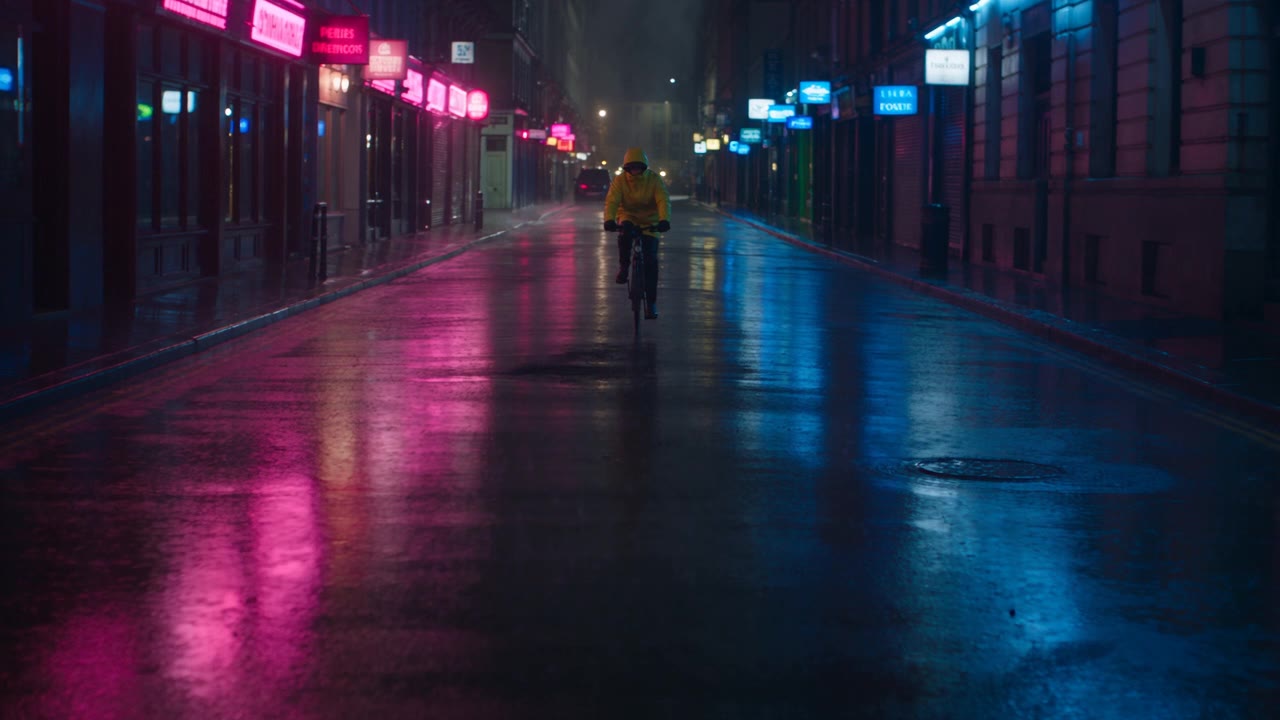
Cyclist in a yellow raincoat on a rainy neon street, made with Seedance 2.5 on Everygen
0:00 / 0:00

8. A longer, multi-shot clip

Three labelled shots in one 15-second run, with the subject's look repeated so it holds across the cuts.

Video prompt16:9, 720p, 15 sSeedance 2.5

A cyclist in a bright yellow raincoat with the hood up rides a black city bike through a rainy neon street at night. Wet asphalt, pink and blue neon reflections, light rain. Shot 1: wide shot, the cyclist rides toward camera down the middle of the street. Shot 2: close-up of the cyclist's face under the hood, rain dripping from the brim. Shot 3: low angle as the bike splashes through a puddle and exits frame left. Same cyclist, same yellow raincoat in every shot. Style: cinematic, anamorphic, moody. Sound: steady rain, tyre hiss on wet road, distant traffic, a splash.

Seedance 2.5, 16:9, 720p, 15 s. 58 credits, about $2.20 on Pro or $2.61 on Starter.

9. Start and end frame

This one has a section of its own below, with both frames and the clip between them.

Start and end frames: how to make Seedance move between two pictures

Give Seedance the first and last frame and it works out the motion in between. It works on all four versions, and in our run it didn't change the price.

1. Make two frames that can be bridged

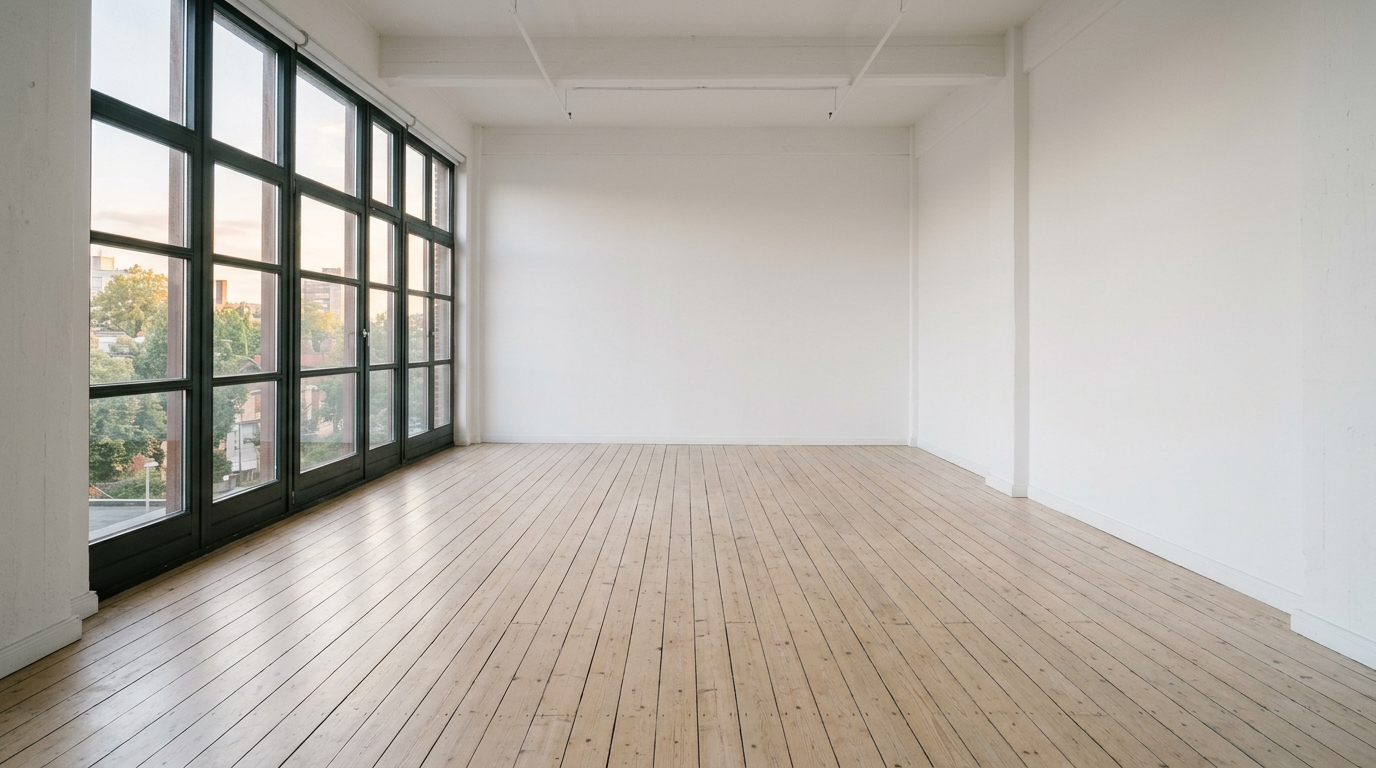
The frames must share a camera angle, a room and a light, or Seedance has to invent a cut. The easy way: make the start image, then press Remix on it so the end image starts from the same picture, and describe only what's different. Both images below came from Nano Banana 2 in Everygen's image generator, 2 credits each.

Start frame prompt (Nano Banana 2)

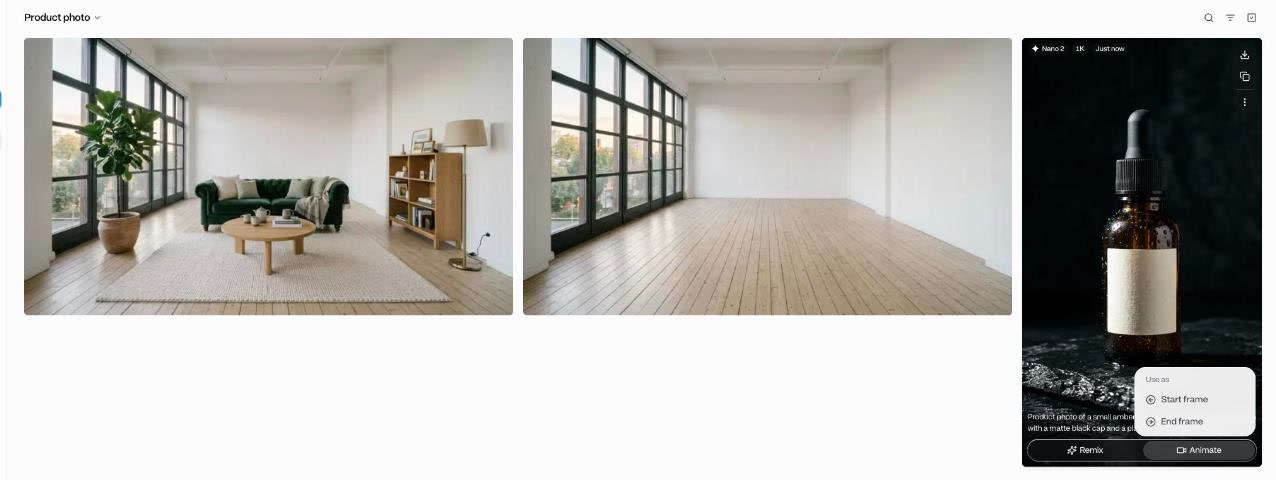
Wide photo of an empty white-walled photo studio with pale wooden floorboards, a large window on the left letting in soft afternoon daylight, completely empty room, no furniture, no people, eye-level camera from the doorway, photorealistic.

End frame prompt (Remix of the start frame)

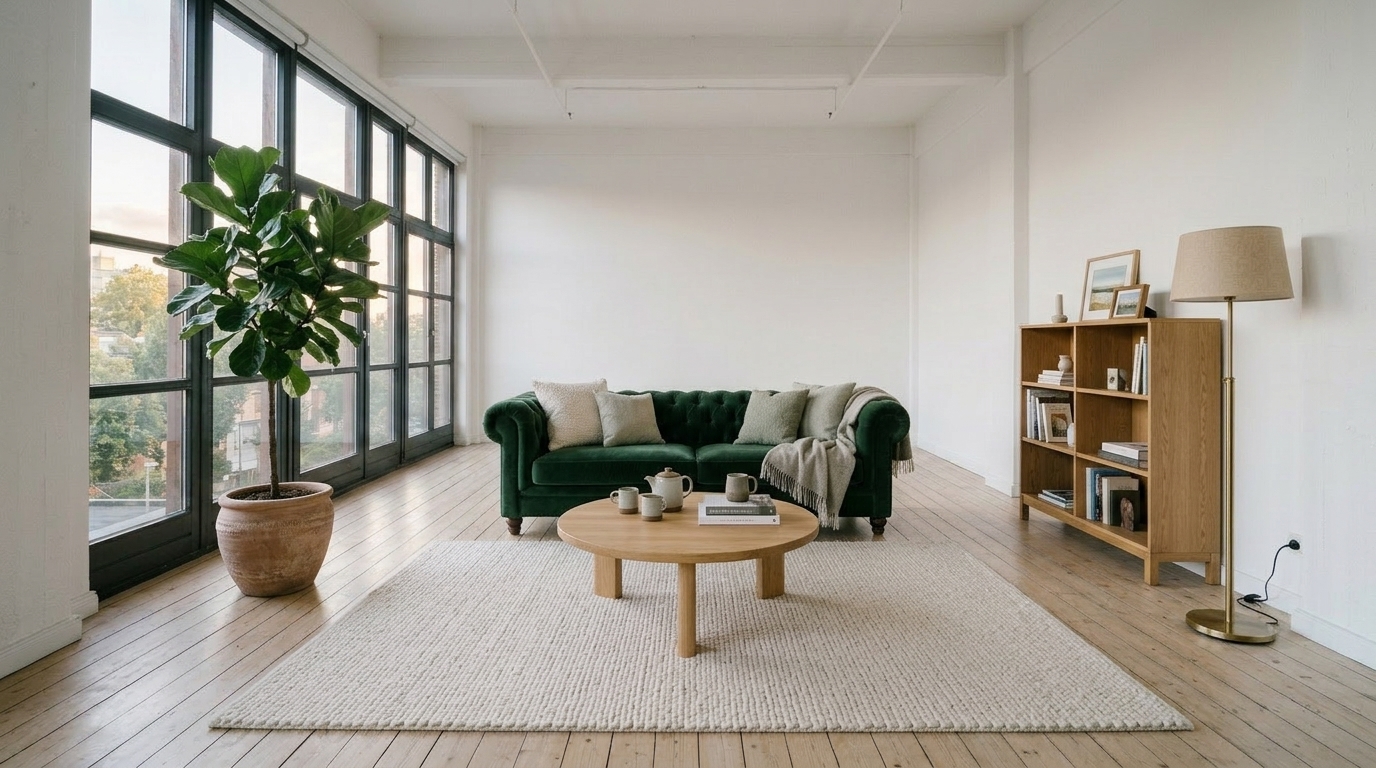
The exact same room from the reference image, same camera angle, same window and floorboards and light, but now fully furnished as a cosy living room: a green velvet sofa against the back wall, a round oak coffee table on a cream rug, a tall potted fiddle-leaf fig by the window, a floor lamp and a bookshelf on the right wall. No people. Photorealistic.

Empty white photo studio with pale floorboards and a big window, made with Nano Banana 2 on Everygen

Start frame

The same studio furnished with a green sofa, oak table, rug, fig tree, lamp and bookshelf, made with Nano Banana 2 on Everygen

End frame

2. Attach them

On the start image, press Animate and Use as Start frame. The video generator opens with it attached. Set the model back to Seedance (in our run it had switched to another model), then press End frame and pick the second image from your generations. Both thumbnails show above the prompt with an arrow between them.

The image generator's Animate menu offering Use as Start frame or End frame
Animate on an image: use it as the start or the end frame.
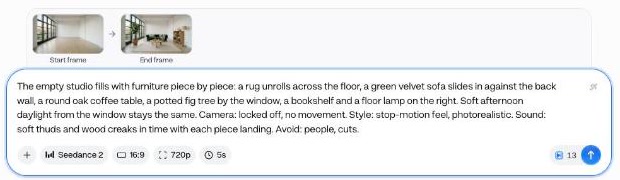
Start frame and end frame thumbnails above the prompt, Seedance 2 at 16:9, 720p, 5s, 13 credits
Both frames set. Seedance 2, 16:9, 720p, 5 seconds: 13 credits, the same as with no frames.

3. Describe the change, not the frames

The prompt says what happens between the two pictures, in order, and holds the camera still so the change is the only thing that moves.

Video prompt16:9, 720p, 5 sSeedance 2

The empty studio fills with furniture piece by piece: a rug unrolls across the floor, a green velvet sofa slides in against the back wall, a round oak coffee table, a potted fig tree by the window, a bookshelf and a floor lamp on the right. Soft afternoon daylight from the window stays the same. Camera: locked off, no movement. Style: stop-motion feel, photorealistic. Sound: soft thuds and wood creaks in time with each piece landing. Avoid: people, cuts.

Empty studio filling with furniture, animated between two frames with Seedance 2 on Everygen
0:00 / 0:00
Seedance 2, 16:9, 720p, 5 s, start and end frame. 13 credits, about $0.49 on Pro or $0.59 on Starter.

What to watch for

  • Same ratio for both frames and the clip. A 16:9 pair wants a 16:9 clip.
  • Lock the camera (“Camera: locked off”) unless the move is the point. Two frames plus a camera move is a lot to reconcile.
  • List the steps of the change in the order you want them.
  • If the clip cuts instead of moving, the frames are too far apart. Bring them closer, or add a middle frame and make two clips.
  • Five seconds is enough for a small change. Give a big one 8 to 10.

Seedance settings in Everygen

Read from the generator on October 23, 2026. The same table, with prices, is on the model page.

SettingSeedance 2.5Seedance 2Seedance 2 FastSeedance 2 Mini
Resolutions480p, 720p, 1080p480p, 720p, 1080p, 4K480p, 720p480p, 720p
Length4 to 30 s4 to 15 s4 to 15 s4 to 15 s
Aspect ratiosAll 7All 7All 7All 7
SoundAlways onAlways onAlways onAlways on
Start / end frameYes / YesYes / YesYes / YesYes / Yes
References50 (30 img, 10 vid, 10 audio)15 (9 img, 3 vid, 3 audio)15 (9 img, 3 vid, 3 audio)15 (9 img, 3 vid, 3 audio)
Extend4 to 15 s4 to 15 s4 to 15 s4 to 15 s
From7 credits5 credits4 credits3 credits
  • Resolution: draft at 480p or 720p, finish at 1080p or 4K. On Seedance 2.5, 1080p is only a little more than 720p (22 against 20 credits at 5 s), so finish there.
  • Length: price grows with every second, so test at 4 or 5 and only go long on a prompt that works.
  • Ratio: 9:16 for Shorts, Reels and TikTok, 16:9 for YouTube and the web, 1:1 or 4:3 for feeds, 21:9 for letterbox, Auto to follow a start frame.
  • Sound: always on, so steer it in the prompt. “Sound: her voice only” or “Avoid: music” work.

What a real Seedance workflow costs

Nobody nails it on the first try, so price the tries, not the clip.

  • 3 drafts

    Version and settings
    Seedance 2 Mini, 5 s, 720p, 7 each
    Credits
    21
  • 1 final

    Version and settings
    Seedance 2.5, 5 s, 1080p
    Credits
    22
  • Total

    Version and settings
    3 drafts and 1 final
    Credits
    43, about $1.63 on Pro

Dollar figures use each plan's annual price.

Doing all four tries on Seedance 2.5 at 1080p would cost 88 credits. Drafting on Mini saves 45, and on Starter (200 credits a month, $9 billed annually) that's the difference between about 2 finished clips a month and about 4.

The cheapest Seedance run of all is Seedance 2 Mini at 4 seconds and 480p, 3 credits. Every price by version, length and resolution, with dollars per plan, is on the Seedance model page, and plans are on pricing. If you're weighing other tools, Higgsfield pricing compared prices the same clip on both.

Common Seedance mistakes and how to fix them

Symptom first, fix second.

  • The camera ignores you

    Fix
    Name one move (“slow push in”), not a mood (“cinematic”).
  • The character changes between clips

    Fix
    Repeat 2 or 3 fixed features, reuse the same references, or start from the same image.
  • You asked for three shots and got one

    Fix
    Label them “Shot 1:”, “Shot 2:” and give the clip more seconds.
  • Text or captions appear

    Fix
    Add “Avoid: on-screen text, captions”, and use references with no text in them.
  • The dialogue sounds rushed

    Fix
    Shorten the line or lengthen the clip, and put the exact words in quotes.
  • Unwanted music

    Fix
    Write the sounds you want and add “Avoid: music”.
  • The clip is cropped or stretched

    Fix
    Match the ratio to your start frame, or pick Auto.
  • A start-to-end clip cuts instead of moving

    Fix
    Make the frames closer: same angle, same light. Remix the start frame to make the end.
  • The model changed after Animate

    Fix
    Opening a picture from the image generator can switch the model. Check the chip says Seedance before you send.
  • Credits vanish on experiments

    Fix
    Draft on Mini or Fast at 4 or 5 seconds, then rerun the winner.

When a clip fails

The clip says whether your credits came back and how many. If they weren't returned, it says so and points you to support.

Going past one clip: Extend and Wizard

Seedance tops out at 15 seconds a run (30 on 2.5). Two ways to go longer.

Extend a clip

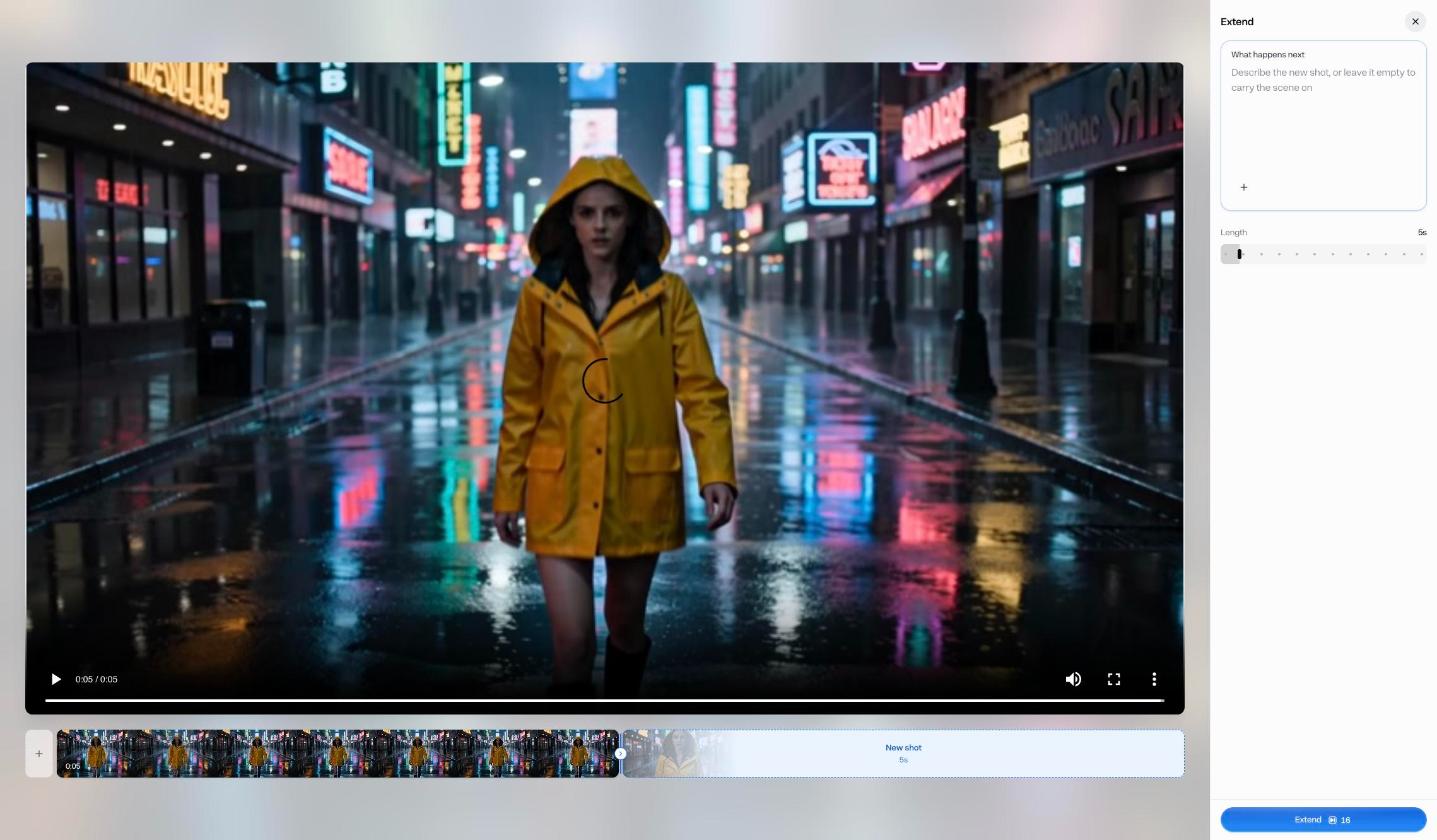
Open a finished clip's menu and press Extend. Say what happens next, or leave the box empty to carry the scene on, pick 4 to 15 seconds, and the price shows on the button. Prices on a 720p Seedance 2 clip:

Extend byCredits
4 s14
5 s16
10 s27
15 s39
The Extend panel: a What happens next box, a length slider and the price on the Extend button
The Extend panel: What happens next, a length slider, and the price on the button.

Ask Wizard for the whole video

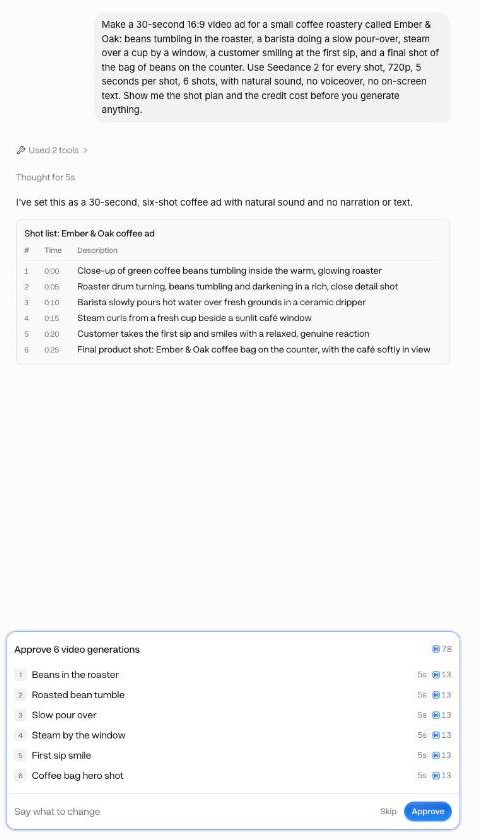
Wizard is Everygen's agent. Tell it the video, the version and the settings, and it writes a shot plan, shows the price and waits. We asked for a 30-second ad on Seedance 2 and told it to show the cost first:

What we typed into Wizard (Fast mode)Seedance 2

Make a 30-second 16:9 video ad for a small coffee roastery called Ember & Oak: beans tumbling in the roaster, a barista doing a slow pour-over, steam over a cup by a window, a customer smiling at the first sip, and a final shot of the bag of beans on the counter. Use Seedance 2 for every shot, 720p, 5 seconds per shot, 6 shots, with natural sound, no voiceover, no on-screen text. Show me the shot plan and the credit cost before you generate anything.

Wizard's six-shot plan for the coffee ad and its approval card for 78 credits
The plan: six shots, 13 credits each, 78 in all. Nothing is charged until you press Approve.

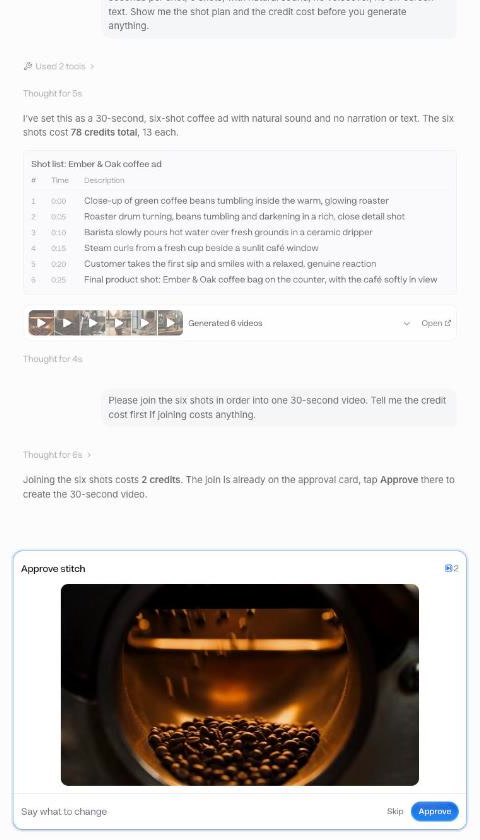
After Approve, all six shots rendered as Seedance 2 clips at 16:9, 720p, 5 seconds. Then we asked it to join them, and it asked again before spending:

What we typed next

Please join the six shots in order into one 30-second video. Tell me the credit cost first if joining costs anything.

Wizard asking to approve joining the six shots for 2 credits
Joining six shots: 2 credits, behind its own Approve.
Thirty-second coffee roastery ad joined from six Seedance 2 shots by Wizard on Everygen
0:00 / 0:00
The joined video, as Wizard handed it over30 seconds. 6 shots at 13 credits plus 2 to join: 80 credits, about $3.04 on Pro.

Wizard and every Seedance version also run from Claude, ChatGPT and Cursor through the Everygen MCP server, on the same credits.

Seedance 2.0 vs Seedance 2.5: what changes when you use them

Same prompts, same controls, different limits.

Seedance 2.5 runs up to 30 seconds instead of 15, takes 50 references instead of 15, and has its own Edit model. Seedance 2 (ByteDance's Seedance 2.0) is the only one with 4K. Everything in this guide works the same on both, so a prompt you drafted on 2.0 Mini or Fast runs unchanged on 2.5.

To see the four side by side on the same prompts, and every price, go to the Seedance model page. For where else Seedance runs and what it costs there, see Higgsfield alternatives.

Make your first Seedance clip

Start on Seedance 2 Mini for 7 credits at 5 seconds 720p, then rerun the keeper on Seedance 2.5.

Seedance how-to questions

Open Everygen's video generator, pick Seedance 2 from the model menu (that is ByteDance's Seedance 2.0), set the ratio, resolution and length, write a prompt that names the subject, action, setting, camera move and sound, check the price on the button, then press send. Steps 1 to 8 above walk through each one.
The cheapest way in is Starter ($9 a month billed annually, 200 credits, plus a first-month bonus of the same size). Draft on Seedance 2 Mini at 480p for 3 credits a try.
Yes. Press Start frame in the composer and upload it, or open an image in the image generator, press Animate and pick Use as Start frame. The video generator opens with it attached. Then check the model chip says the Seedance version you want.
Use the same reference images every time and type @ to point at them, repeat two or three fixed features in every prompt (hair, clothes, one prop), or start each clip from the same image.
Write it in the prompt. Put spoken words in quotes, keep the line short enough to say in the clip's length, and list sounds after Sound:. Every Seedance clip on Everygen comes with sound, so there is nothing to switch on.
9:16. Use 16:9 for YouTube and websites, 1:1 or 4:3 for feeds, and 21:9 for a cinematic letterbox. If you start from an image, pick the image's ratio or Auto.
A failed clip says right on it whether your credits came back and how many. If they weren't returned, it tells you to contact support.
Yes, two ways. Extend a finished clip from its menu, 4 to 15 seconds at a time (a 5-second extend on a 720p Seedance 2 clip showed 16 credits). Or ask Wizard for the whole video: our 30-second, six-shot ad cost 80 credits, and Wizard asked before each paid step.
Yes. Connect Everygen's MCP server and ask for a video with Seedance 2.5, 2, 2 Fast or 2 Mini by name. It spends the same credits from the same balance as the website.

Trusted by 5,000+

Dean JohnsonDiscovery DosePushing Positivity

Where ideas turn intovideos that go viral