ChatGPT + Everygen guide
I Gave GPT-6 One Prompt To Make a Viral Short
I recreated five viral Short formats inside ChatGPT with the Everygen plugin. Here are the exact prompts I typed, the feedback I sent, and what came back.
This is the written version of my YouTube video. Watch the original video
The prompt and the finished Short
Can you use @Everygen Direct to make a viral video that will be posted on this channel: [paste the channel link] Should follow same scripting style, same voiceover (Everygen voice in everygen), same captions (also in everygen) edited without dead space and everything. You have full permission to do what you need to do, just return with a video that independently passes a review of being better than the recent discovery dose video
Type @ in ChatGPT and pick Everygen Direct, then replace the bracket with the channel you want to copy.
Copied from the message I sent in the video. The bracket is where I pasted the link.
Set up the plugin
It takes about two clicks.
- Go to everygen.ai/mcp and choose the ChatGPT box.
- Press Add Everygen plugin, then Install plugin.
- When ChatGPT asks to access Everygen, press Allow.
I used GPT-6 Sol on medium effort, with ChatGPT set to Approve for me, so it never stopped to ask. Set it to ask for approval instead and it won’t spend your credits without checking. The same page has the steps for Claude and other AI apps.
Open the setup page01Nature facts
Nature facts: copy a channel, then give notes
A 30-second realistic nature-facts Short with voiceover, captions and music, written to pass as the next upload on a real channel.
Reference Discovery Dose, hundreds of millions of views on nature facts
Nature facts has always been a hard niche. You need a good idea, good visuals, a great script, a great voiceover and good captions. We know the person who runs Discovery Dose, and he already uses Everygen for some of his visuals, so I asked ChatGPT for a video that could go out as his next upload.
The prompt and the finished Short are at the top of this page.
What it did
ChatGPT ran Everygen’s video analysis on the channel before writing anything. It found a consistent structure: a direct hook, quick process details and an abrupt reveal. Then it searched the web for ideas and asked me to pick a voice. I chose the Everygen voice. Within about two minutes it had the idea, the script and the voiceover.
It split the 30-second voiceover into eight scenes, generated a starting frame for each, waited on every clip and regenerated anything that failed. I told it to use Seedance 2.5 because I wanted the most realistic visuals possible. Kling 3.0 or Seedance 2 would cost less.
For one prompt the first cut was impressive, but I didn’t like the captions and the visuals could be better. ChatGPT doesn’t have feelings, so I was direct.
The music is bad and not like discovery dose would use, and the captions aren’t good, you should use everygen default captions. The script part of colour you may have worn or eaten is bad, should change. There’s also some dead audio space in between sentences. I think the end of the script is confusing as well, it’s not that strong, we should emphasize people might be wearing insects. Also I think there’s not enough variation of visuals, look at how much discovery dose changes scenes. We should re-analyze other discovery dose scripts, how they do visuals etc. We can reuse parts of this script or voiceover but make the changes I told you and try to make this video better than the recent discovery dose video
Typos corrected from the message I sent in the video.
What changed
There’s no special prompting here. I talked to it the way I’d talk to an editor doing revisions. It worked for 32 minutes and 16 seconds, rewrote the script, made a new voiceover and background track, and generated more clip variations.
The hook went from cochineal being “a color you may have worn or eaten” to bugs that “can turn your clothes bright red”, and the ending now lands on the scarf someone might be wearing. That version is the Short at the top of this page.
02Nursery rhyme
Nursery rhyme: the one I could one-shot
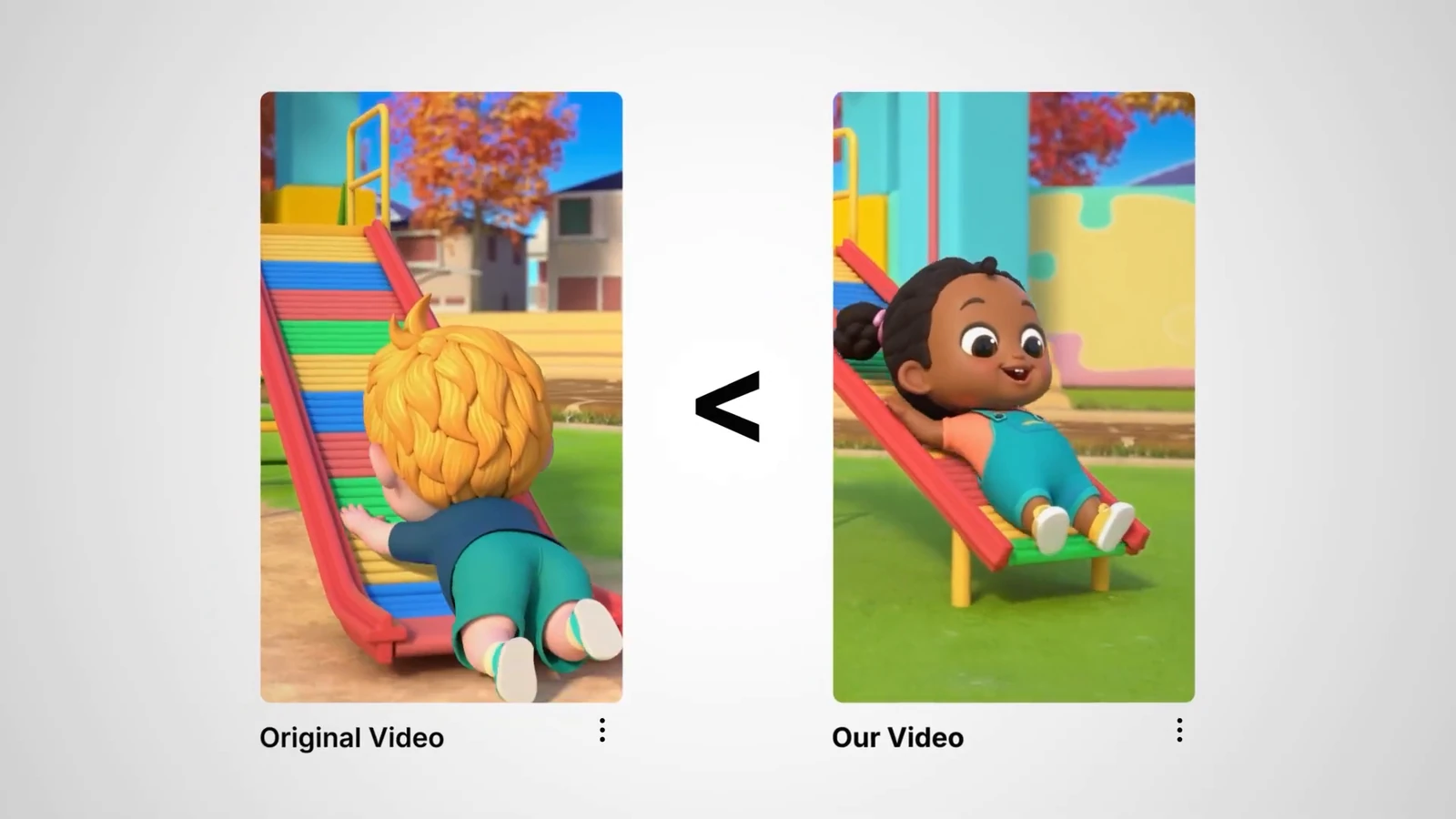
A 20-second animated counting song for kids, in the style of a Short with 5.4 billion views.
Reference NuNu TV Nursery Rhymes, 29.4 million subscribers when I recorded
Videos like the one I linked were made before AI. An animator was paid hundreds to thousands of dollars for each one. This is the format where one prompt was enough.
Use @Everygen Direct to make a kids youtube short in this exact style: [paste the Short’s link]. Make it a bit longer than the original, roughly 20 seconds. Make sure to analyze why this video got so many views and make sure this one has the same elements
Type @ in ChatGPT and pick Everygen Direct, then replace the bracket with the Short you want to copy.
Copied from the message I sent in the video. The bracket is where I pasted the link.
What it did
I asked it to work out why the original went viral, and it did. It worked for about 10 minutes and found the nursery rhyme skill built into Everygen, a long prompt on how to make good nursery rhyme videos, which is why it could one-shot this. After generating the video it checked its own work against the Short I linked.
No revisions. I’m not a kid, but I think ours is better than the original.
033D explainer
3D explainer: plan on a few revision passes
A 3D-animated story Short about a beetle that fires a boiling spray at a mantis, in the style of a channel built on them.
Reference Zack D. Films
Made in Blender without AI, these 3D story videos take days and cost hundreds to thousands of dollars. I asked for one that could be the channel’s next upload.
Use @Everygen Direct to make a full Zack D Films style short [paste the channel link]. Imagine this short were to be posted as the next video on his channel. Analyze the scripting style, visuals, voiceover, and make this video pass an independent review of it being better than his recent few videos.
Type @ in ChatGPT and pick Everygen Direct, then replace the bracket with the channel you want to copy.
Copied from the message I sent in the video. The bracket is where I pasted the link.
What it did
It worked for 17 minutes and 54 seconds on the idea, the script and the voiceover. The video analysis picked up that the first couple of seconds of these videos matter most, so it planned a visual hook and generated a beetle-and-mantis starting frame. GPT-6 chose Kling 3.0 on its own, a cheaper model that generates faster.
The first draft was decent, but not quite there.
I don’t like the movement it’s too slow not like Zack D Films, and the visuals on the first clip aren’t super appealing it should have this like crazy spray thing that happens when you say spray. Also the second clip is boring. The second and third clips are too similar, also there’s not enough variation of clips like they should be switching or moving more often. There’s also too much dead space in between the voiceover lines
Typos corrected from the message I sent in the video.
What changed
It worked for another 9 minutes and 27 seconds and came back with the version above. The hook is really good. There are still things I’d change: with a complex video like this you probably won’t one-shot it, and I only did one revision pass. To actually upload it, I’d do two to four.
04Animated story
Animated story: a cinematic short with a real plot
A 30-second Disney-style animated short with a storyline, music and no dialogue.
Reference A Disney-style short, over 100 million views on Instagram Reels
Shorts Studio in Everygen already has a Disney format that makes these in one prompt, and you can ask the ChatGPT plugin to use it. For this one I wanted nicer animation and something a bit more emotional.
Use @Everygen Direct to make a full Disney style animated short like this: [paste the reel link]. Come up with an idea and make a video that you think would be better than the video I’m linking you. Focus on a good visual hook & story, make it about 30 seconds long.
Type @ in ChatGPT and pick Everygen Direct, then replace the bracket with the reel you want to beat.
Copied from the message I sent in the video. The bracket is where I pasted the link.
What it did
It worked for about four minutes and pitched a story it called “The Last Spark”: in a snowstorm, a palm-sized robot spends its last warm light reviving a little bird, and the bird nudges it into the sunrise to recharge. It asked me to approve the story and the model, Seedance 2.5, before generating. Beyond that approval I gave it no other input.
05Ranking video
Ranking video: ChatGPT edits the whole thing
A seven-clip ranking Short with the title, the numbered list and hard cuts edited in.
Reference RankZilla, hundreds of millions of views per video
Ranking compilations are one of the most popular styles right now. Shorts Studio’s ranking videos format makes the individual clips. I wanted to see if ChatGPT could edit the entire ranking video, text included, by itself.
Use @Everygen Direct to make a ranking style youtube short that is better than this video: [paste the Short’s link]. Should follow the same style, text, etc and have a funnier more eye catching hook.
Type @ in ChatGPT and pick Everygen Direct, then replace the bracket with the Short you want to beat.
Copied from the message I sent in the video. The bracket is where I pasted the link.
What it did
It analyzed the reference’s pacing, captions and ranking format: seven items, a title that stays on screen, a numbered list on the left, hard cuts and no narration. Then it wrote a script, “Ranking trampoline fails that voided the warranty”, with a stronger opening joke, and asked me to approve it.
Once I approved it, it generated the clips in a couple of minutes and returned the edited video.
What I’d change
If I were posting it, I’d reorder some of the clips and regenerate a few. The point is that you can make almost any clip you can think of and revise it until it looks real.
What I learned
Analysis comes before the script
Everygen’s video analysis is what keeps these from looking like AI slop. Every time, ChatGPT studied the channel or Short I linked before it wrote a word.
Talk to it like an editor
There’s no special prompt for revisions. Say what’s wrong as plainly as you would to a person cutting your video.
Simple formats one-shot, complex ones take passes
The nursery rhyme came out right first time because Everygen has a skill for it. A 3D explainer needs two to four revision passes before I’d upload it.
Pick the model for the job
I asked for Seedance 2.5 when realism mattered. Kling 3.0 and Seedance 2 cost less, and GPT-6 picked Kling 3.0 by itself for the 3D Short.
Make it yours before you monetize
AI content isn’t demonetized by default. YouTube demonetizes what it calls inauthentic content: mass-produced, generic, repetitive or manipulative videos. Put an original element and real effort into each one.
Make your first Short in ChatGPT
Add the Everygen plugin, then paste any prompt above with your own reference link.